

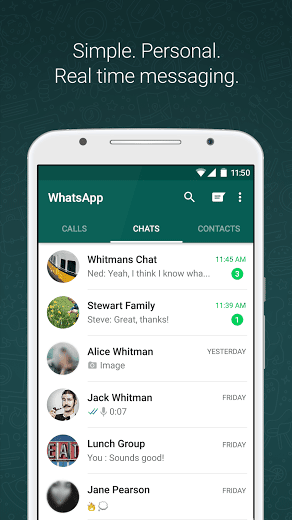

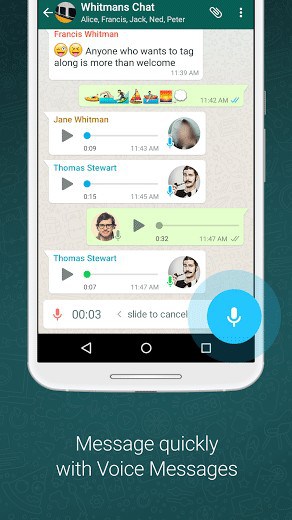
WHY USE WHATSAPP:• NO FEES: WhatsApp uses your phone’s Internet connection (4G/3G/2G/EDGE or Wi-Fi, as available) to let you message and call friends and family, so you don’t have to pay for every message or call.* There are no subscription fees to use WhatsApp.• MULTIMEDIA: Send and receive photos, videos, documents, and Voice Messages.• FREE CALLS: Call your friends and family for free with WhatsApp Calling, even if they’re in another country.* WhatsApp calls use your phone’s Internet connection rather than your cellular plan’s voice minutes. (Note: Data charges may apply. Contact your provider for details. Also, you can’t access 911 and other emergency service numbers through WhatsApp).• GROUP CHAT: Enjoy group chats with your contacts so you can easily stay in touch with your friends or family.• WHATSAPP WEB: You can also send and receive WhatsApp messages right from your computer’s browser.• NO INTERNATIONAL CHARGES: There’s no extra charge to send WhatsApp messages internationally. Chat with your friends around the world and avoid international SMS charges.*
• SAY NO TO USERNAMES AND PINS: Why bother having to remember yet another username or PIN? WhatsApp works with your phone number, just like SMS, and integrates seamlessly with your phone’s existing address book.
• ALWAYS LOGGED IN: With WhatsApp, you’re always logged in so you don’t miss messages. No more confusion about whether you’re logged in or logged out.
• QUICKLY CONNECT WITH YOUR CONTACTS: Your address book is used to quickly and easily connect you with your contacts who have WhatsApp so there’s no need to add hard-to-remember usernames.
• OFFLINE MESSAGES: Even if you miss your notifications or turn off your phone, WhatsApp messenger will save your recent messages until the next time you use the app.
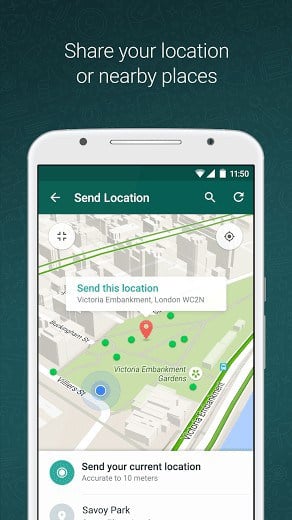
• AND MUCH MORE: Share your location, exchange contacts, set custom wallpapers and notification sounds, email chat history, broadcast messages to multiple contacts at once, and more!
*Data charges may apply. Contact your provider for details.
What’s New
• Play videos right away without waiting for them to download first. Videos will still be downloaded to your phone as the video is playing. (Android 4.1+ and only works with videos sent from the latest version of the Android app)
• Introducing WhatsApp video calling. With free video calls, you can have face-to-face chats with your friends and family around the world. Data charges may apply. (requires Android 4.1+)
• You can now send and receive animated GIFs
You may also be interested in whatscan for whatsapp
Additional information
Latest
31 MB
Android 4.0 and up
1,000,000,000 – 5,000,000,000 downloads
WhatsApp Inc.




Frequently Asked Questions
Is WhatsApp Messenger free to download and use on Android?
Yes, WhatsApp Messenger is a free messaging app available for Android. There are no subscription fees to use WhatsApp. The app uses your phone's internet connection (4G/3G/2G/EDGE or Wi-Fi) for messaging and calling, so you avoid standard SMS charges.
What features does WhatsApp Messenger offer?
WhatsApp Messenger allows you to send and receive messages, calls, photos, videos, documents, and voice messages. You can also make free calls to friends and family worldwide, create group chats, access WhatsApp Web for messaging from your computer, and use your existing phone contacts without needing usernames or PINs.
Can I make free calls with WhatsApp Messenger?
Yes, you can call your friends and family for free with WhatsApp Calling, even internationally. WhatsApp calls use your phone's internet connection rather than your cellular plan's voice minutes, though data charges may apply depending on your provider. Note that emergency service numbers (like 911) cannot be accessed through WhatsApp.
How do I install WhatsApp Messenger on my Android phone?
WhatsApp Messenger is available for Android devices. You can download it and install it on your smartphone. The app integrates seamlessly with your phone's existing address book and you stay logged in automatically so you won't miss messages.
Will I have international charges when using WhatsApp Messenger?
No, there are no extra charges to send WhatsApp messages internationally. You can chat with friends around the world and avoid international SMS charges by using WhatsApp's internet-based messaging instead of traditional cellular messaging.
What internet connection types does WhatsApp Messenger support?
WhatsApp Messenger works with 4G, 3G, 2G, EDGE, or Wi-Fi connections. The app uses whatever internet connection is available on your Android device to send messages and make calls.
i like it to whatapps
it is difficult to install it b’cos it require the highly graphical; features
It is an awesome application i enjoyed it ever!
watsap APS
is a nice APS
Good evening everyone,i have been trying to download whatsapp messenger here but its not working…can anyone help out here.thank you
Hi, I have tried my level best but to know avail aassistance plz.
I like whatsapp
yea whatsapp iz de best
very nice apk.
I like use whatsapp.
nice app
nice app ……
FIRST INSTALL WHATSAPP AND RUN IT…THEN PUT YOUR NUMBER AND VERIFY IT …
SECOND STEP IS TO UNISTALL IT ..
THIRD STEP IS TO INSTALL WHATSAPP PLUS FROM THIRD PARTY STORES …
UR WHATSAPP IS WORKING PERFECTLY FINE ….
My android doesn’t neither functioning nor redpond due to ua tecnical error.it is boresome
good man
Same here. Not working in nokia x. Plz solve these problem. Plz…. plz….
not working in nokia x please give new version.
Thanx guys
Nice entertainment for whatsapp.
i love my life.
im back.
thx app i love it.
what app very nice
It’s only OK not nice
you have any better solution… ?
my whatsapp is not working give me solution how to install whatsapp in nokia x mobile
whats app ke upar long press kare 3 options ayega ..fir niche dekhiye 2 options hey folder banake or widget. usme se widget ke upar click karke choose widget hey…usme jake niche dekhiye whats app hey just click ki jiye chala ayega.
The first thing is to know if U phone is an Android
I want to run whatapps on my PC, please confirm and advise thesame
first download bluestack and then run it. install whats app on bluestack and enjoy whatsapp on pc
first install bluestack in ur pc than run any android apps
1. Download Bluestacks
Rakesh first of all 1- Install bluestack app player latest version in your pc. If you are using windows xp then switch to windows 7 or8.
2-Then download whatsapp from any andriod apps website and install it in your pc.
Enjoy….
Ive tryd it’s nt workng uzng nok e61
Hello,
You can use whatsapp on your PC by downloading the bluestacks program. Search and find it on Google and install it. You will firstly have android on your PC. Then you can install whatsapp on bluestacks. So you will basically have a tablet or a phone working on android in your PC.
This is very smart and awsome app. I like this app becz enjoy friends and family with every time.
so nice
Hii…its cool m loving it …without whatsapp I can’t live …Love u whatsapp
Nice App..
I like to watsap
i hav a problem with this whats app i downloaded in nokia Xl now it says get new version or your device does not support what can i do
Not working in nokia x…please tell me the solution..
you make big mistake by buying nokia x