

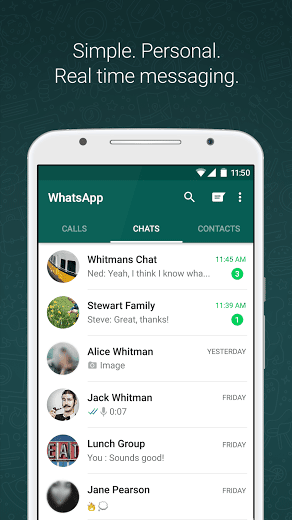

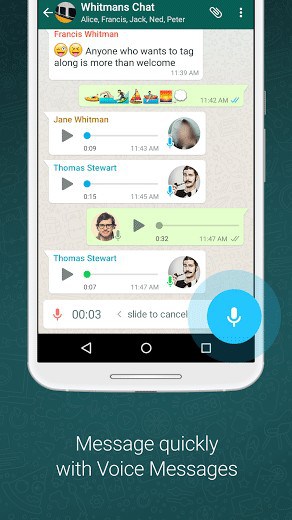
WHY USE WHATSAPP:• NO FEES: WhatsApp uses your phone’s Internet connection (4G/3G/2G/EDGE or Wi-Fi, as available) to let you message and call friends and family, so you don’t have to pay for every message or call.* There are no subscription fees to use WhatsApp.• MULTIMEDIA: Send and receive photos, videos, documents, and Voice Messages.• FREE CALLS: Call your friends and family for free with WhatsApp Calling, even if they’re in another country.* WhatsApp calls use your phone’s Internet connection rather than your cellular plan’s voice minutes. (Note: Data charges may apply. Contact your provider for details. Also, you can’t access 911 and other emergency service numbers through WhatsApp).• GROUP CHAT: Enjoy group chats with your contacts so you can easily stay in touch with your friends or family.• WHATSAPP WEB: You can also send and receive WhatsApp messages right from your computer’s browser.• NO INTERNATIONAL CHARGES: There’s no extra charge to send WhatsApp messages internationally. Chat with your friends around the world and avoid international SMS charges.*
• SAY NO TO USERNAMES AND PINS: Why bother having to remember yet another username or PIN? WhatsApp works with your phone number, just like SMS, and integrates seamlessly with your phone’s existing address book.
• ALWAYS LOGGED IN: With WhatsApp, you’re always logged in so you don’t miss messages. No more confusion about whether you’re logged in or logged out.
• QUICKLY CONNECT WITH YOUR CONTACTS: Your address book is used to quickly and easily connect you with your contacts who have WhatsApp so there’s no need to add hard-to-remember usernames.
• OFFLINE MESSAGES: Even if you miss your notifications or turn off your phone, WhatsApp messenger will save your recent messages until the next time you use the app.
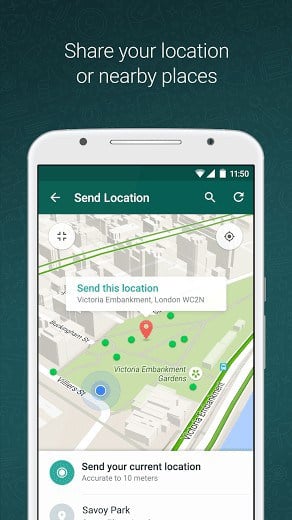
• AND MUCH MORE: Share your location, exchange contacts, set custom wallpapers and notification sounds, email chat history, broadcast messages to multiple contacts at once, and more!
*Data charges may apply. Contact your provider for details.
What’s New
• Play videos right away without waiting for them to download first. Videos will still be downloaded to your phone as the video is playing. (Android 4.1+ and only works with videos sent from the latest version of the Android app)
• Introducing WhatsApp video calling. With free video calls, you can have face-to-face chats with your friends and family around the world. Data charges may apply. (requires Android 4.1+)
• You can now send and receive animated GIFs
You may also be interested in whatscan for whatsapp
Additional information
Latest
31 MB
Android 4.0 and up
1,000,000,000 – 5,000,000,000 downloads
WhatsApp Inc.





Frequently Asked Questions
Is WhatsApp Messenger free to download and use on Android?
Yes, WhatsApp Messenger is a free messaging app available for Android. There are no subscription fees to use WhatsApp. The app uses your phone's internet connection (4G/3G/2G/EDGE or Wi-Fi) for messaging and calling, so you avoid standard SMS charges.
What features does WhatsApp Messenger offer?
WhatsApp Messenger allows you to send and receive messages, calls, photos, videos, documents, and voice messages. You can also make free calls to friends and family worldwide, create group chats, access WhatsApp Web for messaging from your computer, and use your existing phone contacts without needing usernames or PINs.
Can I make free calls with WhatsApp Messenger?
Yes, you can call your friends and family for free with WhatsApp Calling, even internationally. WhatsApp calls use your phone's internet connection rather than your cellular plan's voice minutes, though data charges may apply depending on your provider. Note that emergency service numbers (like 911) cannot be accessed through WhatsApp.
How do I install WhatsApp Messenger on my Android phone?
WhatsApp Messenger is available for Android devices. You can download it and install it on your smartphone. The app integrates seamlessly with your phone's existing address book and you stay logged in automatically so you won't miss messages.
Will I have international charges when using WhatsApp Messenger?
No, there are no extra charges to send WhatsApp messages internationally. You can chat with friends around the world and avoid international SMS charges by using WhatsApp's internet-based messaging instead of traditional cellular messaging.
What internet connection types does WhatsApp Messenger support?
WhatsApp Messenger works with 4G, 3G, 2G, EDGE, or Wi-Fi connections. The app uses whatever internet connection is available on your Android device to send messages and make calls.
New whatsapp plus is 5 times better than whatsapp messenger
i installed bluestack but not able to download whatsapp………..please help me
Thanku SOO00 Muchhhhhhhhhhhh
good app
nice app file thanx 4 this
nice app file
I try to open play store for many times bit the programe loading for all times.please help me.
best app ever, fantastic features
thanks a lottttttttttttttttttt for ths apppp
i love whatsapp
i like whatsapp
I love it too
It’s superb and very very exciting.
I was trying to download watsapp on my samsung android tablet but it is unsuccesful. I need help…
Thank you for this app. You’re brilliant. It’s working on my mecer tablet
Thank you for this app. You’re brilliant.
ahhhhh its u vic yes yes it is me your friend
i love watsapp very very much.
HOW CAN I DOWNLOAD WHATS APP ON MY LAPTOP TELL ME??????????!!!!!!!!!!!!!!!!!!!!!
download bluestacks app player
first download a app called bluestack and intall it when u do that let me know.
you can download bluestack app player in your laptop and now u can use whatsapp…………. 🙂
I simply love it please download it
What a wonderful way to communicate!
this app is so good and I am also using this app
MY WHATS APP SHOWS SERVER ERROR IF INTERNET IS CONNECTED.WHAT CAN I DO
if your whatsapp tells you that you need to delete it and download a new one because that one has errors.
Plz upload games app like a temple run 2 nd many more ..
iam trying to download whatsapp but it will no download please help me…………..
I like you
I like you too
i’ve been trying to download whatsapp on my pc but itz not downloading,its asking me to download one bluestacks apps ,i’ve been trying to do dat n itz not working
first download bluetack otherwise youwave for android with apps on your pc then enjoy all your android apps in pc
Nice software
Very fast chating service good good
Nice one………………….
I Want to know how to install What’sApp on my Ipad mini?
Whats your ipad current OS version?
Very very nice app
nice app of thi site