

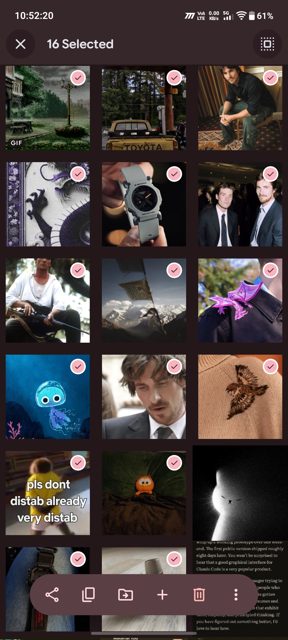
Photon Gallery is an open-source photo and video gallery app for Android that focuses on privacy and a modern Material 3 look. All its smart features, like search, face grouping, and text recognition, run locally on your phone instead of in the cloud.
Developer: Bn5prS · License: NOASSERTION (open source) · Price: Free
Before you start: since this app is not on Google Play, you need to allow your device to install APKs from the browser or file manager you use to download it. On Android 13 and older you may also be asked to grant storage permissions for the app to read your photos.
Official file from the developer's release · Nov 24, 2026 · SHA-256 eb0d59f610cd3629…
Screenshots
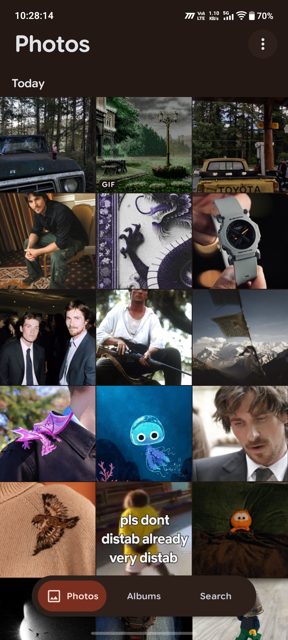
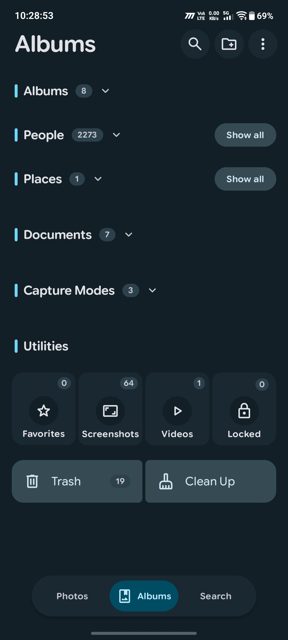
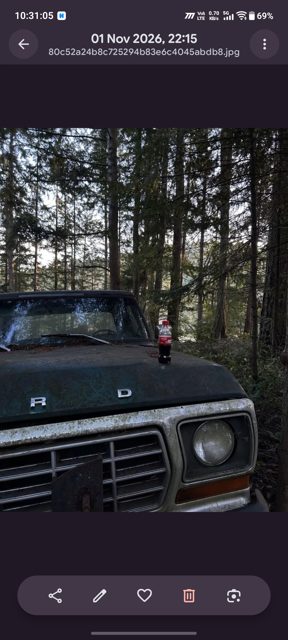
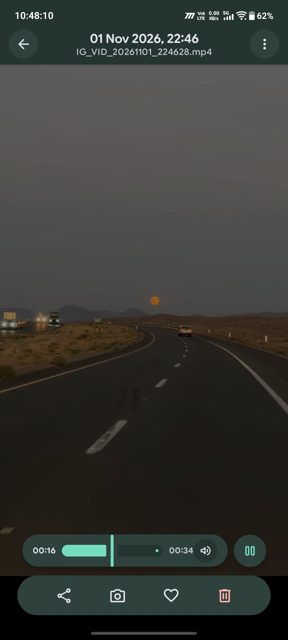
Key features
- Fluid media grid with customizable column layouts and instant loading
- On-device smart search and OCR that work without internet
- Photo map showing geotagged media on OpenStreetMap, with local caching
- Face grouping, albums, duplicate cleaner, and a recycle bin
- Photo editor with drawing, filters, blur redaction, and collage stitching
- Private Space vault locked with biometrics or a PIN
Why isn’t Photon Gallery on Google Play?
Photon Gallery is published by its developer on GitHub rather than on Google Play, and it is not listed on F-Droid either.
Is Photon Gallery safe?
The app is open source under the GPL-3.0 license, and the APK is built and released by the developer on GitHub. It requests broad permissions like MANAGE_EXTERNAL_STORAGE for moving and organizing files, and uses INTERNET only for map tiles, one-time AI model downloads, and update checks, with model files verified by SHA-256 checksum before use. Photon Gallery comes straight from its developer rather than through Google Play, so it hasn’t gone through Google’s app review. As with any app, check the permissions it asks for and install it if you’re comfortable with them.
How to install
- Tap the download button above: the APK file downloads straight to your phone.
- When Android asks, allow your browser to install unknown apps.
- Open the file and tap Install.
FAQ
Is Photon Gallery free
The README does not list a price, and the app is described as 100% ad-free and open source.
Does Photon Gallery upload my photos anywhere
No. Browsing, smart search, face grouping, OCR, editing, and duplicate finding all run on-device. The only internet use is for map tiles, one-time AI model downloads, update checks, and an optional tap to open Google Lens.
What Android version do I need
Photon Gallery targets Android 12 (API 31) and up, built with Kotlin 2.2 and Material 3 Expressive design.
More free apps you won’t find on Google Play: Open Source Apps · Best Android apps not on the Google Play Store.






Frequently Asked Questions
Is Photon Gallery free
The README does not list a price, and the app is described as 100% ad-free and open source.
Does Photon Gallery upload my photos anywhere
No. Browsing, smart search, face grouping, OCR, editing, and duplicate finding all run on-device. The only internet use is for map tiles, one-time AI model downloads, update checks, and an optional tap to open Google Lens.
What Android version do I need
Photon Gallery targets Android 12 (API 31) and up, built with Kotlin 2.2 and Material 3 Expressive design.













Leave a Comment