
ObtainX is a fork of Obtainium that lets you track and install Android app updates directly from their original sources, like GitHub, F-Droid, and APKPure, instead of waiting for them on an app store. It adds a Material 3 Expressive interface and a long list of power-user features on top of what Obtainium already does.
Developer: bikram-agarwal · License: GPL-3.0-only (open source) · Price: Free
Before you start: if you are switching from Obtainium, open Obtainium's Settings, find the Obtainium export section, tap Export, and save the .json file. Then in ObtainX go to the Backup tab, choose Import or Restore, and select that same file to bring over your tracked apps and settings.
Official file from the developer's release · Nov 26, 2026 · SHA-256 d1019dda842f0817…
Screenshots
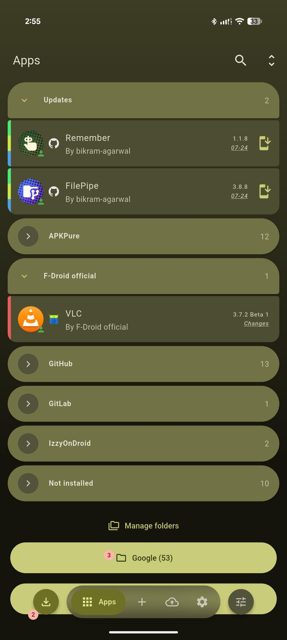
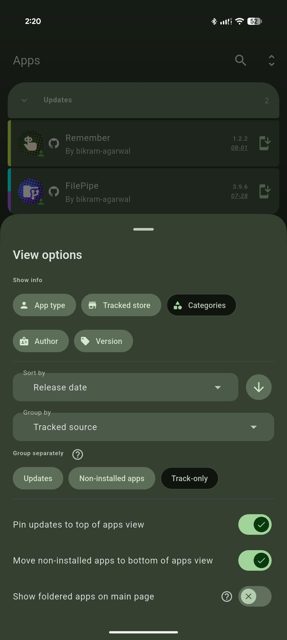
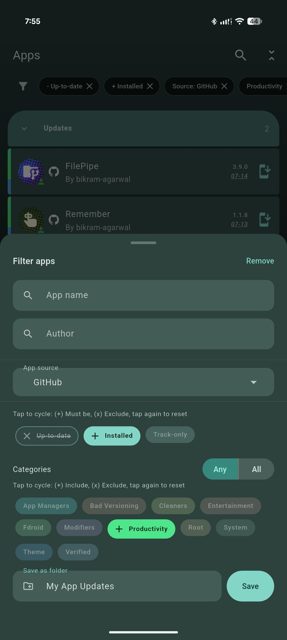
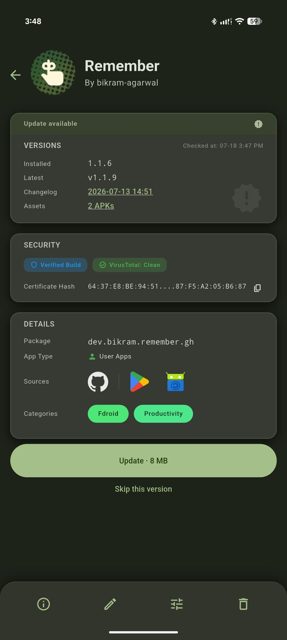
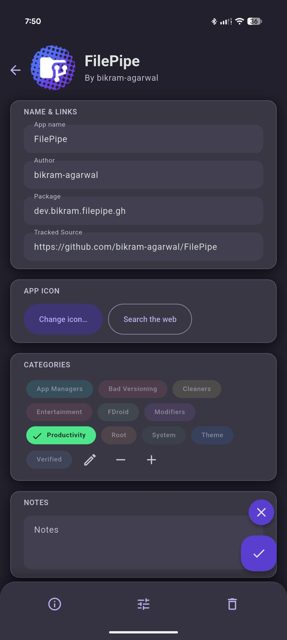
Key features
- Track the same app from multiple stores at once, or swap sources in two taps without losing folders or history
- Build verification checks (F-Droid/Izzy reproducible builds, GitHub attestations) and optional VirusTotal scanning before install
- Bulk import apps already on your device, with selective import or restore from backups
- Dynamic folders, configurable swipe gestures, undo after delete, and custom or backed-up app icons
- Advanced filter/RegEx assist, skip version, deliberate downgrades, and save update assets automatically
Why isn’t ObtainX on Google Play?
It is published by its developer on GitHub and is also available on F-Droid, not on Google Play.
Is ObtainX safe?
ObtainX is open source under the GPL-3.0 license. Download the official APK from the GitHub releases page linked below, or get it from F-Droid; the README lists the SHA-256 signing certificate hash for verification, and both the F-Droid and GitHub builds share the same signature thanks to reproducible builds. ObtainX comes straight from its developer rather than through Google Play, so it hasn’t gone through Google’s app review. As with any app, check the permissions it asks for and install it if you’re comfortable with them.
How to install
- Tap the download button above: the APK file downloads straight to your phone.
- When Android asks, allow your browser to install unknown apps.
- Open the file and tap Install.
FAQ
Is ObtainX free
Yes, it is free and open source software released under the GPL-3.0 license.
How is ObtainX different from Obtainium
ObtainX is a fork of Obtainium with a Material 3 Expressive interface and extra features such as tracking an app from multiple stores at once, build verification checks, VirusTotal scanning, bulk import from device, and a more complete tablet layout. The README includes a detailed side-by-side comparison document.
Can I move my existing Obtainium setup to ObtainX
Yes. Export your app list from Obtainium's Settings as a .json file, then import or restore it from the Backup tab in ObtainX.
More free apps you won’t find on Google Play: Open Source Apps · Best Android apps not on the Google Play Store.






Frequently Asked Questions
Is ObtainX free
Yes, it is free and open source software released under the GPL-3.0 license.
How is ObtainX different from Obtainium
ObtainX is a fork of Obtainium with a Material 3 Expressive interface and extra features such as tracking an app from multiple stores at once, build verification checks, VirusTotal scanning, bulk import from device, and a more complete tablet layout. The README includes a detailed side-by-side comparison document.
Can I move my existing Obtainium setup to ObtainX
Yes. Export your app list from Obtainium's Settings as a .json file, then import or restore it from the Backup tab in ObtainX.













Leave a Comment