

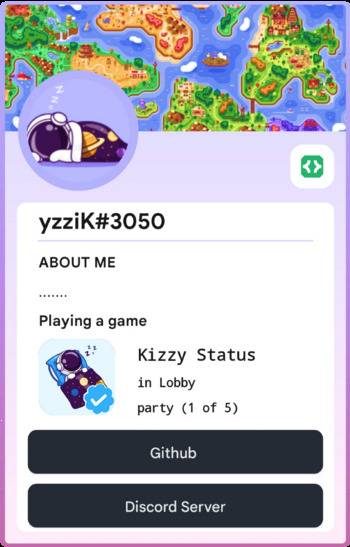
Kizzy is an app for Android that lets you set and manage custom Discord Rich Presence status, the "Playing…" info shown on your profile. It's written fully in Kotlin with Jetpack Compose and Material3, and is useful for anyone who wants to show off what they're doing on their phone without needing a PC running Discord.
Developer: dead8309 · License: GPL-3.0 (open source) · Price: Free
Before you start: Kizzy needs Android 8.1 through 14 (Android 14 may have bugs with experimental features) and at least 3GB of RAM. Check the Kizzy Quickstart Guide at kizzydocs.vercel.app for setup steps after installing.
Official file from the developer's release · Dec 15, 2025 · SHA-256 141a48afacbc0c1a…
Screenshots
Key features
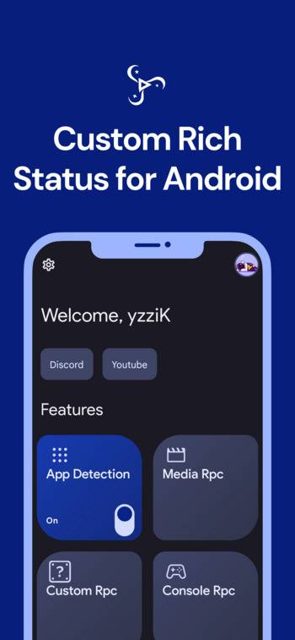
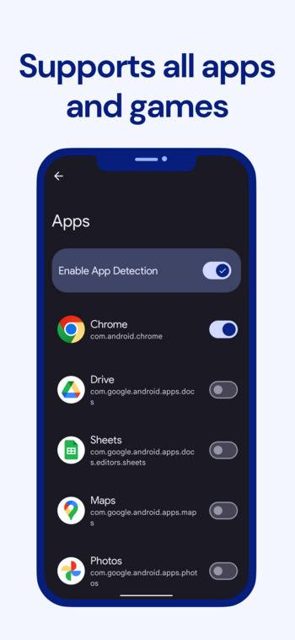
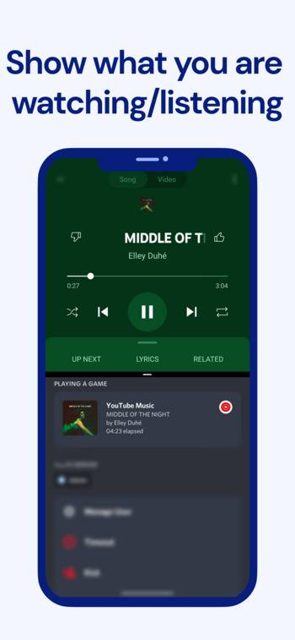
- Detects the currently running app and currently playing media automatically
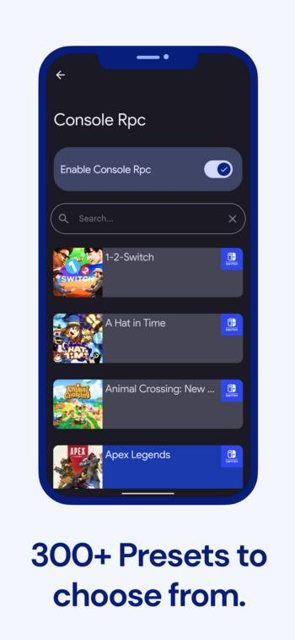
- 300+ predefined presets plus the option to create your own custom configs with your own images and links
- Clickable buttons, optional timestamps, and custom status support
- Save and load presence configs, with a preview of the RPC right inside the app
- Runs in the background even when the screen is off, with Material You theme and gif support
Why isn’t Kizzy on Google Play?
Kizzy is published by its developer on GitHub rather than on Google Play, and is not listed on F-Droid either.
Is Kizzy safe?
Kizzy is open source under the GPL-3.0 license, and this page links to the official releases on the developer's GitHub repository. Note that the app connects directly to the Discord Gateway to set your status, which the developer flags as a use-at-your-own-risk feature, though they state there have been no reported account terminations from this kind of custom rich presence over the past several years. Kizzy comes straight from its developer rather than through Google Play, so it hasn’t gone through Google’s app review. As with any app, check the permissions it asks for and install it if you’re comfortable with them.
How to install
- Tap the download button above: the APK file downloads straight to your phone.
- When Android asks, allow your browser to install unknown apps.
- Open the file and tap Install.
FAQ
Is Kizzy free to use
Yes. Kizzy is open source under the GPL-3.0 license and is free to download from GitHub.
How do I set up Rich Presence after installing Kizzy
Follow the official Quickstart Guide and post-install setup steps at kizzydocs.vercel.app, which walk through connecting your Discord account and choosing a presence config.
Is using Kizzy safe for my Discord account
Kizzy connects through the Discord Gateway to display your custom status, which the developer says to use at your own risk, though they note no account terminations have been reported from custom rich presence apps over the past 4-5 years.
More free apps you won’t find on Google Play: Open Source Apps · Best Android apps not on the Google Play Store.



Frequently Asked Questions
Is Kizzy free to use
Yes. Kizzy is open source under the GPL-3.0 license and is free to download from GitHub.
How do I set up Rich Presence after installing Kizzy
Follow the official Quickstart Guide and post-install setup steps at kizzydocs.vercel.app, which walk through connecting your Discord account and choosing a presence config.
Is using Kizzy safe for my Discord account
Kizzy connects through the Discord Gateway to display your custom status, which the developer says to use at your own risk, though they note no account terminations have been reported from custom rich presence apps over the past 4-5 years.













Leave a Comment