

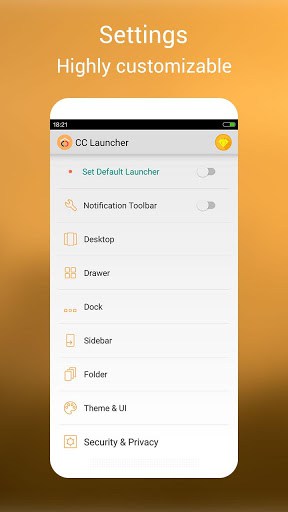
CC Launcher is a free, highly customizable Android launcher (home-screen replacement) known for its cool, cute themes, icon styling, decorative stamps and free-style widgets — all on top of a fast, native Android launcher experience. It is one of the easiest ways to completely restyle your phone without rooting. Explore more launchers and personalization apps.

Features:
1. Personalized:
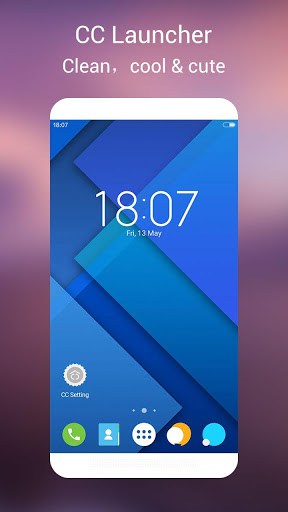
– Theme: many cool & cute themes
– Stamp: your can add various stamp to destop, decorate it to your style
– Free style widget
– Photo frame widget
2. Native launcher experience:
– Base on modern Android™ 6.0(Android M)
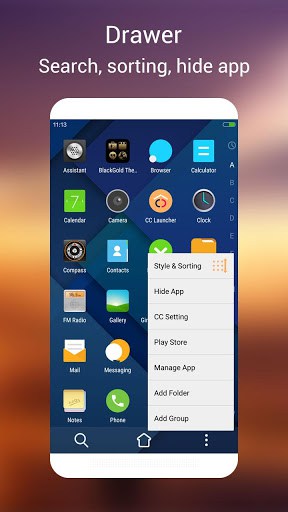
– Marshmallow style drawer
– Handy and feature-rich screen edit mode
– A-Z quick location sidebar, help you find app quickly
3. Handy tools/features:
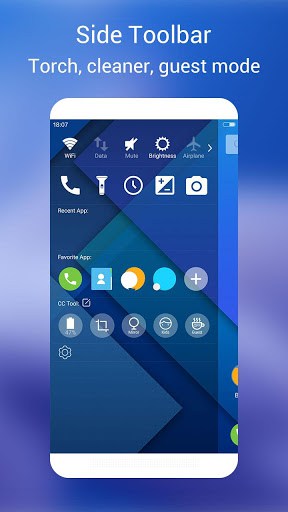
– Booster: boost your phone in one tap
– Battery saver: help you manage the battery well
– Gestures
– Unread counts
– Torch
4. Security & Privacy:
– Hide app, with patter lock option
– Applock
– Private folder
– Guest mode
Android is a trademark of Google Inc.
If you like CC Launcher, please help to spread the word, thanks
If you meet issue, please feedback with detailed info, we will fix it ASAP, thanks
What’s New
v1.8.1 (2016-12-27)
1. Quick fix crash bug
v1.8 (2016-12-26)
1. New cool theme and wallpaper store
2. Optimize hide app
3. Optimize drawer menu when no a-z bar
v1.7 (2016-12-9)
1. Optimize drawer a-z sidebar and menu
2. Optimize desktop UI
v1.6 (2016-11-22)
1. Optimize drawer card mode
v1.5
1. New UI, logo
v1.4
1. Optimize drawer layout
2. Support swipe down to search in drawer
3. Add 5 new themes
❤ CC Launcher, Cool & Cute, if you like it, please recommend to your friends, thanks
Additional information
CC Launcher – Cool & Cute
com.cc.launcher
1.8.1
4.99 MB
Android 4.0 and up
Dec 27, 2016
100,000+ downloads
iTop Mobile





Frequently Asked Questions
What is CC Launcher and what makes it different from other Android launchers?
CC Launcher is a cool and cute launcher that combines personalization with native Android functionality. It features many themes, customizable stamps and widgets, an A-Z quick location sidebar for fast app access, and is based on modern Android 6.0 (Marshmallow) style design. It also includes built-in tools like a booster, battery saver, and security features such as app lock and hide app functionality.
Is CC Launcher free to download and use?
Yes, CC Launcher is completely free to download and use. It's available for download on AppsApk.com and other platforms at no cost.
What Android version is required to install CC Launcher?
CC Launcher requires Android 4.0 and up to run. It is designed with features based on modern Android 6.0 (Marshmallow) but maintains compatibility with older Android versions.
How large is the CC Launcher APK file?
The CC Launcher APK file is 4.99 MB in size, making it a lightweight launcher option that won't consume too much storage space on your device.
What security and privacy features does CC Launcher offer?
CC Launcher includes several security and privacy features: hide app with pattern lock option, app lock functionality, private folder, and guest mode. These tools help you protect your sensitive apps and data from unauthorized access.
Can I download CC Launcher APK directly from Google Play Store?
While CC Launcher is available through various app distribution channels, you can download it as an APK file from AppsApk.com. The app has been downloaded over 100,000 times and was last updated on December 27, 2016. It's developed by iTop Mobile.
Leave a Comment