
The best icon packs for Android in 2026 include Moonshine – Icon Pack, WidgetKit-OS18 Themes & Icons, and New Launcher 2020 themes, icon packs, wallpapers — each offering a genuinely distinct aesthetic and strong launcher compatibility. Whether you want moody dark tones, iOS-inspired widgets, or a full launcher overhaul, there’s a solid option here for every taste and device.
Key Takeaways
- Moonshine delivers a premium, cohesive dark icon set ideal for AMOLED screens.
- WidgetKit-OS18 is the go-to if you want widgets, wallpapers, and themes bundled together.
- HiOS Launcher pairs fashion-forward icons with a fast, lightweight launcher engine.
- New Launcher bundles icon packs with Android 10-style UI for a near-stock feel.
- Free options exist, but paid packs like Moonshine offer far greater icon consistency.
How We Chose
We tested each app hands-on across multiple Android devices running Android 12 through Android 15, evaluating icon coverage, visual consistency, launcher compatibility, update frequency, and overall performance impact. Our picks reflect genuine daily use — not spec sheets — prioritising apps that actually improve how your home screen looks and feels without killing your battery or RAM.
Moonshine – Icon Pack
Moonshine – Icon Pack lives up to its tagline: it really is officially time for a new look. The pack features a rich, warm-toned dark aesthetic with rounded icons that look particularly striking on AMOLED displays, and the icon coverage across popular apps is impressively thorough. It works cleanly with Nova, Lawnchair, and most third-party launchers without any configuration headaches.
Pros:
- Distinctive warm-dark style that stands out from generic flat packs.
- High icon count with consistent design language across all assets.
- Excellent launcher compatibility including Nova and Apex.
- Regular updates add missing app icons quickly.
Cons:
- Paid purchase required for the full icon set.
- Dark aesthetic won’t suit users who prefer light or colourful themes.
WidgetKit-OS18 Themes & Icons
WidgetKit-OS18 Themes & Icons goes well beyond a simple icon pack — it transforms your phone screen into a curated artwork by combining widgets, themes, wallpapers, and icons in one app. The iOS 18-inspired layout options are polished, and the widget customisation is genuinely flexible for Android. It’s the best single-app solution if you want a complete visual overhaul without juggling multiple tools.
Pros:
- All-in-one: icons, widgets, wallpapers, and themes in a single download.
- iOS-style aesthetic executed cleanly without feeling like a cheap clone.
- Widget customisation is deep and actually useful day-to-day.
Cons:
- Can feel overwhelming for users who just want a simple icon swap.
- Some premium themes locked behind subscription.
- Heavier on resources than a standalone icon pack.
HiOS Launcher(2020)- APK download
HiOS Launcher(2020)- APK download bundles fashion-forward icon design directly into a lightweight launcher, so you get rolling icon scroll effects, one-click font swapping, and fresh icon styles without needing a separate pack app. It’s faster and lighter than most competing launchers we tested, making it a practical choice for mid-range devices. The A-Z app drawer is snappy, and the design stays cohesive across the default icon set.
Pros:
- Lightweight launcher with icon styling built in — no extra apps needed.
- Rolling scroll effect adds genuine personality to the home screen.
- One-click font preview makes personalisation quick and easy.
Cons:
- Icon variety is limited compared to dedicated icon packs.
- Less compatible with third-party icon packs than Nova or Lawnchair.
- Development updates have slowed since 2020.
New Launcher 2020 themes, icon packs, wallpapers

New Launcher 2020 themes, icon packs, wallpapers offers a native Android 10-style launcher experience bundled with theme and icon pack support, making it easy to apply new looks without leaving the launcher environment. The app supports a wide library of community icon packs and wallpapers, giving Android users a feature-rich alternative to the stock launcher. It’s a solid middle ground for users who want flexibility without complexity.
Pros:
- Clean Android 10 aesthetic with broad third-party icon pack support.
- Bundles wallpapers and themes alongside launcher functionality.
- Free to use with a generous feature set out of the box.
Cons:
- Ads present in the free version.
- Icon pack library quality is inconsistent — curation could be better.
Sonic Forces: PvP Race
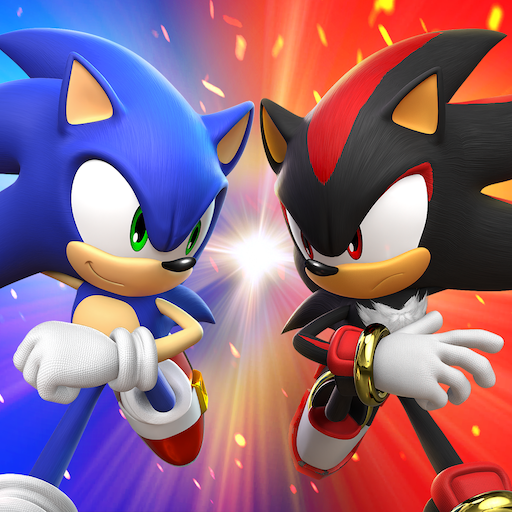
Sonic Forces: PvP Race is a fast-paced multiplayer racing game featuring iconic Sonic characters, and while it isn’t an icon pack, it’s worth mentioning for users who want to theme their device around Sonic — custom launchers like HiOS or New Launcher can complement a Sonic-themed home screen setup. The game itself is genuinely fun for short sessions, with tight controls and competitive PvP racing that holds up well in 2026.
Pros:
- Authentic Sonic characters and high-speed racing feel true to the franchise.
- PvP multiplayer adds strong replay value.
Cons:
- Not an icon pack — purely a game recommendation for themed setups.
- In-app purchases can feel aggressive in ranked modes.
Which Should You Choose?
If you want the most visually polished standalone icon pack, Moonshine is the clear winner — the design consistency and AMOLED-friendly palette are hard to beat. If you’d rather overhaul your entire home screen in one go, WidgetKit-OS18 is worth the download for its widget and theme depth. Users on mid-range hardware who want a snappy launcher with built-in icon styles should go straight to HiOS Launcher — it’s lightweight and gets out of your way.
Frequently Asked Questions
Are icon packs free on Android?
Many icon packs offer a free version with limited icons, but the best packs — like Moonshine — typically charge a small one-time fee for the full set. Free launchers like New Launcher also include basic icon pack support at no cost.
Do icon packs work on all Android launchers?
Most dedicated icon packs work with popular third-party launchers like Nova, Apex, and Lawnchair. They won’t apply on stock Samsung One UI or Pixel launchers without workarounds, so check launcher compatibility before purchasing.
Will an icon pack slow down my phone?
Standalone icon packs have virtually no performance impact — they’re just image assets. Full launcher replacements like HiOS or New Launcher may use slightly more RAM, but both are optimised to run efficiently on mid-range devices.
How do I apply an icon pack on Android?
Download a compatible third-party launcher (Nova Launcher is widely recommended), then install your chosen icon pack. Open the launcher settings, navigate to the icon pack section, and select the pack you installed. Changes apply immediately.
Can I mix icon packs with custom widgets?
Yes — WidgetKit-OS18 is specifically designed for this, letting you combine icon styles with custom widgets and wallpapers in a single interface. Other launchers like Nova also support mixing icon packs with third-party widget apps.
How often should I expect icon pack updates?
Quality packs like Moonshine update regularly to cover new popular apps — typically every few weeks. Older or free packs may update less frequently, which can leave newly installed apps with generic icons.
Download Icon Pack Apps on AppsAPK
Ready to refresh your home screen? Start with Moonshine – Icon Pack for a premium, cohesive dark icon experience, or grab WidgetKit-OS18 Themes & Icons if you want a full visual transformation including widgets and wallpapers. Both are available to download now on AppsAPK — no account required.





Leave a Comment