
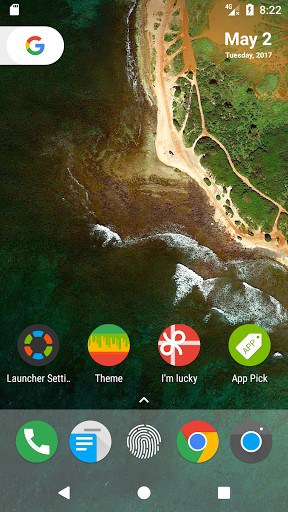
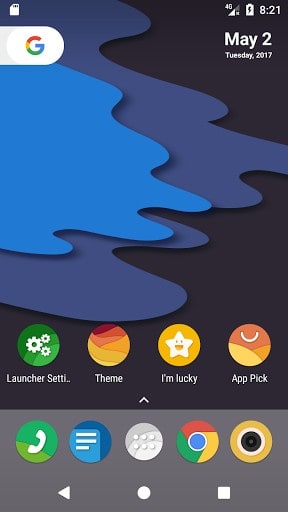
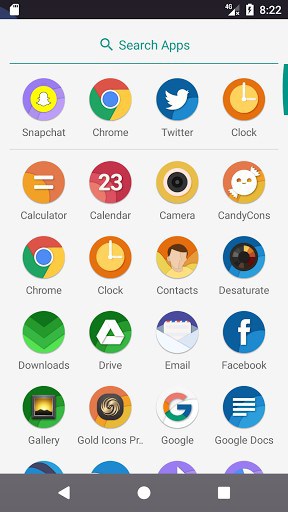
N Launcher also keeps latest Android™ 6.0 Marshmallow experience,and has many enhanced features.
Features for Android™ N:
Android 7.0 Nougat style Animation and Design.
Android 7.0 Nougat Style Drawer, Vertical style, A-Z fast scrollbar.
Android 7.0 Nougat Style for Widgets display.
Also, we added some new features inspired from Pixel Launcher. We will add more cool features.
Swipe up to access app drawer.
Android 7.1 style for app drawer.
Android 7.1 style for home indicators.
Features for Customization:
Support setting for desktop,icon layout,size and color of app name and so on.
Support setting for App drawer.
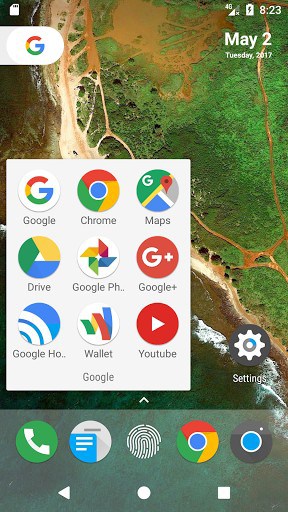
Support setting for Folder.
Support Hide Apps.
Features for Launcher Personalization:
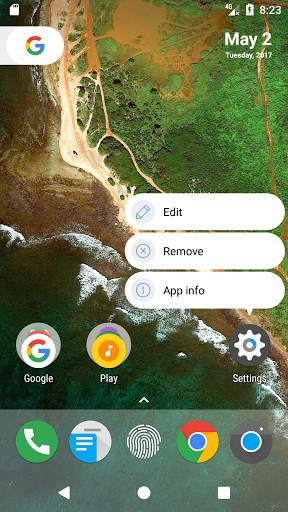
Support Edit Icon function.
Support Icon Pack function.
Support Wallpaper and Widget function.
N Launcher is based on the latest Android 7.0 Nougat, support for Android 4.1+ devices.
Android is a trademark of Google Inc.
If you like N Launcher, please RATE us and share N Launcher to your friends,and also you can give us more suggests.
Thanks!
What’s New
Big Release Version 1.3.4:
1.Added setting number of icons for dock bar.
2.Added setting number of icons for app drawer.
3.Added setting features for notification bar.
4.Added setting background and icon size for folder window.
5.Fixed bugs for unread count function and fixed some important bugs from user report.Thanks for the reporting of bugs.
Additional information
N Launcher – Nougat 7.0
me.craftsapp.nlauncher
1.3.4
7.50 MB
1,000,000+ downloads
CraftsApp Team

Frequently Asked Questions
What is N Launcher and what makes it different from other Android launchers?
N Launcher is a simple, fast, and lightweight launcher designed to deliver an authentic Android 7.0 Nougat experience. It features Nougat-style animations, design elements, and an app drawer with a vertical A-Z fast scrollbar. The launcher also includes features inspired by the Pixel Launcher and supports customization options for icons, folders, and widgets.
Is N Launcher free to download and use?
Yes, N Launcher is completely free to download and use on your Android device. There are no hidden costs or premium versions required to access its core features.
What Android versions does N Launcher support?
N Launcher is based on Android 7.0 Nougat and supports devices running Android 4.1 and higher. This means it can work on a wide range of older and newer Android devices, making it accessible to most users.
What customization options does N Launcher offer?
N Launcher provides extensive customization features including the ability to adjust desktop settings, icon layout, size and color of app names, app drawer settings, folder customization, and the option to hide apps. It also supports icon packs, wallpapers, and widgets for full personalization.
How do I install the N Launcher APK on my Android device?
Download the N Launcher APK file from AppsApk.com, then open your file manager and locate the downloaded file. Tap the APK to begin installation and follow the on-screen prompts. You may need to enable 'Unknown Sources' in your security settings if you haven't installed apps from third-party sources before.
Does N Launcher include the app drawer feature, and how do I access it?
Yes, N Launcher includes an Android 7.1-style app drawer with a vertical layout and A-Z fast scrollbar for easy navigation. You can swipe up from the home screen to access your complete app drawer, and you can customize the number of icons displayed in the drawer through the settings.










Very nice and cool launcher!.