

Anemo is a private local storage app for Android that keeps chosen files hidden from other apps on your device. Instead of acting like a regular file manager, it hooks into Android itself so it feels like a built-in part of the system, letting you organize files, lock access with a password, and import content from other apps through the share function.
Developer: 2bllw8 · License: GPL-3.0 (open source) · Price: Free
Official file from the developer's release · Mar 15, 2026 · SHA-256 e3f58fc12632bb96…
Screenshots
Key features
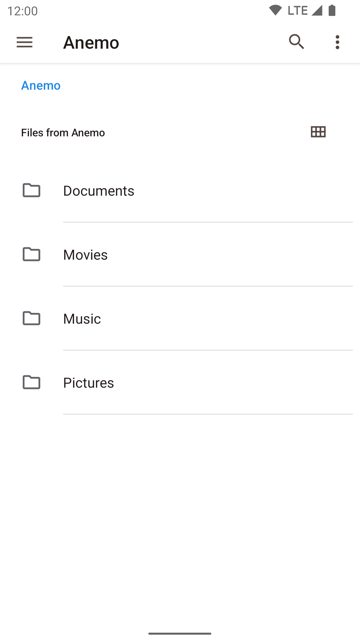
- Create folders and organize files freely
- Files kept in private storage don't show up in other apps
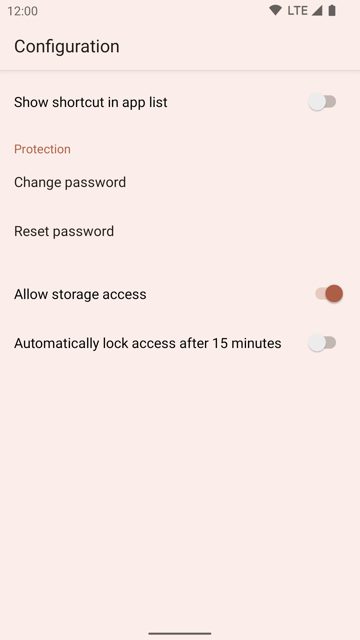
- Access your files through the system Files app (DocumentsProviderUI), with an optional shortcut if your device lacks one
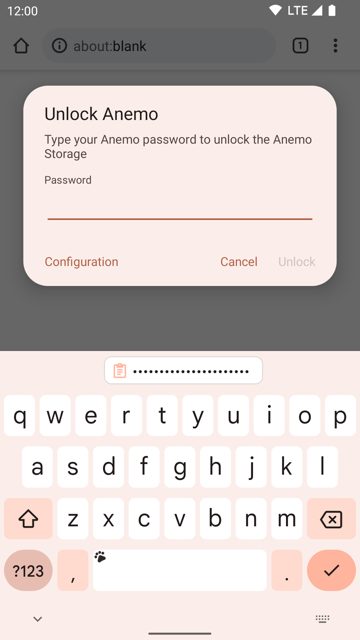
- Lock access to the private storage with a quick settings tile, auto lock after 15 minutes, or a password
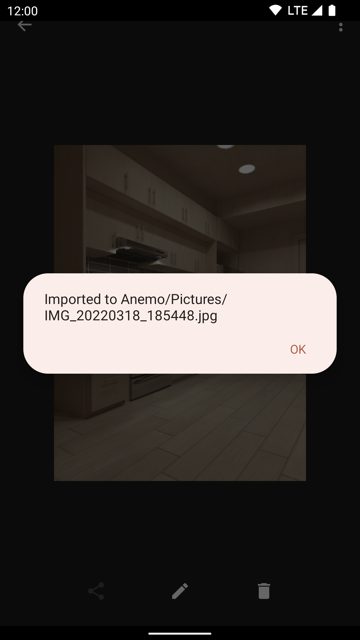
- Import content from other apps using Android's share functionality
Why isn’t Anemo on Google Play?
Anemo is published by its developer on GitHub and is also available on F-Droid, but it is not listed on Google Play.
Is Anemo safe?
Anemo is open source under the GPL-3.0 license, so its code can be reviewed by anyone. You can get the official APK straight from the GitHub releases page or from F-Droid, both maintained by the developer. Anemo comes straight from its developer rather than through Google Play, so it hasn’t gone through Google’s app review. As with any app, check the permissions it asks for and install it if you’re comfortable with them.
How to install
- Tap the download button above: the APK file downloads straight to your phone.
- When Android asks, allow your browser to install unknown apps.
- Open the file and tap Install.
FAQ
Is Anemo free
Yes. It is open source under the GPL-3.0 license and free to download from GitHub or F-Droid.
How do I lock my private files in Anemo
You can lock access to the private storage using a quick settings tile, a password, or let it auto lock after 15 minutes of inactivity.
How do I get files into Anemo's private storage
Use the Android share function from other apps to import content directly into Anemo.
More free apps you won’t find on Google Play: Open Source Apps · Best Android apps not on the Google Play Store.






Frequently Asked Questions
Is Anemo free
Yes. It is open source under the GPL-3.0 license and free to download from GitHub or F-Droid.
How do I lock my private files in Anemo
You can lock access to the private storage using a quick settings tile, a password, or let it auto lock after 15 minutes of inactivity.
How do I get files into Anemo's private storage
Use the Android share function from other apps to import content directly into Anemo.













Leave a Comment