

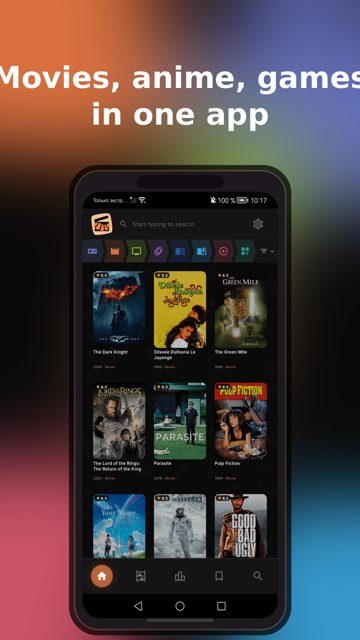
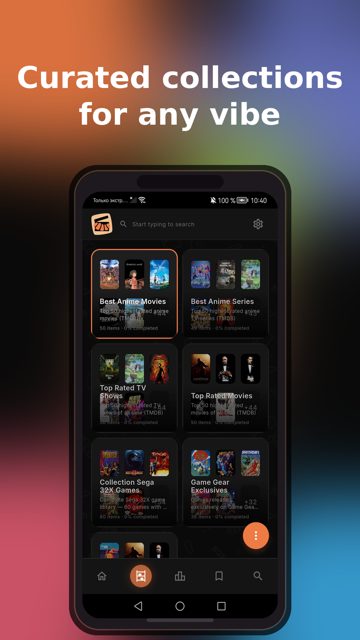
Tonkatsu Box is a free, open-source app for keeping track of your media collections, games, movies, TV shows, anime, manga, books, music and podcasts all in one place. People use it to search across many catalogs at once, track progress episode by episode, rate what they have finished, and see their whole library laid out in numbers and boards.
Developer: hacan359 · License: MIT (open source) · Price: Free
Before you start: if you want automatic updates instead of downloading the APK by hand each time, install Obtainium first, then add this app by pasting https://github.com/hacan359/tonkatsu_box into the App source URL field. The first time it updates, Android will ask you to allow installs from Obtainium, which you only need to approve once.
Official file from the developer's release · Nov 1, 2026 · SHA-256 e0467ae902047594…
Screenshots
Key features
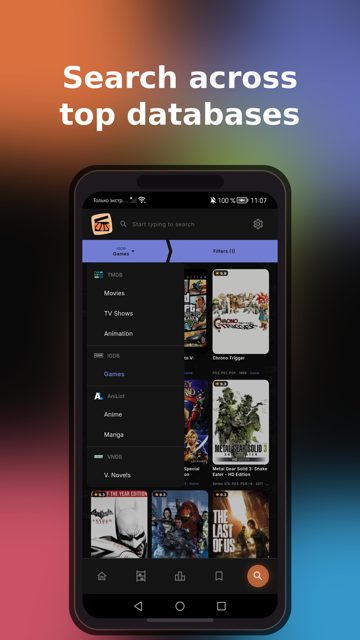
- Search fifteen catalogs at once, including IGDB, TMDB, TVmaze, AniList, MangaDex and OpenLibrary, with results addable to several collections at once
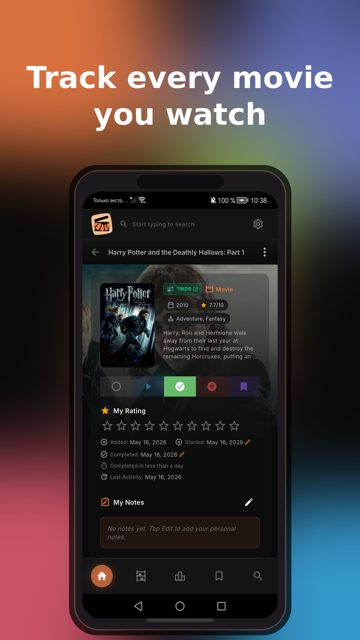
- Track status, ratings 1-10, start and finish dates, replays and time spent, plus page or chapter progress for books and manga
- Episode tracker with season accordion, posters, air dates and one-tap marking of episodes or whole seasons
- Visual boards, tier lists and mood grids you can export as PNG
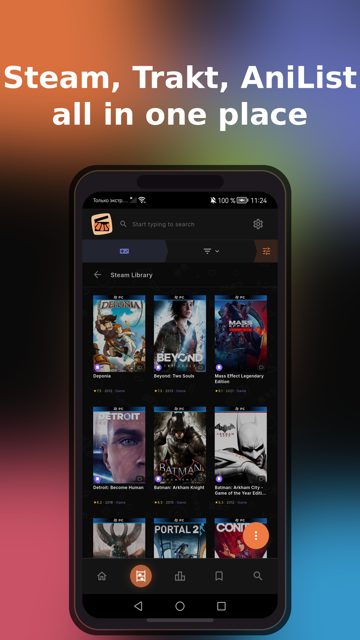
- Import your existing library from Steam, Trakt.tv, Simkl, MyAnimeList, AniList, Kinorium, RetroAchievements, Hardcover or your own JSON/CSV files
Why isn’t Tonkatsu Box on Google Play?
It is published by its developer on GitHub, not on Google Play; on Android it is also available through RuStore.
Is Tonkatsu Box safe?
Tonkatsu Box is open source under the MIT license, and the APK on this page comes from the developer's official GitHub releases. The app is under active development, so the maintainers recommend making a backup (Settings → Backup → Create Backup) before installing updates, since database formats can change between versions. Tonkatsu Box comes straight from its developer rather than through Google Play, so it hasn’t gone through Google’s app review. As with any app, check the permissions it asks for and install it if you’re comfortable with them.
How to install
- Tap the download button above: the APK file downloads straight to your phone.
- When Android asks, allow your browser to install unknown apps.
- Open the file and tap Install.
FAQ
Is Tonkatsu Box free
Yes. It is free and open source under the MIT license.
How do I get automatic updates on Android
Install Obtainium, add the app using the GitHub source URL https://github.com/hacan359/tonkatsu_box, then turn on auto-update or check manually in its settings. You can also install through RuStore, which updates itself.
Can I bring in my existing lists from other trackers
Yes. Tonkatsu Box can import from Steam, IGDB list CSV, Trakt.tv, Simkl, Kinorium CSV, RetroAchievements, MyAnimeList XML, AniList, Hardcover by username, and your own cards from JSON or CSV.
More free apps you won’t find on Google Play: Open Source Apps · Best Android apps not on the Google Play Store.






Frequently Asked Questions
Is Tonkatsu Box free
Yes. It is free and open source under the MIT license.
How do I get automatic updates on Android
Install Obtainium, add the app using the GitHub source URL https://github.com/hacan359/tonkatsu_box, then turn on auto-update or check manually in its settings. You can also install through RuStore, which updates itself.
Can I bring in my existing lists from other trackers
Yes. Tonkatsu Box can import from Steam, IGDB list CSV, Trakt.tv, Simkl, Kinorium CSV, RetroAchievements, MyAnimeList XML, AniList, Hardcover by username, and your own cards from JSON or CSV.













Leave a Comment