
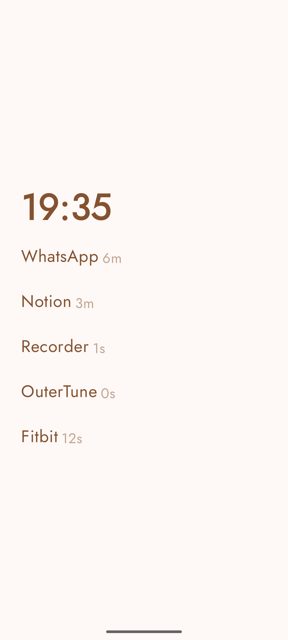
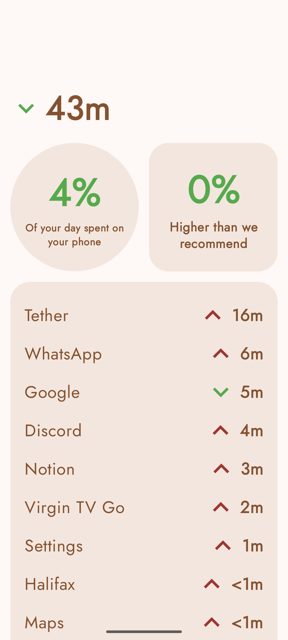
Escape Launcher is a minimalist Android launcher that replaces your default home screen, designed to help with social media and smartphone addiction. It has a clean, customisable Material You design with a home page for favourite apps, widget support, a clock, date, and built in screen time tracking.
Developer: GeorgeClensy · License: NOASSERTION (open source) · Price: Free
Official file from the developer's release · Jan 2, 2026 · SHA-256 f3ddcdc720e2c139…
Screenshots
Key features
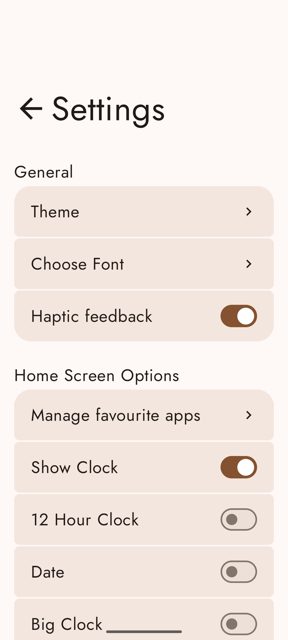
- Colour themes, custom fonts and haptic feedback
- Clock, date and multi-line clock options with horizontal and vertical alignment
- Android widget support and a search box on the home screen
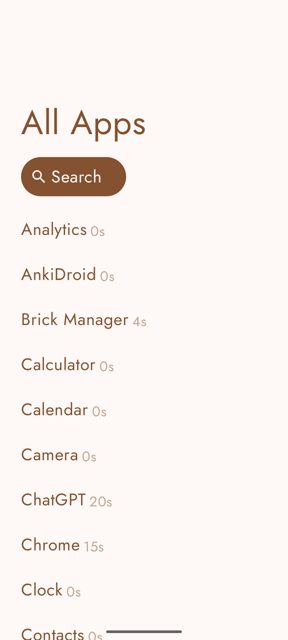
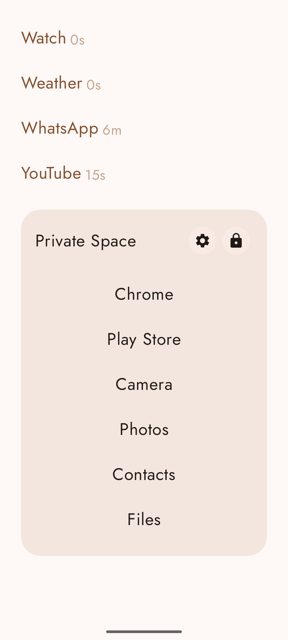
- Hide apps, see screen time on the home page or next to apps
- App open countdown to slow down access to distracting apps, plus support for Android 15 private space profiles
Why isn’t Escape Launcher on Google Play?
This app is published by its developer on GitHub and F-Droid, not on Google Play.
Is Escape Launcher safe?
Escape Launcher is open source, though the README notes the license status as unconfirmed (NOASSERTION). Downloads come from the developer's official GitHub releases page or F-Droid, and a FOSS build is available without Google libraries such as Google Fonts and weather services. Google Play Protect may flag the APK during install since it is outside the Play Store; the README says you can temporarily disable Play Protect to install, then turn it back on.</safe>
<parameter name="before">Before you start: decide which build you want. The GitHub releases page offers a FOSS version (no Google libraries, missing a few features like Google Fonts and weather) and a normal version (all features, smaller download). The F-Droid page only has the FOSS version. After downloading the APK, open your Files app, go to Downloads, tap the Escape Launcher file, and press Install. If Google Play Protect blocks it, you can disable Play Protect in the Play Store settings, install the app, then re-enable Play Protect. Escape Launcher comes straight from its developer rather than through Google Play, so it hasn’t gone through Google’s app review. As with any app, check the permissions it asks for and install it if you’re comfortable with them.
How to install
- Tap the download button above: the APK file downloads straight to your phone.
- When Android asks, allow your browser to install unknown apps.
- Open the file and tap Install.
FAQ
Is Escape Launcher free?
Yes. It is open source and free to download from GitHub or F-Droid. The developer accepts donations through GitHub Sponsors but this is optional.
What is the difference between the FOSS and normal APK?
The FOSS version removes non open source libraries like Google Fonts and weather libraries, so a few features are missing. The normal version includes all features in a smaller download. F-Droid only offers the FOSS version.
What Android versions does it support?
Escape Launcher works from Android 9 (minSDK 28) up to Android 16 (targetSDK 36), and it is one of the only launchers that supports the Android 15 private space profile.
More free apps you won’t find on Google Play: Open Source Apps · Best Android apps not on the Google Play Store.






Frequently Asked Questions
Is Escape Launcher free?
Yes. It is open source and free to download from GitHub or F-Droid. The developer accepts donations through GitHub Sponsors but this is optional.
What is the difference between the FOSS and normal APK?
The FOSS version removes non open source libraries like Google Fonts and weather libraries, so a few features are missing. The normal version includes all features in a smaller download. F-Droid only offers the FOSS version.
What Android versions does it support?
Escape Launcher works from Android 9 (minSDK 28) up to Android 16 (targetSDK 36), and it is one of the only launchers that supports the Android 15 private space profile.













Leave a Comment