
My Brain is an all-in-one productivity app that combines Tasks, Notes, Calendar, Diary and Bookmarks with a built-in AI assistant. It is local and private by design, meant for people who want to manage their day without their data leaving their device.
Developer: mhss1 · License: GPL-3.0 (open source) · Price: Free
Before you start: if you were using the F-Droid version of My Brain, export your data first, then install the latest version from GitHub Releases and import your data, since the F-Droid build is being discontinued.
Official file from the developer's release · Oct 3, 2026 · SHA-256 3c2dd8ead95f897a…
Screenshots
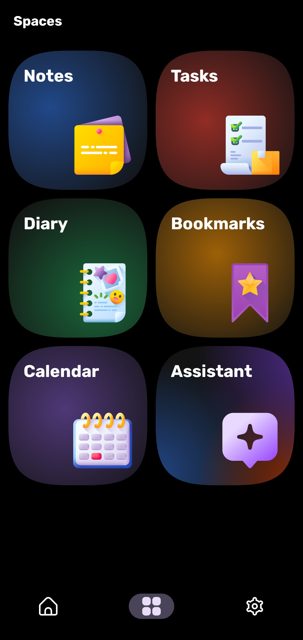
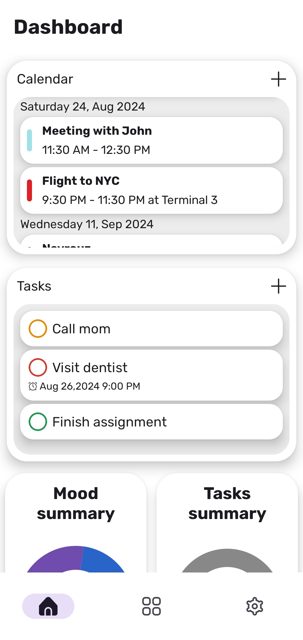
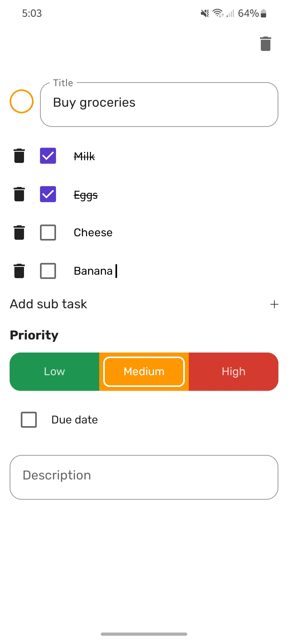
Key features
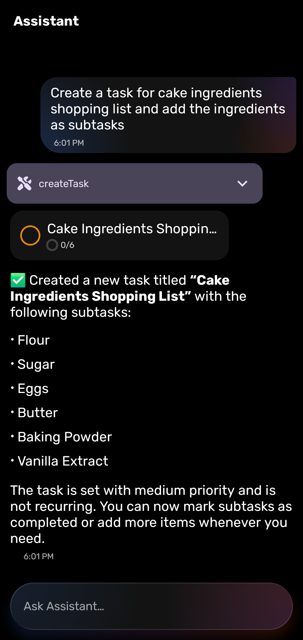
- Create tasks with priority, sub-tasks, due dates and reminders
- Write notes with markdown support for headers, lists and links
- Track your daily mood and view mood summaries with graphs
- Save bookmarks from any app using the share menu
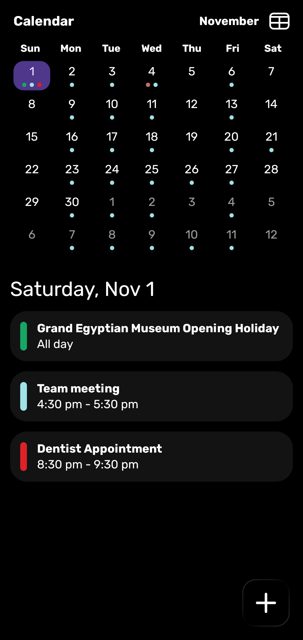
- View calendar events in list and monthly views with a home screen widget
- Dashboard to see tasks, calendar events and more at a glance
Why isn’t My Brain on Google Play?
My Brain is published by its developer on GitHub only, not on Google Play. It was previously available on F-Droid but is being discontinued there because future releases will add native dependencies and may use proprietary components like Google ML Kit that are not compatible with F-Droid's policy.
Is My Brain safe?
My Brain is open source under the GPL-3.0 license, and the download on this page is the official release file from the developer's GitHub Releases page. The app says it is local and private with no data collection, though it does use features like biometric authentication and on-device AI that require normal Android permissions to work. My Brain comes straight from its developer rather than through Google Play, so it hasn’t gone through Google’s app review. As with any app, check the permissions it asks for and install it if you’re comfortable with them.
How to install
- Tap the download button above: the APK file downloads straight to your phone.
- When Android asks, allow your browser to install unknown apps.
- Open the file and tap Install.
FAQ
Is My Brain free to use
The app is open source under the GPL-3.0 license. The README does not mention any price.
How do I keep My Brain updated without Google Play
You can use Obtainium to track the GitHub repository and get notified of new releases, or download the APK directly from the GitHub Releases page each time there is an update.
Can I sync my data between devices
Yes, My Brain supports encrypted local device sync for tasks, notes, diary entries, bookmarks and AI conversations over the same local network, so your data does not need to leave your devices.
More free apps you won’t find on Google Play: Open Source Apps · Best Android apps not on the Google Play Store.





Frequently Asked Questions
Is My Brain free to use
The app is open source under the GPL-3.0 license. The README does not mention any price.
How do I keep My Brain updated without Google Play
You can use Obtainium to track the GitHub repository and get notified of new releases, or download the APK directly from the GitHub Releases page each time there is an update.
Can I sync my data between devices
Yes, My Brain supports encrypted local device sync for tasks, notes, diary entries, bookmarks and AI conversations over the same local network, so your data does not need to leave your devices.













Leave a Comment