

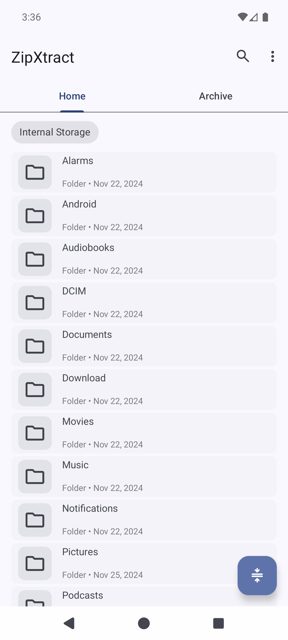
ZipXtract is an open-source Android app for extracting and creating archive files directly on your phone. It handles everything from common ZIP and RAR files to more obscure formats like ISO, DEB, and DMG, including password-protected ones.
Developer: WirelessAlien · License: GPL-3.0 (open source) · Price: Free
Official file from the developer's release · Jul 7, 2026 · SHA-256 a627ccbce619988a…
Screenshots
Key features
- Extracts RAR (including RAR5 and multi-volume), ZIP (password-protected and split), 7z (password-protected and multi-volume), TAR, GZ, BZ2, XZ, ZST, ISO, CAB, DEB, RPM, DMG, WIM, CHM, LZ4, Brotli, Lzip, JAR and more
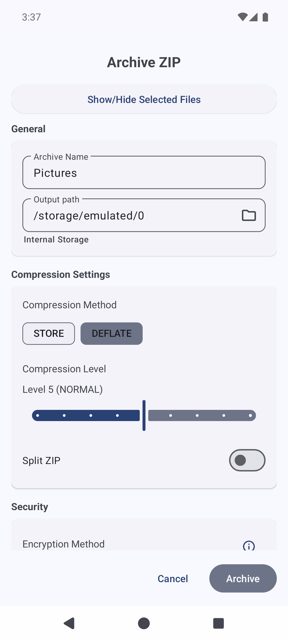
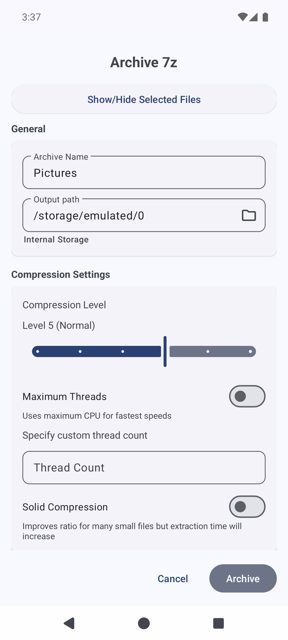
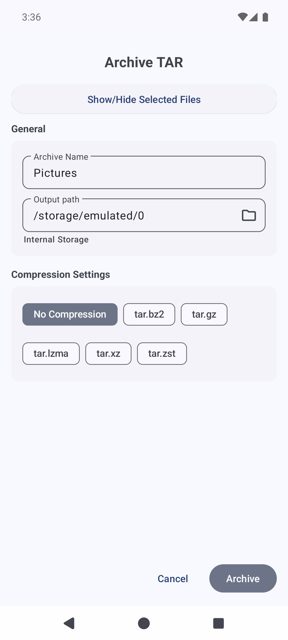
- Creates ZIP, 7z and TAR archives with multiple compression types
- Password protection when creating ZIP and 7z archives
- Can create split ZIP archives for sharing large files
- Works entirely offline, no internet permission needed
Why isn’t ZipXtract on Google Play?
ZipXtract is published by its developer on GitHub, and is also available through IzzyOnDroid.
Is ZipXtract safe?
ZipXtract is open source under the GPL-3.0 license, and this page links to the official release from the developer's GitHub repository. The app needs storage permission to read and write your files (Manage External Storage on Android 11 and up), but it does not request internet access, so file processing stays on your device. ZipXtract comes straight from its developer rather than through Google Play, so it hasn’t gone through Google’s app review. As with any app, check the permissions it asks for and install it if you’re comfortable with them.
How to install
- Tap the download button above: the APK file downloads straight to your phone.
- When Android asks, allow your browser to install unknown apps.
- Open the file and tap Install.
FAQ
Is ZipXtract free
Yes. It is fully open source under the GPL-3.0 license and free to download from GitHub or IzzyOnDroid.
Can ZipXtract open password-protected archives
Yes, it supports encrypted ZIP and 7z files, as well as multi-volume RAR and 7z archives.
Where do extracted files go
By default, files opened through "Open With" or "Share" are extracted to Internal Storage/ZipXtract/. When extracting from within the app, files go to the parent directory of the source file. Both paths can be changed in settings.
More free apps you won’t find on Google Play: Open Source Apps · Best Android apps not on the Google Play Store.






Frequently Asked Questions
Is ZipXtract free
Yes. It is fully open source under the GPL-3.0 license and free to download from GitHub or IzzyOnDroid.
Can ZipXtract open password-protected archives
Yes, it supports encrypted ZIP and 7z files, as well as multi-volume RAR and 7z archives.
Where do extracted files go
By default, files opened through "Open With" or "Share" are extracted to Internal Storage/ZipXtract/. When extracting from within the app, files go to the parent directory of the source file. Both paths can be changed in settings.













Leave a Comment