
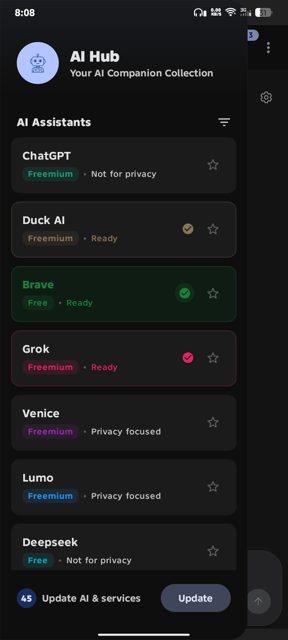
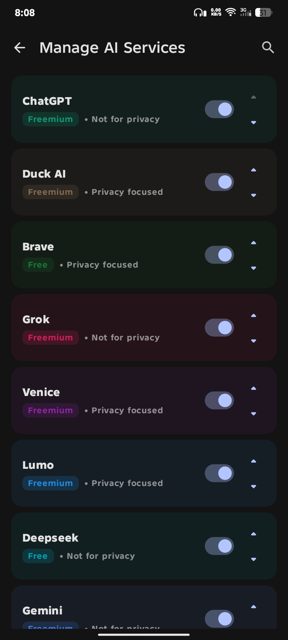
AI Hub is an Android app that puts multiple AI assistants into one tabbed browser-style interface, so you don't need to switch between separate apps or browser tabs. It is built with Kotlin and Material Design 3, and it keeps your sessions open in the background like a regular browser.
Developer: Silent Coder (SilentCoderHere) · License: GPL-3.0 (open source) · Price: Free
Official file from the developer's release · Sep 6, 2026 · SHA-256 f270b5dc2e2f8219…
Screenshots
Key features
- Modern Material You design with dynamic colors and automatic dark/light mode
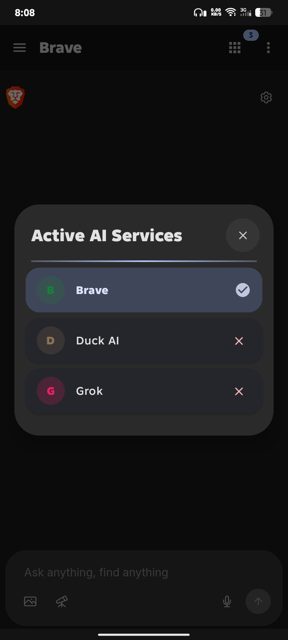
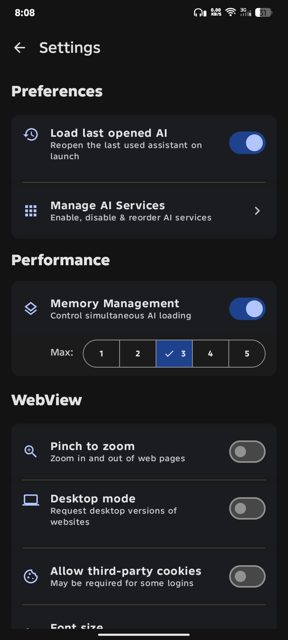
- Fully customizable: reorder, hide, or disable any AI assistant tab
- Smooth tabbed browsing with persistent sessions and background support
- Blocks ads and trackers by default using the StevenBlack hosts list
- Adjustable font size and a clean, distraction-free interface
Why isn’t AI Hub on Google Play?
AI Hub is published by its developer on GitHub and is also available on F-Droid; it is not listed on Google Play.
Is AI Hub safe?
AI Hub is fully open-source under the GPL-3.0 license, and according to the developer it collects no data, has no analytics or trackers, and never asks for personal information. The app uses webviews to load each AI service's own site, so each assistant's own privacy policy and terms still apply once you're using it; the app itself is also distributed on F-Droid, which independently builds and verifies open-source apps. AI Hub comes straight from its developer rather than through Google Play, so it hasn’t gone through Google’s app review. As with any app, check the permissions it asks for and install it if you’re comfortable with them.
How to install
- Tap the download button above: the APK file downloads straight to your phone.
- When Android asks, allow your browser to install unknown apps.
- Open the file and tap Install.
FAQ
Is AI Hub free?
Yes. It is free and open-source under the GPL-3.0 license.
How do I keep AI Hub updated outside of Google Play?
You can install it through F-Droid, download the APK directly from the GitHub releases page, or use Obtainium to track and update it automatically from the GitHub repo.
Does AI Hub create its own AI, or does it just link to existing ones?
AI Hub does not provide its own AI. It aggregates existing AI assistant websites in a tabbed webview interface. It is not affiliated with OpenAI, Google, Anthropic, Meta, Mistral, or any other AI provider.
More free apps you won’t find on Google Play: Open Source Apps · Best Android apps not on the Google Play Store.





Frequently Asked Questions
Is AI Hub free?
Yes. It is free and open-source under the GPL-3.0 license.
How do I keep AI Hub updated outside of Google Play?
You can install it through F-Droid, download the APK directly from the GitHub releases page, or use Obtainium to track and update it automatically from the GitHub repo.
Does AI Hub create its own AI, or does it just link to existing ones?
AI Hub does not provide its own AI. It aggregates existing AI assistant websites in a tabbed webview interface. It is not affiliated with OpenAI, Google, Anthropic, Meta, Mistral, or any other AI provider.













Leave a Comment