
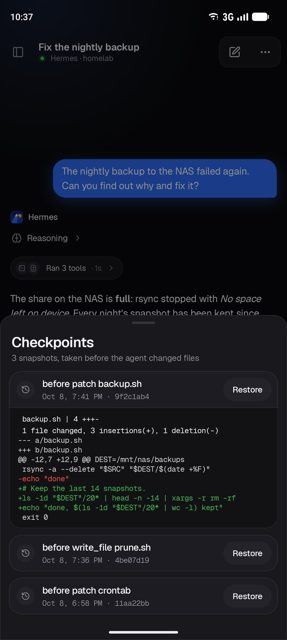
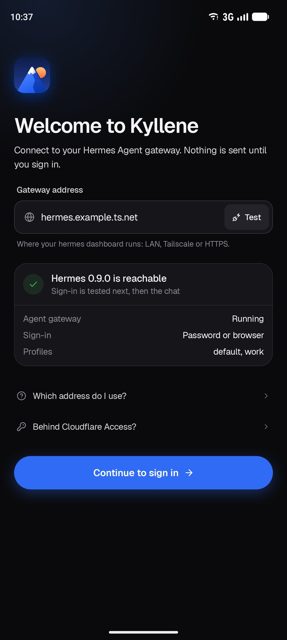
Kyllene is a native Android client for Hermes Agent, letting you chat with your own agent, approve what it wants to do, and follow its work from your phone. It connects directly to the Hermes dashboard you already run on your own server, homelab, VPS or Tailnet, with no Kyllene server and no account involved.
Developer: Giton22 · License: MIT (open source) · Price: Free
Before you start: you need a Hermes Agent dashboard (hermes dashboard) already running and reachable from your phone, over the same Wi-Fi, Tailscale, or an https:// address, along with a dashboard username and password or SSO/OIDC sign-in. Gateways behind Cloudflare Access are supported with a service token.
Official file from the developer's release · Nov 12, 2026 · SHA-256 b2df53ec2a25af20…
Screenshots
Key features
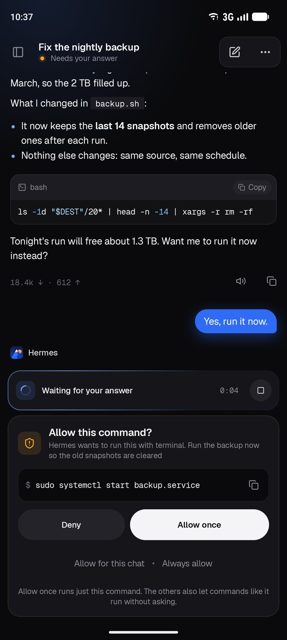
- Streaming chat with Markdown, code highlighting, TeX math, reasoning and tool activity, plus photos, files and voice chat
- Approve or answer prompts, sudo and password requests, and watch subagents, background processes and checkpoints
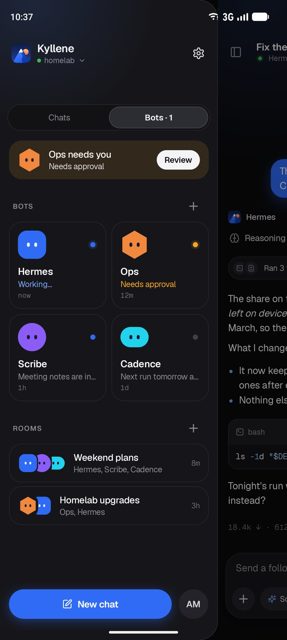
- Sessions sidebar with search, pins, projects, archive and filters, plus bots, rooms and scheduled jobs
- Notifications when a turn finishes or needs you, optional end-to-end encrypted push, and an encrypted offline copy of recent chats
- App lock with fingerprint or face, several saved gateways, and companion apps for Wear OS and Pebble watches
Why isn’t Kyllene on Google Play?
Kyllene is published by its developer directly on GitHub rather than on Google Play, and is not listed on F-Droid either. It's an independent project, not made or endorsed by Nous Research.
Is Kyllene safe?
Kyllene is open source under the MIT license. Download the APK from the official GitHub releases page; most phones should use the arm64-v8a build, and the release notes list options for other devices. The app connects only to your own gateway, stores sign-in and chat data encrypted with a key in the Android Keystore, and includes no analytics or tracking, though phone tools like location or Health Connect access must be switched on manually if you want to use them. Kyllene comes straight from its developer rather than through Google Play, so it hasn’t gone through Google’s app review. As with any app, check the permissions it asks for and install it if you’re comfortable with them.
How to install
- Tap the download button above: the APK file downloads straight to your phone.
- When Android asks, allow your browser to install unknown apps.
- Open the file and tap Install.
FAQ
Is Kyllene free
Yes, it's free and open source under the MIT license. The developer accepts optional support through GitHub Sponsors or Ko-fi.
How do I install it
Download the APK from the latest GitHub release, open it, and allow installing from your browser when Android asks. For almost every phone that's the arm64-v8a build. Updates install over the old version and keep your sign-in and settings.
What happened to Herald
Kyllene was called Herald until this release. It's the same app, and updating installs over Herald while keeping your chats and settings.
More free apps you won’t find on Google Play: Open Source Apps · Best Android apps not on the Google Play Store.






Frequently Asked Questions
Is Kyllene free
Yes, it's free and open source under the MIT license. The developer accepts optional support through GitHub Sponsors or Ko-fi.
How do I install it
Download the APK from the latest GitHub release, open it, and allow installing from your browser when Android asks. For almost every phone that's the arm64-v8a build. Updates install over the old version and keep your sign-in and settings.
What happened to Herald
Kyllene was called Herald until this release. It's the same app, and updating installs over Herald while keeping your chats and settings.













Leave a Comment