

Hermes Mobile is a native Android companion app for the Hermes AI agent, letting you chat with your agent and manage its settings from your phone. It connects to your own Hermes dashboard over REST API and WebSocket, so you need a running dashboard your phone can reach.
Developer: Hy4ri · License: Apache-2.0 (open source) · Price: Free
Before you start: set up and run your own Hermes dashboard on a host your phone can reach (for example "hermes dashboard" for loopback, or "hermes dashboard –host 0.0.0.0" for LAN access with basic auth configured in ~/.hermes/config.yaml). You will need the dashboard's host, port, and credentials or token to sign in from the app.
Official file from the developer's release · Nov 9, 2026 · SHA-256 4e7b5192deae236a…
Screenshots
Key features
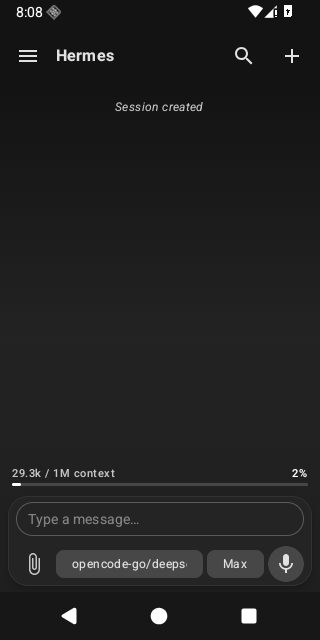
- Chat with your agent, with history stored locally and notifications that support inline replies
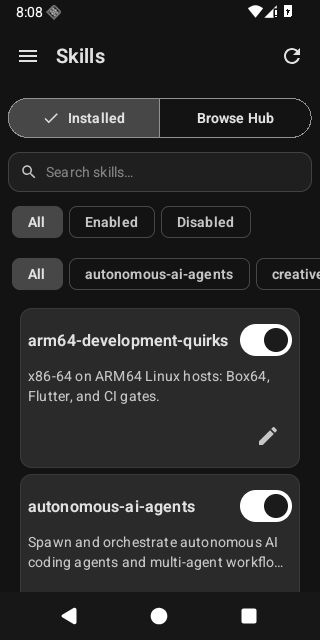
- Manage profiles, skills, plugins, toolsets, and model or provider selections
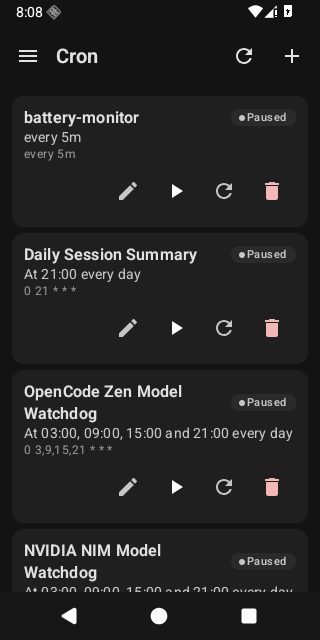
- Stream live logs, manage cron jobs, edit environment keys, test webhooks, and monitor processes
- Check gateway status including WebSocket connection, MCP servers, messaging channels, and OAuth providers
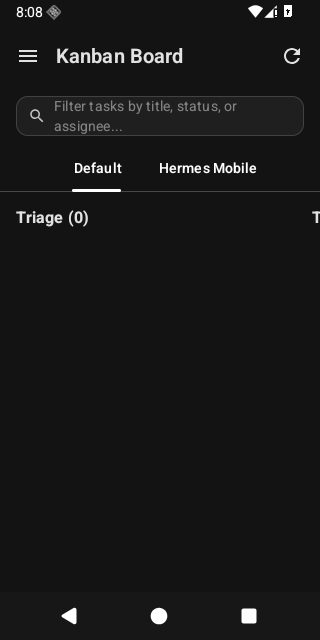
- Manage tasks on Kanban boards and track agent milestones, with seven theme presets plus Material You support
Why isn’t Hermes Mobile on Google Play?
This app is published by its developer on GitHub and is also available on F-Droid, rather than on Google Play.
Is Hermes Mobile safe?
Hermes Mobile is open source under the Apache-2.0 license. You can download the official APK from the GitHub releases page or get it through F-Droid, and newer releases include SHA256SUMS and GitHub build provenance so you can verify the file matches what the project built. Note that it requires a running Hermes dashboard that your phone can reach, and plain HTTP/WS connections are only recommended on trusted local networks since they do not encrypt the transport. Hermes Mobile comes straight from its developer rather than through Google Play, so it hasn’t gone through Google’s app review. As with any app, check the permissions it asks for and install it if you’re comfortable with them.
How to install
- Tap the download button above: the APK file downloads straight to your phone.
- When Android asks, allow your browser to install unknown apps.
- Open the file and tap Install.
FAQ
Is Hermes Mobile free?
Yes. It is open-source software under the Apache-2.0 license, available free from GitHub releases or F-Droid.
How do I connect the app to my Hermes agent?
Start your Hermes dashboard on a machine your phone can reach, then open the app, tap Sign in, and enter the dashboard host and port. The app detects the authentication mode your dashboard uses and shows only the fields you need, such as a token for a loopback-only dashboard.
Can I verify the APK is genuine before installing?
Yes, for releases produced by the updated release workflow. You can check the SHA256SUMS file and use gh attestation verify and apksigner to confirm the APK matches what GitHub recorded from the project's release workflow. Older releases may not include these checks.
More free apps you won’t find on Google Play: Open Source Apps · Best Android apps not on the Google Play Store.






Frequently Asked Questions
Is Hermes Mobile free?
Yes. It is open-source software under the Apache-2.0 license, available free from GitHub releases or F-Droid.
How do I connect the app to my Hermes agent?
Start your Hermes dashboard on a machine your phone can reach, then open the app, tap Sign in, and enter the dashboard host and port. The app detects the authentication mode your dashboard uses and shows only the fields you need, such as a token for a loopback-only dashboard.
Can I verify the APK is genuine before installing?
Yes, for releases produced by the updated release workflow. You can check the SHA256SUMS file and use gh attestation verify and apksigner to confirm the APK matches what GitHub recorded from the project's release workflow. Older releases may not include these checks.













Leave a Comment