
The best Android launchers in 2026 are KISS Launcher, Olauncher, and Slim Launcher for most users — depending on whether you want raw speed, digital minimalism, or forced focus. If you drive or follow RSS feeds obsessively, AGAMA Car Launcher and NewsFeed Launcher fill those niches better than anything else available.
Key Takeaways
- KISS Launcher is the fastest pick for power users who live in search.
- Olauncher is the best choice if you genuinely want to cut screen time.
- Slim Launcher enforces a five-app limit — brutal discipline, real results.
- AGAMA is purpose-built for car multimedia systems running Android OS.
- NewsFeed Launcher is the only launcher that bakes RSS directly into the home screen.
How We Chose
We tested each launcher on a range of Android devices across daily use scenarios — commuting, desk work, and in-car setups. Selection criteria included stability, genuine usefulness of features, privacy posture, and how well each launcher actually changes behavior rather than just changing aesthetics. We excluded launchers that are primarily icon-pack storefronts or bloatware wrappers.
AGAMA Car Launcher
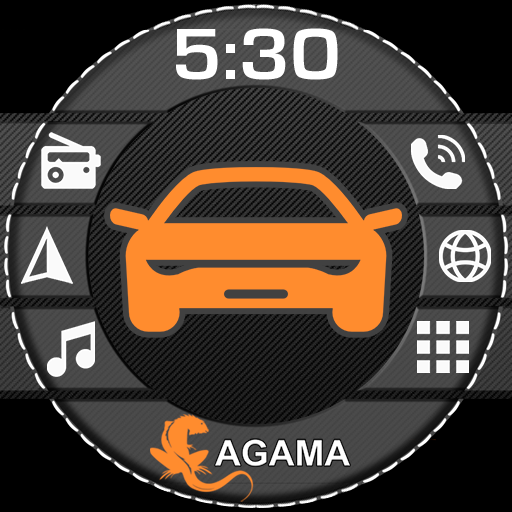
AGAMA Car Launcher is designed specifically as a home screen replacement for Android-based car multimedia head units. It presents large touch targets, a clean dashboard-style layout, and widgets tuned for glanceability at speed — media controls, navigation shortcuts, and climate info sit front and center. The 30-day trial is generous enough to properly evaluate it in a real vehicle before committing.
Pros:
- Optimized layout for large in-dash touchscreens
- Media and navigation controls always accessible
- Stable on aftermarket Android head units where generic launchers often misbehave
Cons:
- 30-day trial only — paid upgrade required after
- Overkill and visually mismatched on a standard phone
- Limited customization compared to phone-focused launchers
NewsFeed Launcher

NewsFeed Launcher puts an RSS reader directly on your home screen, pulling in feeds from any source you configure. It is a strong pick for journalists, researchers, or anyone who prefers curated RSS over algorithmic social feeds. The level of control over feed sources and layout is meaningfully deeper than what news widgets in other launchers offer.
Pros:
- True RSS integration — not just a news widget shortcut
- Full control over sources and categories
- Clean reading experience without platform algorithms
Cons:
- Setup requires manually adding RSS feeds — no auto-discovery
- Home screen can feel cluttered if you subscribe to many feeds
Slim Launcher

Slim Launcher enforces a strict rule: only five apps appear on your home screen, period. That constraint sounds limiting until you realize how much decision fatigue it eliminates — you pick your five essentials and everything else requires deliberate intent to open. It is one of the most effective screen-time tools available without being a screen-time app.
Pros:
- Forces intentional app use through a hard five-app cap
- Extremely lightweight and fast
- No ads, no bloat
Cons:
- Five-app limit will frustrate users with complex workflows
- Minimal visual customization options
Olauncher. Minimal AF Launcher

Olauncher. Minimal AF Launcher strips the home screen down to text-based app shortcuts and a daily wallpaper — nothing else competes for your attention. It is genuinely designed to reduce screen time, not just look minimal while hiding the same dopamine loops. Zero ads, no tracking, and the daily wallpaper feature keeps things visually fresh without requiring any effort.
Pros:
- Most effective screen-time-reduction launcher available
- Zero ads and no data collection
- Beautiful daily wallpapers with no manual curation needed
Cons:
- Text-only interface won’t appeal to icon-grid traditionalists
- Limited widget support by design
KISS Launcher

KISS Launcher (Keep It Simple, Stupid) is built around a single philosophy: search should be instant and always reachable. Tap the home screen and start typing — apps, contacts, and shortcuts appear in milliseconds. It is open source, privacy-respecting, and genuinely the fastest launcher-to-result experience on Android.
Pros:
- Blazingly fast search-first interface
- Open source and privacy-friendly
- Lightweight — no perceptible RAM overhead
Cons:
- Steep learning curve for users accustomed to icon grids
- Widget support is minimal
Which Should You Choose?
For most users, the decision comes down to KISS Launcher versus Olauncher. Choose KISS if you want maximum speed and live by search; choose Olauncher if your goal is genuinely using your phone less. If you need an enforced usage boundary rather than just a minimalist aesthetic, Slim Launcher is more structured. Car head unit owners should go straight to AGAMA — nothing else comes close for that use case.
Frequently Asked Questions
Are third-party Android launchers safe to use?
Yes, reputable launchers like KISS and Olauncher are open source and have been audited by the community. Always download from trusted sources and check permissions — a launcher should not need access to your contacts, microphone, or location unless a feature explicitly requires it.
Will changing my launcher slow down my phone?
Lightweight launchers like KISS and Slim Launcher typically use less RAM than manufacturer defaults. Heavier launchers with live feeds and widgets may have a minor impact, but on any device from the last three years it will be imperceptible.
Can I go back to my stock launcher after trying a new one?
Yes. Go to Settings > Apps, find your new launcher, and clear its defaults. Android will prompt you to choose a home app the next time you press the home button.
Does AGAMA Car Launcher work on regular phones?
It is technically installable on phones, but the large-button layout is designed for car touchscreens and looks oversized on a standard handset. It is best reserved for Android head unit installations.
Is NewsFeed Launcher suitable if I don’t use RSS?
Not really. Its core value proposition is RSS integration — without configured feeds, you lose most of what makes it distinctive. Users who want news on their home screen without RSS setup would be better served by a widget-friendly launcher.
Does Olauncher completely block apps or just hide them?
Olauncher hides apps from the visible home screen but does not block access. You can still find and open any installed app through the full app drawer. It reduces passive, impulsive opening rather than enforcing hard blocks.
Download Launcher Apps on AppsAPK
Ready to replace your stock launcher? Start with KISS Launcher if speed is your priority, or Olauncher if you want a genuine break from screen addiction. All five launchers featured here are available to download on AppsAPK — find the full details, changelogs, and APK files on each app’s page.




Frequently Asked Questions
What is the best Android launcher for 2026?
The best launcher depends on your needs. KISS Launcher is the fastest for power users who rely on search, Olauncher is ideal for reducing screen time, Slim Launcher enforces discipline with a five-app limit, AGAMA Car Launcher is purpose-built for car multimedia systems, and NewsFeed Launcher integrates RSS feeds directly into your home screen.
Is there a best launcher for Android car systems?
Yes, AGAMA Car Launcher is specifically designed for Android-based car multimedia head units. It features large touch targets, a clean dashboard-style layout, and widgets optimized for glanceability at speed, with media controls and navigation shortcuts always accessible. It includes a 30-day trial to evaluate it in a real vehicle before committing.
Which Android launcher helps reduce screen time?
Olauncher is the best choice if you genuinely want to cut screen time and embrace digital minimalism. It's designed with features that discourage excessive phone use while maintaining core functionality.
Can I get these launchers as APK files?
These launchers are available through standard Android app distribution. The guide covers KISS Launcher, Olauncher, Slim Launcher, AGAMA Car Launcher, and NewsFeed Launcher—each with different availability and trial options. AGAMA, for example, offers a generous 30-day trial before requiring a paid upgrade.
What launcher is best if I want to limit distractions?
Slim Launcher enforces a five-app limit on your home screen, providing brutal discipline with real results for users who want to eliminate distractions and stay focused on what matters.
Is there a launcher that integrates RSS feeds?
Yes, NewsFeed Launcher is the only launcher that bakes RSS feeds directly into your home screen, making it ideal for users who follow RSS obsessively and want news aggregation built into their launcher experience.
Leave a Comment