
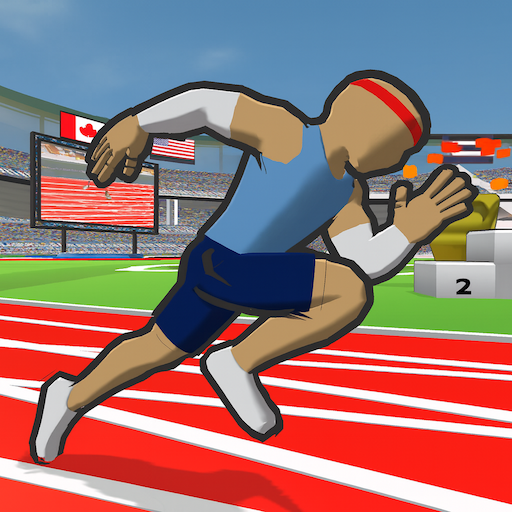

Speed Stars: Running Game is a sports game from Miniclip.com. Sprint and hurdle to victory in this fun running track game for the summer. It currently holds a 3.4-star rating on Google Play, based on 7,708 user reviews.
App Details
| Developer | Miniclip.com |
|---|---|
| Content Rating | Rated for 3+ |
| Installs | 1M+ |
| Rating | 3.4 / 5 (7,708 reviews) |
| Updated | Oct 13, 2026 |
Screenshots


About Speed Stars: Running Game
Speed Stars: Running Game is a sports running game from Miniclip.com where players sprint and hurdle to victory on the track. The game is designed as a fun summer-themed racing experience. With over 1 million installations and a 3.4-star rating based on 7,708 reviews, it offers casual track-and-field gameplay. The game is free to play and rated for ages 3 and up, making it accessible to a broad audience.
Speed Stars: Running Game pros and cons
Pros
- Free to play
- Over 1 million installs
- Rated for ages 3+
- Sports category with clear running/hurdle mechanics
Cons
- Below-average 3.4-star rating from nearly 8,000 reviews
- Minimum Android version not specified
- File size not listed
Speed Stars: Running Game specifications and compatibility
The build on this page was last refreshed on Oct 13, 2026. Google Play classifies the content as Rated for 3+.
How to install the Speed Stars: Running Game APK
- Allow installs from unknown sources. On your Android device, open Settings, then Security (or Apps > Special app access > Install unknown apps), and allow installs from the browser or file manager you will use to open the APK file.
- Download the APK. Tap the Download Now button on this page to fetch the Speed Stars: Running Game APK file to your device.
- Open the downloaded file. Open your Downloads folder, or tap the download notification, then tap the .apk file to start the installer.
- Install and open Speed Stars: Running Game. Tap Install, wait for the installation to finish, then tap Open to launch Speed Stars: Running Game.
Browse more Sports apps, similar to BMX Space.
Frequently asked questions
Is Speed Stars: Running Game free to download?
Yes, Speed Stars: Running Game is available as a free download on Google Play and as a free APK on this page. The APK is the official, unmodified build pulled directly from the developer.
How many people have downloaded Speed Stars: Running Game?
Speed Stars: Running Game has been downloaded 1M+ times from Google Play, putting it among the more widely adopted sports games in its category.
Is the Speed Stars: Running Game APK safe to install?
Yes. The APK on this page is the original, unmodified build from Miniclip.com, pulled directly from the Google Play Store with no third-party modifications. It carries the Rated for 3+ content rating Google assigns on Play.


















Leave a Comment