


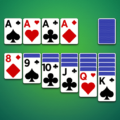
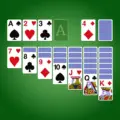
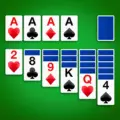
Solitaire is a card game from LinkDesks – Jewel Games Star. Classic Solitaire: simple, offline, and keeps your mind sharp. It currently holds a 4.8-star rating on Google Play, based on 74,070 user reviews.
App Details
| Developer | LinkDesks – Jewel Games Star |
|---|---|
| Content Rating | Rated for 3+ |
| Installs | 5M+ |
| Rating | 4.8 / 5 (74,070 reviews) |
| Updated | Nov 5, 2026 |
Screenshots


About Solitaire
Classic Solitaire by LinkDesks delivers a straightforward card game experience designed for offline play. With over 5 million installs and a 4.76-star rating from nearly 74,000 reviews, the app focuses on simplicity and mental engagement. It's free to download and rated for ages 3+, making it accessible to a broad audience seeking casual, no-frills solitaire gameplay without requiring an internet connection.
Solitaire pros and cons
Pros
- High user rating of 4.76 stars from 74,070 reviews
- Over 5 million installs indicating broad adoption
- Free to download
- Offline gameplay available
- Suitable for ages 3+ (PEGI/content rating)
Cons
- File size and minimum Android version not specified
- Single-game focus with no feature variety mentioned
Solitaire specifications and compatibility
The build on this page was last refreshed on Nov 5, 2026. Google Play classifies the content as Rated for 3+.
How to install the Solitaire APK
- Allow installs from unknown sources. On your Android device, open Settings, then Security (or Apps > Special app access > Install unknown apps), and allow installs from the browser or file manager you will use to open the APK file.
- Download the APK. Tap the Download Now button on this page to fetch the Solitaire APK file to your device.
- Open the downloaded file. Open your Downloads folder, or tap the download notification, then tap the .apk file to start the installer.
- Install and open Solitaire. Tap Install, wait for the installation to finish, then tap Open to launch Solitaire.
Browse more Card apps, similar to Hearts.
Frequently asked questions
Is Solitaire free to download?
Yes, Solitaire is available as a free download on Google Play and as a free APK on this page. The APK is the official, unmodified build pulled directly from the developer.
How many people have downloaded Solitaire?
Solitaire has been downloaded 5M+ times from Google Play, putting it among the more widely adopted card games in its category.
Is the Solitaire APK safe to install?
Yes. The APK on this page is the original, unmodified build from LinkDesks – Jewel Games Star, pulled directly from the Google Play Store with no third-party modifications. It carries the Rated for 3+ content rating Google assigns on Play.
















Leave a Comment