
ServerBox is an open-source app for watching your server's status and managing it from your phone, built with Flutter and Rust. It covers everything from live CPU and memory charts to a full SSH terminal, file browser and Docker management, so you do not need to open a laptop for routine checks.
Developer: lollipopkit · License: AGPL-3.0 (open source) · Price: Free
Before you start: for push notifications, home-screen widgets and the watch app to work while the app is closed, you need to install the ServerBox Monitor component on your server (see https://github.com/lollipopkit/flutter_server_box/tree/main/monitor). This also lets you connect over HTTP instead of SSH if you prefer not to expose your SSH port.
Official file from the developer's release · Nov 1, 2026 · SHA-256 14d61d38735e6790…
Screenshots
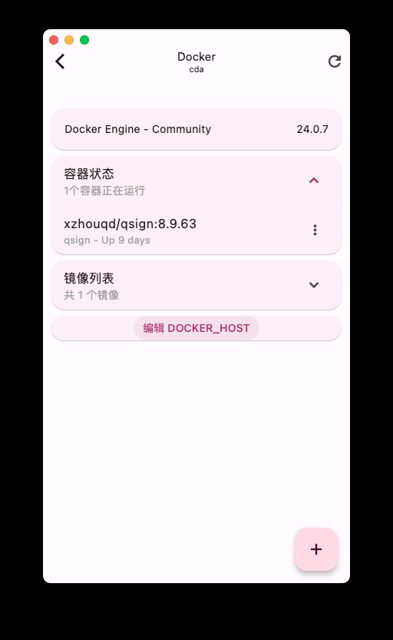
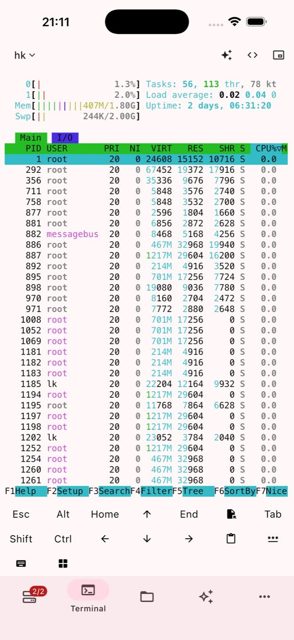
Key features
- Connect over SSH, jump host, ProxyCommand, or HTTP via the optional Monitor component, with automatic fallback
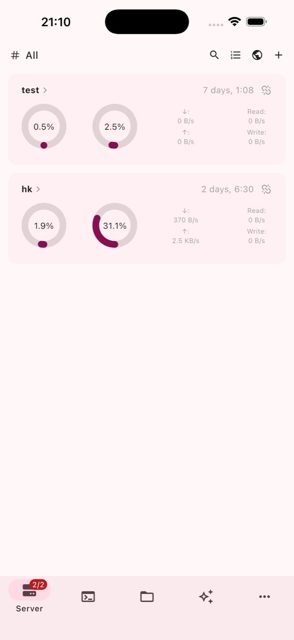
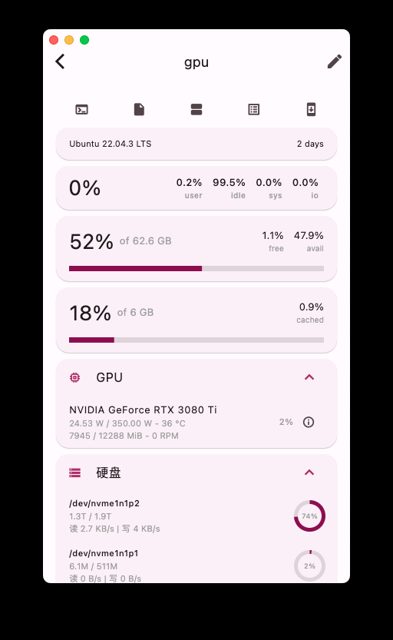
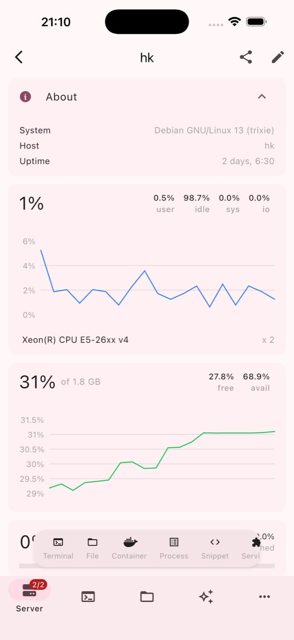
- Live and historical charts for CPU, memory, swap, disks, disk I/O, network, sensors, GPUs, batteries and S.M.A.R.T.
- Full terminal with virtual keys, split-pane workspace, and SFTP/SCP file browsing with Markdown preview
- Manage Docker/Podman, processes, systemd services, users, firewall rules, scheduled tasks, and virtual machines (libvirt, Proxmox VE)
- Push alerts, home-screen widgets, biometric app lock, and backups to iCloud, WebDAV, GitHub Gist or Monitor
Why isn’t ServerBox on Google Play?
ServerBox is published by its developer directly on GitHub and is also available on F-Droid; it is not listed on Google Play.
Is ServerBox safe?
ServerBox is open source under the AGPL-3.0 license, and this page links to the official release built by the developer on GitHub. The app requests SSH credentials and server access to function, and some features (push notifications, widgets, watch app) require installing a separate Monitor component on your server; only download packages from sources you trust.
How to install
- Tap the download button above: the APK file downloads straight to your phone.
- When Android asks, allow your browser to install unknown apps.
- Open the file and tap Install.
FAQ
Is ServerBox free to use?
Yes. It is open source under the AGPL-3.0 license and the APK on GitHub and F-Droid is free to download.
Do I need the Monitor component to use ServerBox?
No, Monitor is optional. You can connect to servers directly over SSH without it. Monitor is only needed for push notifications, home-screen widgets, the watch app, and for connecting over HTTP instead of SSH.
How is ServerBox different from a basic SSH client?
Besides a full terminal, it adds live charts for CPU, memory, disks and network, file management over SFTP/SCP, Docker and systemd management, RDP/VNC, benchmarking tools, and an AI agent that can work with your servers.
More free apps you won’t find on Google Play: Open Source Apps · Best Android apps not on the Google Play Store.






Frequently Asked Questions
Is ServerBox free to use?
Yes. It is open source under the AGPL-3.0 license and the APK on GitHub and F-Droid is free to download.
Do I need the Monitor component to use ServerBox?
No, Monitor is optional. You can connect to servers directly over SSH without it. Monitor is only needed for push notifications, home-screen widgets, the watch app, and for connecting over HTTP instead of SSH.
How is ServerBox different from a basic SSH client?
Besides a full terminal, it adds live charts for CPU, memory, disks and network, file management over SFTP/SCP, Docker and systemd management, RDP/VNC, benchmarking tools, and an AI agent that can work with your servers.













Leave a Comment