

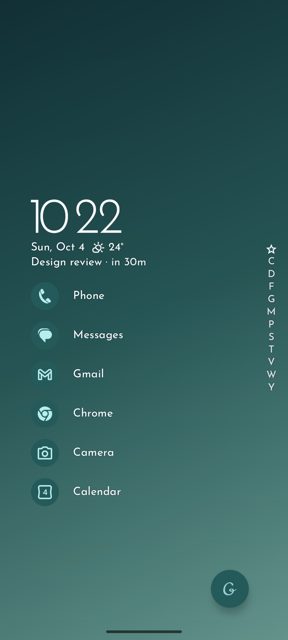
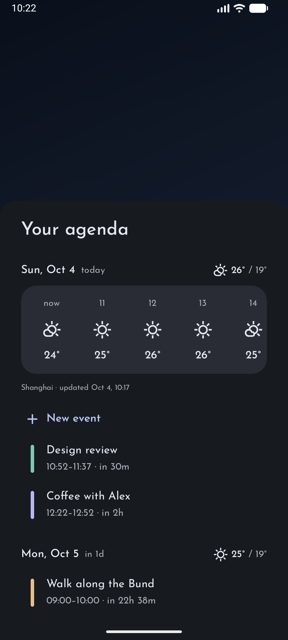
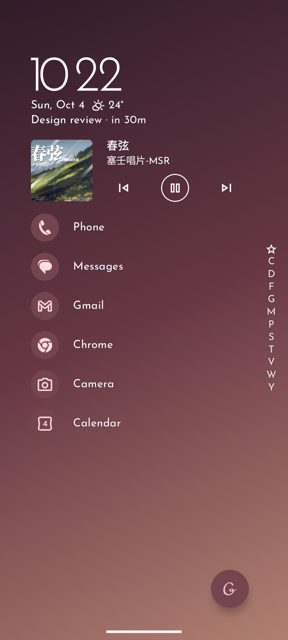
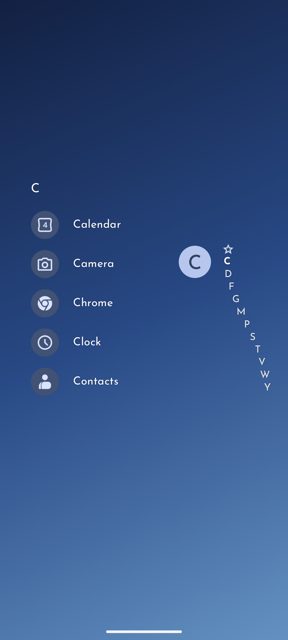
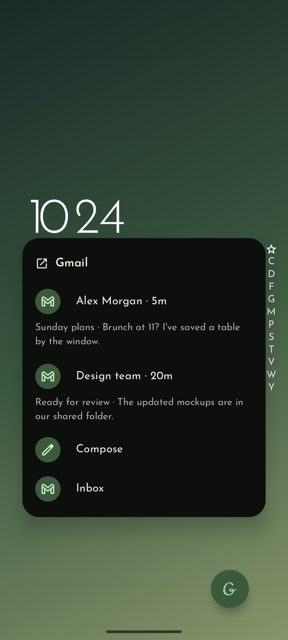
Grace Launcher is a free and open-source Android launcher built around a simple alphabetical app list, instead of a grid of icons. It adds a calendar agenda with weather, music playback controls, and deep icon and clock customization, all without needing an internet permission.
Developer: Galaxy-rio · License: GPL-3.0-only (open source) · Price: Free
Before you start: if you want weather shown in the agenda, install and set up Breezy Weather separately, Grace Launcher reads weather data from that app. Also make sure your device runs Android 9 (API 28) or later.
Official file from the developer's release · Nov 24, 2026 · SHA-256 91c6ca34f8761b09…
Screenshots
Key features
- Alphabetical app list with favorites and folders for finding apps quickly
- Icon Designer to redesign any app icon individually, plus support for icon packs and custom fonts
- A clock widget you can design yourself, with custom layouts, fonts, weight, size, spacing, and shadows
- Home screen notifications, calendar agenda with weather, and music playback controls
- Material You dynamic colors, light/dark themes, background blur, and customizable app shortcut popups
Why isn’t Grace Launcher on Google Play?
Grace Launcher is published by its developer on GitHub and F-Droid rather than on Google Play.
Is Grace Launcher safe?
Grace Launcher is open source under the GPL-3.0 license, and the APK on GitHub Releases is built by the project's own developer, the same build is also distributed through F-Droid. It does not request the Android INTERNET permission and contains no advertising or tracking, though calendar permission and notification access are optional permissions you can grant if you want the agenda and media controls to work. Grace Launcher comes straight from its developer rather than through Google Play, so it hasn’t gone through Google’s app review. As with any app, check the permissions it asks for and install it if you’re comfortable with them.
How to install
- Tap the download button above: the APK file downloads straight to your phone.
- When Android asks, allow your browser to install unknown apps.
- Open the file and tap Install.
FAQ
Is Grace Launcher free?
Yes. It is free and open source under the GPL-3.0 license, with no ads or tracking.
How do I get weather on the home screen agenda?
Install and configure Breezy Weather separately. Grace Launcher pulls weather data from that app rather than including its own weather service.
How is Grace Launcher different from a typical grid launcher?
Instead of a home screen full of icons, it uses a list-based layout inspired by Niagara Launcher, with favorites, folders, and an alphabetical app list.
More free apps you won’t find on Google Play: Open Source Apps · Best Android apps not on the Google Play Store.






Frequently Asked Questions
Is Grace Launcher free?
Yes. It is free and open source under the GPL-3.0 license, with no ads or tracking.
How do I get weather on the home screen agenda?
Install and configure Breezy Weather separately. Grace Launcher pulls weather data from that app rather than including its own weather service.
How is Grace Launcher different from a typical grid launcher?
Instead of a home screen full of icons, it uses a list-based layout inspired by Niagara Launcher, with favorites, folders, and an alphabetical app list.













Leave a Comment