

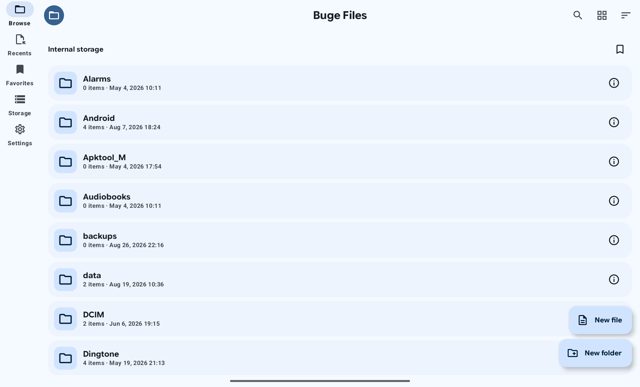
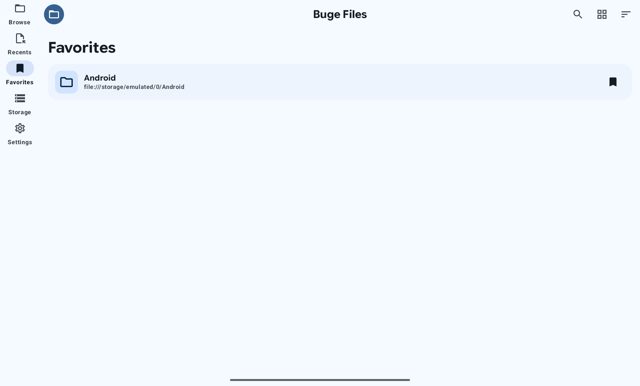
Buge Files is an Android file manager that lets you browse, organize and check storage use on your device. It is built with Material Design 3 and aims to keep things simple, with files sorted automatically into categories like images, videos, music and documents.
Developer: BugeStudioTeam · License: GPL-3.0-only (open source) · Price: Free
Official file from the developer's release · Nov 25, 2026 · SHA-256 ca47fcee60a6d0d2…
Screenshots
Key features
- Browse internal storage with a clean, card-style file browsing interface
- Smart categories automatically sort files: images, videos, music, documents, archives, and APKs
- Storage overview with visual progress indicators showing usage
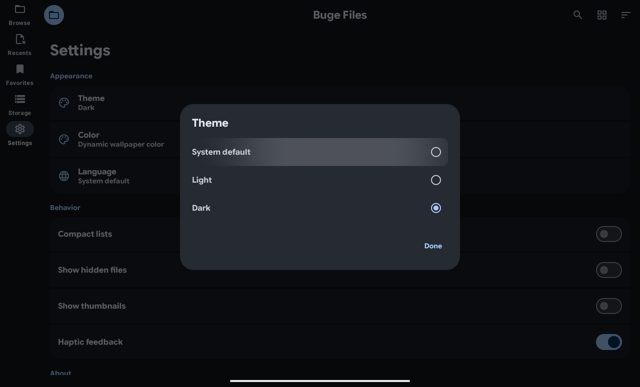
- Light, dark, or system default theme, plus support for multiple languages
- Option to show or hide hidden files and folders
Why isn’t Buge Files on Google Play?
Buge Files is published by its developers on GitHub and is also available on F-Droid, rather than being distributed through the Google Play Store.
Is Buge Files safe?
Buge Files is open source under the GPL-3.0 license, and this page links to the official release from the developer's GitHub repository. According to the README, the app needs no unnecessary permissions and keeps file access local to your device only. Buge Files comes straight from its developer rather than through Google Play, so it hasn’t gone through Google’s app review. As with any app, check the permissions it asks for and install it if you’re comfortable with them.
How to install
- Tap the download button above: the APK file downloads straight to your phone.
- When Android asks, allow your browser to install unknown apps.
- Open the file and tap Install.
FAQ
Is Buge Files free?
Yes. It is an open-source app released under the GPL-3.0 license, and the APK is available free of charge from GitHub or F-Droid.
Do I need root access to use Buge Files?
No, root is not required. The README lists root as an optional requirement, only relevant if your device is already rooted and authorized.
What Android version do I need?
Buge Files requires Android 8.0 (API 26) or higher.
More free apps you won’t find on Google Play: Open Source Apps · Best Android apps not on the Google Play Store.






Frequently Asked Questions
Is Buge Files free?
Yes. It is an open-source app released under the GPL-3.0 license, and the APK is available free of charge from GitHub or F-Droid.
Do I need root access to use Buge Files?
No, root is not required. The README lists root as an optional requirement, only relevant if your device is already rooted and authorized.
What Android version do I need?
Buge Files requires Android 8.0 (API 26) or higher.













Leave a Comment