

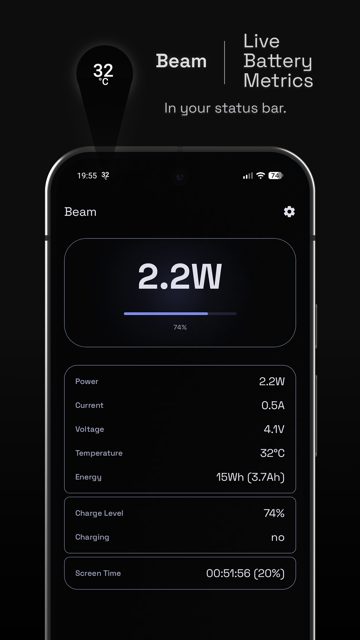
Beam is a real-time battery monitor for Android that pins live metrics like power, voltage, and temperature to your status bar as a persistent notification. People use it to keep an eye on battery health and charging behavior without opening a separate app, since it also shows a full breakdown in-app.
Developer: montafra · License: MIT (open source) · Price: Free
Before you start: open Beam once after installing and grant notification permission when prompted, or enable it manually in Android's app settings, so the live indicator can appear in your status bar. Android can silently revoke this permission over time, so check back if the indicator disappears.
Official file from the developer's release · Nov 28, 2026 · SHA-256 a26b63e49cc8fc06…
Screenshots
Key features
- Shows power, current, voltage, energy level, temperature, charge percent, charging status, charging start time, and time to full charge
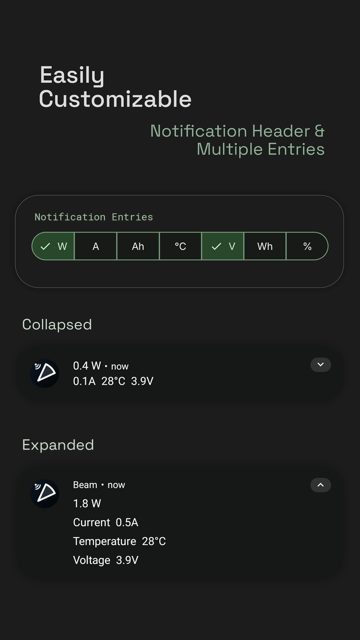
- Choose which extra metrics show up in the notification body
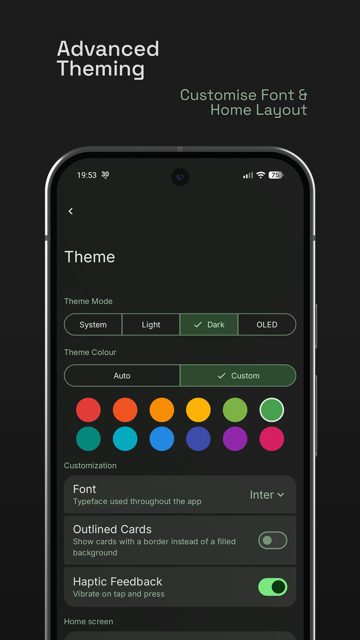
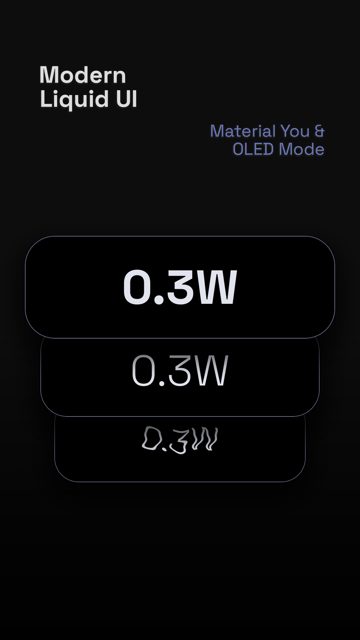
- Light, dark, and pure-black OLED themes, with Material You dynamic color or a custom accent
- Seven font choices including monospace options, plus outlined or filled cards and an optional hero glow
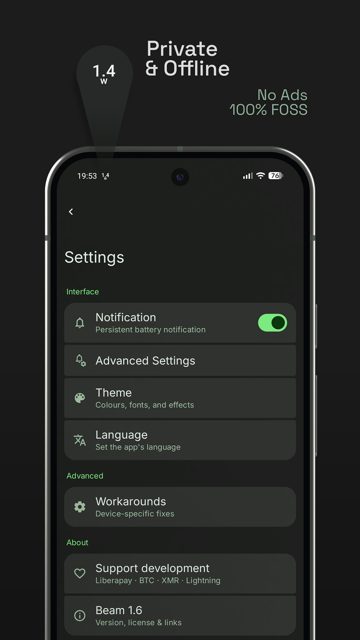
- No ads, no unnecessary permissions, and no collection or sharing of user data
Why isn’t Beam on Google Play?
Beam is published by its developer on GitHub and is also available on F-Droid, rather than being distributed through Google Play.
Is Beam safe?
Beam is open source under the MIT license, and the download comes from the developer's own GitHub releases page or F-Droid. According to the README, the app requests no unnecessary permissions and does not collect or share user data, though you will need to grant notification permission for the status bar indicator to work. Beam comes straight from its developer rather than through Google Play, so it hasn’t gone through Google’s app review. As with any app, check the permissions it asks for and install it if you’re comfortable with them.
How to install
- Tap the download button above: the APK file downloads straight to your phone.
- When Android asks, allow your browser to install unknown apps.
- Open the file and tap Install.
FAQ
Is Beam free
Yes. Beam is open source under the MIT license and is free to download from GitHub or F-Droid.
Why does my phone always show 0W
Many phones, especially Samsung devices, do not follow the standard BatteryManager spec. Try toggling the Power Scalar Workaround option in Beam's settings.
Why do Beam's numbers differ from my external power meter
Beam can only measure power flowing into or out of the battery management system, while an external meter also captures power the phone draws on top of that.
More free apps you won’t find on Google Play: Open Source Apps · Best Android apps not on the Google Play Store.






Frequently Asked Questions
Is Beam free
Yes. Beam is open source under the MIT license and is free to download from GitHub or F-Droid.
Why does my phone always show 0W
Many phones, especially Samsung devices, do not follow the standard BatteryManager spec. Try toggling the Power Scalar Workaround option in Beam's settings.
Why do Beam's numbers differ from my external power meter
Beam can only measure power flowing into or out of the battery management system, while an external meter also captures power the phone draws on top of that.













Leave a Comment