

Buge App Manager is an Android utility for taking a closer look at the apps on your phone and controlling what permissions they have. It is useful if you want to uninstall or disable system apps, review which apps can access your camera or location, or launch hidden activities, without needing to root your device.
Developer: BugeStudioTeam · License: GPL-3.0-only (open source) · Price: Free
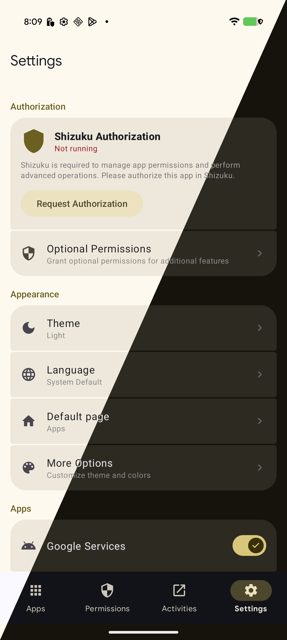
Before you start: install and authorize Shizuku (from shizuku.rikka.app) or Dhizuku, or have a rooted device, so Buge App Manager can perform advanced operations like disabling system apps or editing permissions. Android 8.0 (API 26) or higher is required.
Official file from the developer's release · Nov 24, 2026 · SHA-256 abcc2f92bc48e39c…
Screenshots
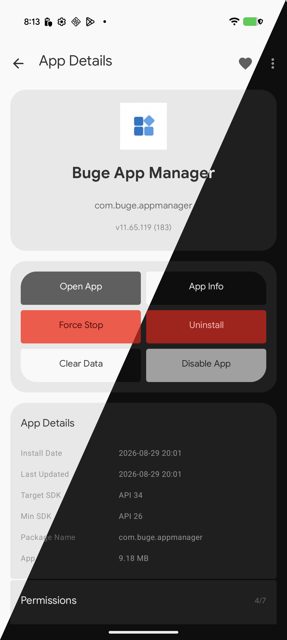
Key features
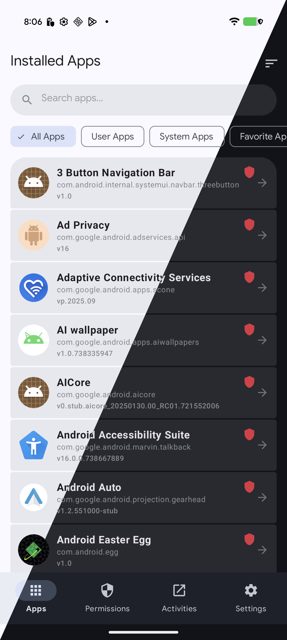
- Manage user and system apps: uninstall, disable, force stop, and restore uninstalled system apps
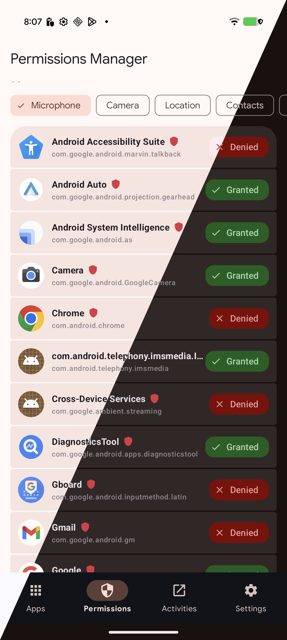
- View and modify permissions by category, such as microphone, camera, location, notifications, phone and contacts, and storage
- Filter permissions by granted or denied status and run batch permission operations on multiple apps
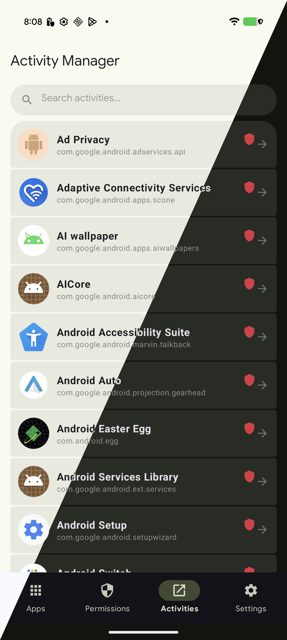
- Browse and launch any activity, including unexported ones
- Works with Shizuku, Dhizuku, or root authorization, and supports 14 languages
Why isn’t Buge App Manager on Google Play?
Buge App Manager is published by its developers on GitHub and is also available on F-Droid, rather than on Google Play.
Is Buge App Manager safe?
This app is open source under the GPL-3.0 license, and the APK on this page matches the official release from the developer's GitHub repository. It needs Shizuku, Dhizuku, or root access to unlock its advanced permission and app management features, since those require elevated system access that a normal app cannot get on its own. Buge App Manager comes straight from its developer rather than through Google Play, so it hasn’t gone through Google’s app review. As with any app, check the permissions it asks for and install it if you’re comfortable with them.
How to install
- Tap the download button above: the APK file downloads straight to your phone.
- When Android asks, allow your browser to install unknown apps.
- Open the file and tap Install.
FAQ
Is Buge App Manager free
Yes. It is open source under the GPL-3.0 license and free to download from GitHub or F-Droid.
Do I need root to use it
No. You can use Shizuku or Dhizuku for elevated access instead of root, though root is also supported if your device is rooted.
How is this different from the built-in Android app settings
It adds features the system settings do not offer, such as restoring uninstalled system apps, filtering permissions by granted or denied status, batch permission operations across multiple apps, and launching unexported activities.
More free apps you won’t find on Google Play: Open Source Apps · Best Android apps not on the Google Play Store.






Frequently Asked Questions
Is Buge App Manager free
Yes. It is open source under the GPL-3.0 license and free to download from GitHub or F-Droid.
Do I need root to use it
No. You can use Shizuku or Dhizuku for elevated access instead of root, though root is also supported if your device is rooted.
How is this different from the built-in Android app settings
It adds features the system settings do not offer, such as restoring uninstalled system apps, filtering permissions by granted or denied status, batch permission operations across multiple apps, and launching unexported activities.













Leave a Comment