
ADB Captain is an ADB shell terminal, logcat viewer, package manager and debugger that runs directly on your phone. It uses Shizuku to get shell permissions, so you can run adb-style commands without root and without plugging into a computer.
Developer: eatenlamp · License: AGPL-3.0-or-later (open source) · Price: Free
Before you start: install Shizuku (from F-Droid or GitHub) and start the Shizuku service. Then open ADB Captain and it will detect Shizuku automatically. If Shizuku is not running, the app shows a setup screen instead.
Official file from the developer's release · Nov 12, 2026 · SHA-256 95281f2ea8a837f3…
Screenshots
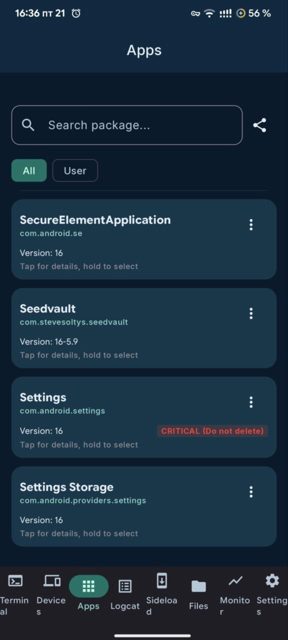
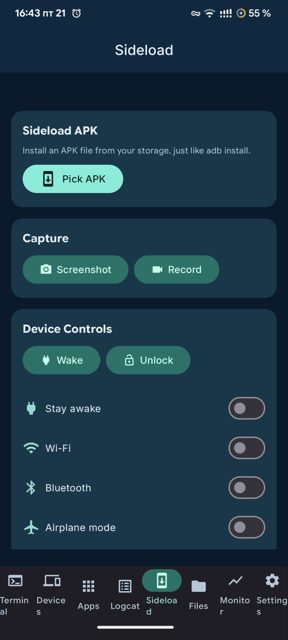
Key features
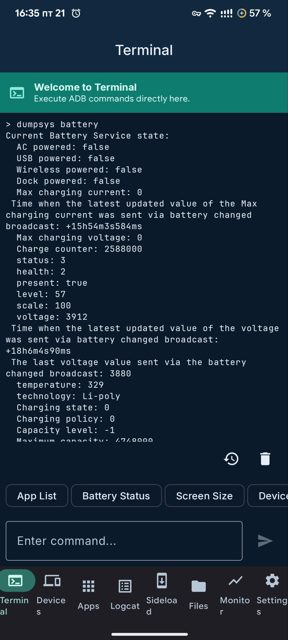
- Terminal with quick commands, tabs, command history and auto-complete for pm, am, dumpsys, settings, input and more
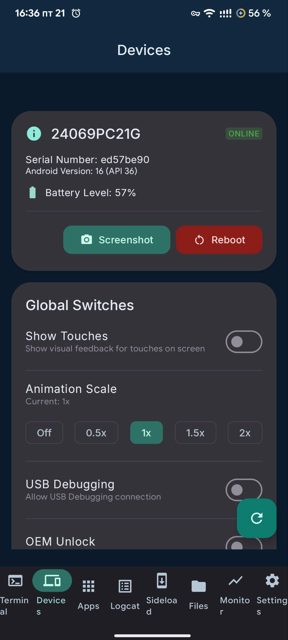
- Apps screen listing installed apps with a bloatware safety rating, App Ops, intent launcher and app inspector
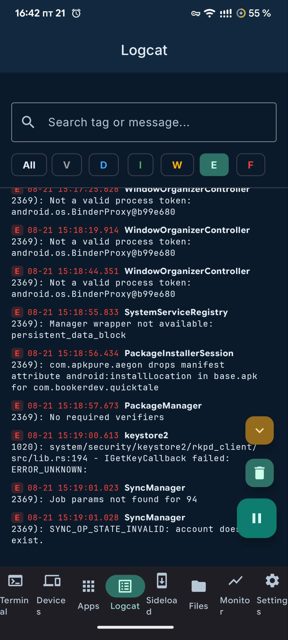
- Logcat viewer with live filtering by level and tag, timeline view, and sharing filtered logs as Markdown
- Debug tools including Bug Pack ZIP collection, Debug Session recording, and Macros 2.0 workflows with conditions and placeholders
- File browser over Shizuku with multi-select, rename, properties sheet, upload/download and APK install
Why isn’t ADB Captain on Google Play?
ADB Captain is published by its developer on GitHub, F-Droid and RuStore rather than on Google Play.
Is ADB Captain safe?
ADB Captain is open source under AGPL-3.0-or-later. GitHub Releases are signed with the project's own key, F-Droid builds update automatically once published, and RuStore ships a separately signed build under its own certificate. The app needs Shizuku to work, and the developer notes that translations other than English are AI-generated and may be inaccurate. ADB Captain comes straight from its developer rather than through Google Play, so it hasn’t gone through Google’s app review. As with any app, check the permissions it asks for and install it if you’re comfortable with them.
How to install
- Tap the download button above: the APK file downloads straight to your phone.
- When Android asks, allow your browser to install unknown apps.
- Open the file and tap Install.
FAQ
Is ADB Captain free
The README does not list a price and the app is distributed as open source software under AGPL-3.0-or-later via F-Droid, RuStore and GitHub Releases.
Do I need root to use ADB Captain
No. It works through Shizuku, which gives it shell permissions without root and without a PC cable.
What is the difference between the F-Droid, RuStore and GitHub builds
F-Droid builds update automatically once a new version is published. GitHub Releases are signed with the project's own key, while RuStore ships a separately signed build under its own certificate.
More free apps you won’t find on Google Play: Open Source Apps · Best Android apps not on the Google Play Store.





Frequently Asked Questions
Is ADB Captain free
The README does not list a price and the app is distributed as open source software under AGPL-3.0-or-later via F-Droid, RuStore and GitHub Releases.
Do I need root to use ADB Captain
No. It works through Shizuku, which gives it shell permissions without root and without a PC cable.
What is the difference between the F-Droid, RuStore and GitHub builds
F-Droid builds update automatically once a new version is published. GitHub Releases are signed with the project's own key, while RuStore ships a separately signed build under its own certificate.













Leave a Comment