
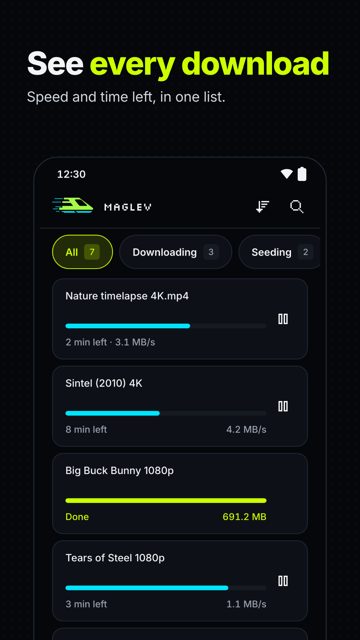
Maglev is a free, open-source app for Android that handles torrents, ordinary file downloads, streaming video (HLS/m3u8) and subtitle finding in one place. People use it so they don't need separate apps for a torrent client, a download manager and a video downloader, and because it has no ads, no tracking and no account requirement.
Developer: Kaos599 (Harsh Dayal) · License: GPL-3.0 (open source) · Price: Free
Before you start: Maglev needs Android 7.0 or later. Download the APK matching your device (arm64-v8a for most phones from the last six years, armeabi-v7a for older 32-bit phones, x86_64 for emulators, or universal if unsure) from the GitHub releases page, or add the app to Obtainium using the repository link for automatic updates.
Official file from the developer's release · Nov 21, 2026 · SHA-256 7c71aa3a576ba78a…
Screenshots
Key features
- Torrent client for magnet links and .torrent files, with file selection and background downloading
- Download manager for any link, with pause, resume, retry and parts-per-download splitting
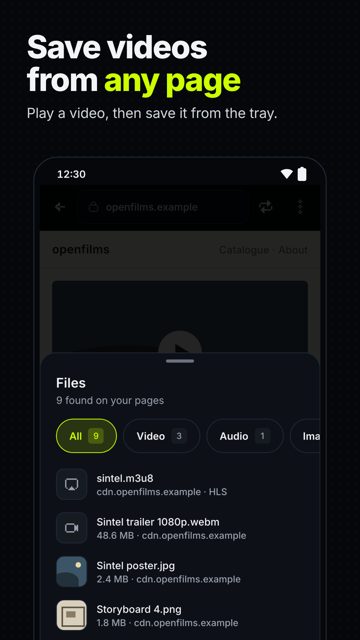
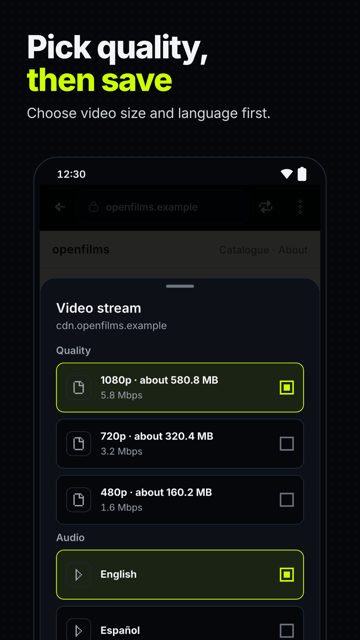
- Built-in browser that saves HLS, m3u8 and DASH streaming video, and blocks ads and trackers
- Subtitle finder for downloaded videos from 21 free sources, saved next to the video file
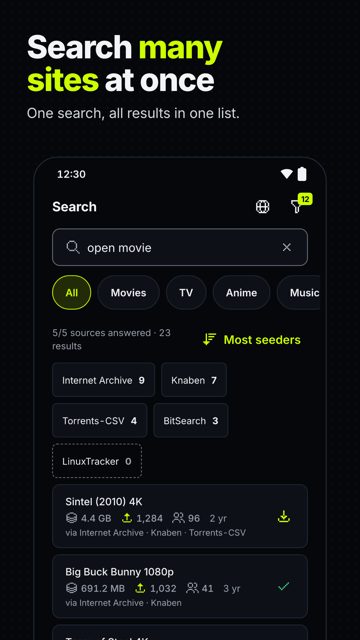
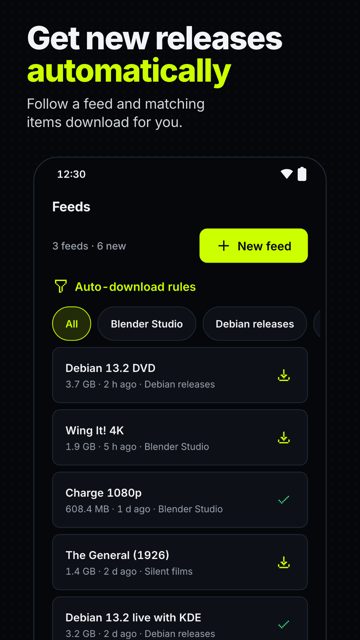
- Torrent search across 40+ public sources, plus RSS feeds with auto-download rules
Why isn’t Maglev on Google Play?
Maglev isn't on Google Play. It's published by its developer on GitHub, and can also be installed through Orion Store or Obtainium for automatic updates; it isn't on F-Droid either.
Is Maglev safe?
Maglev is open source under the GPL-3.0 licence, and release APKs are built by GitHub Actions directly from the repository. Each release is signed with the same key and comes with a SHA256SUMS file so you can verify the APK before installing; the app itself states it cannot bypass DRM, so Netflix-style video, live streams and YouTube-style players can't be saved. Maglev comes straight from its developer rather than through Google Play, so it hasn’t gone through Google’s app review. As with any app, check the permissions it asks for and install it if you’re comfortable with them.
How to install
- Tap the download button above: the APK file downloads straight to your phone.
- When Android asks, allow your browser to install unknown apps.
- Open the file and tap Install.
FAQ
Is Maglev free?
Yes. Maglev is free and open source under the GPL-3.0 licence, with no ads, no tracking and no account needed.
How do I check subtitles for a downloaded video?
Open the finished download's menu in Transfers, a torrent's options, or the ⋯ next to a video in its Files tab, then tap Find subtitles. Results are grouped by how well they fit the file.
How is Maglev different from LibreTorrent or Flud?
Like those apps, Maglev opens magnet links and .torrent files and supports RSS feeds and file selection. But it also downloads ordinary links, saves streaming video from web pages, searches 40+ torrent sources from one box, and finds subtitles, so it covers jobs those apps don't.
More free apps you won’t find on Google Play: Open Source Apps · Best Android apps not on the Google Play Store.






Frequently Asked Questions
Is Maglev free?
Yes. Maglev is free and open source under the GPL-3.0 licence, with no ads, no tracking and no account needed.
How do I check subtitles for a downloaded video?
Open the finished download's menu in Transfers, a torrent's options, or the ⋯ next to a video in its Files tab, then tap Find subtitles. Results are grouped by how well they fit the file.
How is Maglev different from LibreTorrent or Flud?
Like those apps, Maglev opens magnet links and .torrent files and supports RSS feeds and file selection. But it also downloads ordinary links, saves streaming video from web pages, searches 40+ torrent sources from one box, and finds subtitles, so it covers jobs those apps don't.













Leave a Comment