
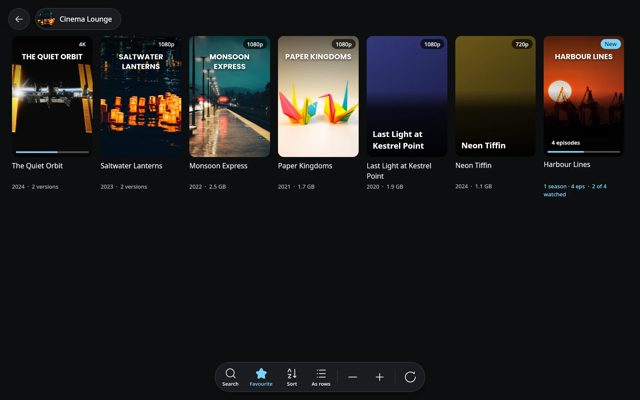
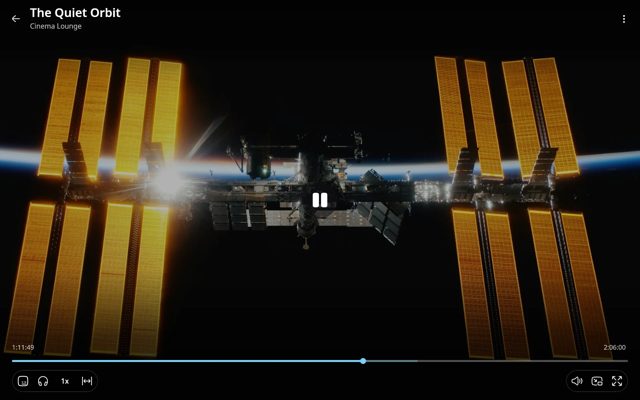
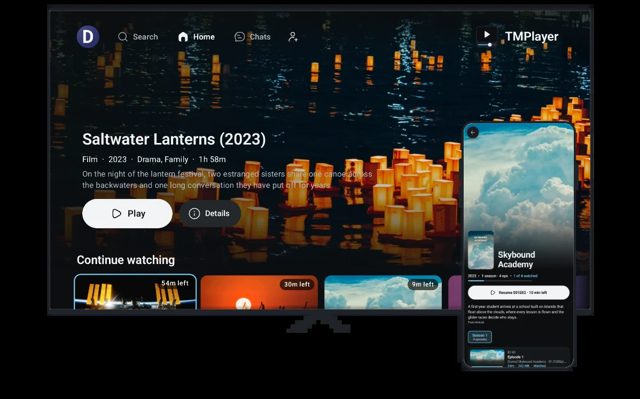
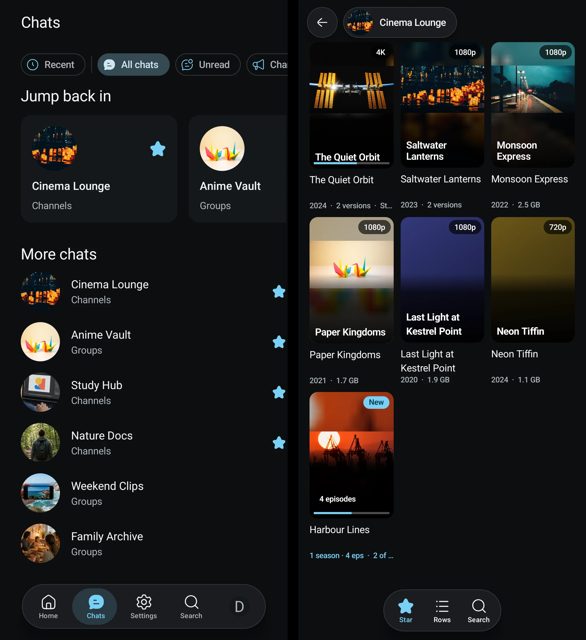
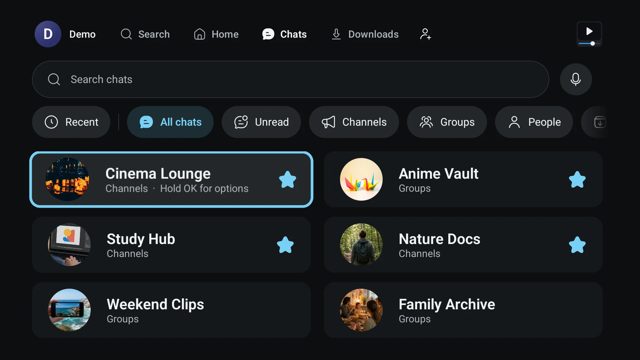
TMPlayer is an unofficial media player that lets you watch videos from your own Telegram chats and channels on Android TV, Fire TV, Android phones, and Windows, macOS and Linux computers. It starts playing within seconds while the file is still downloading, and seeking jumps the download ahead instead of making you wait.
Developer: dracu-lah · License: GPL-3.0 (open source) · Price: Free
Before you start: On Android TV or Fire TV, install the free Downloader app from the Play Store, enter tmplayer.org/apk, press Go, and allow the install when prompted. On Android phones, download the APK directly from tmplayer.org/download or install and auto-update it via Obtainium. On Windows, you can instead open PowerShell and run: irm https://tmplayer.org/install.ps1 | iex to install the MSI automatically. You sign in afterward by scanning a QR code with your own Telegram account on your phone.
Official file from the developer's release · Nov 26, 2026 · SHA-256 b27069fed109791f…
Screenshots
Key features
- Plays videos straight from your Telegram chats while they are still downloading, seeking re-aims the download
- Runs on Android 6.0+ TV and phone from the same APK, plus Windows 10/11, Linux and macOS (Apple Silicon)
- Sign in by scanning a QR code with your phone, no server and no account other than your own
- Only playable videos from a chat are shown, no messages are displayed
- No ads from TMPlayer itself and no paid tier
Why isn’t TMPlayer on Google Play?
TMPlayer is an unofficial Telegram client published by its developer on GitHub rather than the Play Store, and it is not listed on F-Droid either.
Is TMPlayer safe?
TMPlayer is open source under GPL-3.0-or-later, and the files offered here are the official builds from the developer's GitHub releases. It is unofficial and not affiliated with Telegram FZ-LLC, it accesses your Telegram account through the official API via TDLib, the Windows installer is not yet code signed (so SmartScreen will warn you), and the macOS build is not notarized by Apple (so you need to approve it manually in System Settings). TMPlayer comes straight from its developer rather than through Google Play, so it hasn’t gone through Google’s app review. As with any app, check the permissions it asks for and install it if you’re comfortable with them.
How to install
- Tap the download button above: the APK file downloads straight to your phone.
- When Android asks, allow your browser to install unknown apps.
- Open the file and tap Install.
FAQ
Is TMPlayer free?
Yes. It is free and open source under the GPL-3.0-or-later license, with no ads of its own and no paid tier.
How do I install TMPlayer on a Fire TV or Android TV?
Install the free Downloader app from the Play Store, type tmplayer.org/apk into it, press Go, and allow the install when the TV asks. You can also send the APK from a phone or use adb from a computer.
Does TMPlayer need its own server or a Telegram Premium account?
No. It uses your own regular Telegram account through the official Telegram API via TDLib, with no server and no special account needed beyond your own.
More free apps you won’t find on Google Play: Open Source Apps · Best Android apps not on the Google Play Store.





TMPlayer old versions (APK)
Earlier releases, if the latest one gives you trouble. Same developer, same signature, scanned by VirusTotal.
All versions listed here need Android 6.0 or later, the same as the current release. Use an older one if the latest update causes problems on your phone. Each TMPlayer old version APK here is the original file, signed with the same key as the current version, and passed a VirusTotal scan before we listed it.
Installing an older version? Uninstall TMPlayer first. Android can't install an older version over a newer one, and uninstalling deletes the app's data on your phone.
Frequently Asked Questions
Is TMPlayer free?
Yes. It is free and open source under the GPL-3.0-or-later license, with no ads of its own and no paid tier.
How do I install TMPlayer on a Fire TV or Android TV?
Install the free Downloader app from the Play Store, type tmplayer.org/apk into it, press Go, and allow the install when the TV asks. You can also send the APK from a phone or use adb from a computer.
Does TMPlayer need its own server or a Telegram Premium account?
No. It uses your own regular Telegram account through the official Telegram API via TDLib, with no server and no special account needed beyond your own.












Leave a Comment