
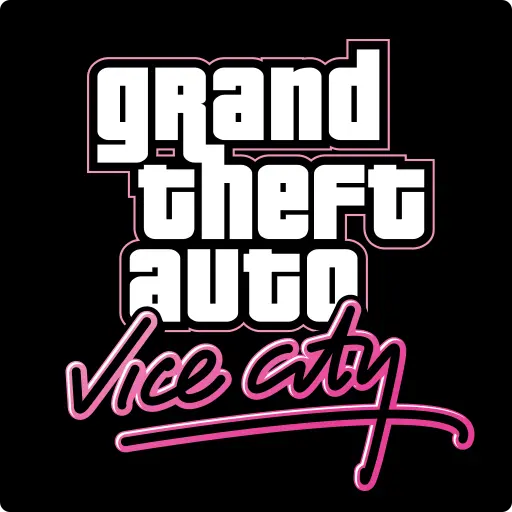

Grand Theft Auto: Vice City is an arcade game from Rockstar Games. Welcome back to Vice City. Welcome back to the 1980s. It currently holds a 3.3-star rating on Google Play, based on 206,739 user reviews.
App Details
| Developer | Rockstar Games |
|---|---|
| Content Rating | Mature 17+ |
| Installs | 1M+ |
| Rating | 3.3 / 5 (206,739 reviews) |
| Updated | Jan 6, 2026 |
Screenshots


About Grand Theft Auto: Vice City
Grand Theft Auto: Vice City brings the classic 1980s crime sandbox to mobile devices. Developed by Rockstar Games, this arcade-category action game lets players explore the retro Vice City setting with the gameplay that defined the series. The game has accumulated over 206,000 ratings with a 3.3-star average and has been installed more than 1 million times. It's a paid title at $4.99 with Mature 17+ content rating, making it suitable for adult players seeking a nostalgic open-world experience on Android.
Grand Theft Auto: Vice City pros and cons
Pros
- Iconic open-world game adapted for mobile
- 1M+ installs showing established player base
- Official Rockstar Games release
- Over 200,000 player ratings for reference
- Established 1980s-themed gameplay
Cons
- Moderate 3.3-star rating suggests mixed player experience
- No minimum Android version or file size details provided
- Premium pricing at $4.99 upfront
Grand Theft Auto: Vice City specifications and compatibility
The build on this page was last refreshed on Jan 6, 2026. Google Play classifies the content as Mature 17+.
How to get Grand Theft Auto: Vice City from Google Play
- Open the Google Play listing. Tap the Download Now button on this page. It opens the official Grand Theft Auto: Vice City listing on Google Play.
- Install or buy. Tap Install (or the price button for a paid game). Google Play downloads and installs it for you, no extra settings needed.
- Open Grand Theft Auto: Vice City. When the install finishes, tap Open to launch Grand Theft Auto: Vice City. Updates arrive automatically through Google Play.
Browse more Arcade apps, similar to Crazy Office — Slap & Smash.
Frequently asked questions
Is Grand Theft Auto: Vice City free to download?
No, Grand Theft Auto: Vice City is a paid app on Google Play (4.99 USD). Get it on Google Play with the Download button on this page. Paid games and apps sometimes go on sale or even free for a limited time, so check our Games on Sale list.
How many people have downloaded Grand Theft Auto: Vice City?
Grand Theft Auto: Vice City has been downloaded 1M+ times from Google Play, putting it among the more widely adopted arcade games in its category.
Is Grand Theft Auto: Vice City safe to install?
Yes, when you install it from Google Play. The Download button on this page opens the official Google Play listing from Rockstar Games, so you get the developer's own build, checked by Google Play Protect. It carries the Mature 17+ content rating Google assigns on Play.






Top 10 Arcade games this week See all ›
 GGPO+
 Minecraft Trial
 War Survival Z
 RPCSX Emulator - PS3 Emulator
 Subway Surfers
 Geometry Dash Lite
 Geometry Dash
 Obby World: Brainrot Egg
 Kooply Run™: Play and Create!
 We Are Cooking: Taste of Life
On sale today All deals ›
 Jewels Charm: Match 3 Game Pro
 Shadow Hunter: Offline Premium
 [VIP] Missile Dude RPG : idle
 Evertale
 Word Arcadia: Word Search Game
 SciFi Survivor Premium
 Box Head: Roguelike Premium
 Solitaire Pro : Card Games
 King of Defense 2: TD Premium
 [VIP] Black Shadow : Idle RPG











Leave a Comment