

WiFi Password Manager is an Android app that lets you view, search, and manage the passwords of WiFi networks your phone has already connected to. It works through Shizuku or root access, so it can read system WiFi configuration data that regular apps cannot access.
Developer: Khh-vu · License: MIT (open source) · Price: Free
Before you start: install and set up Shizuku (https://shizuku.rikka.app/) or have root access on your device. On Android 10 specifically, Shizuku must run as root (uid 0) or system (uid 1000), since Shizuku running as shell is not supported on that version due to missing permissions.
Official file from the developer's release · Nov 5, 2026 · SHA-256 b1643f536d6b06fc…
Screenshots
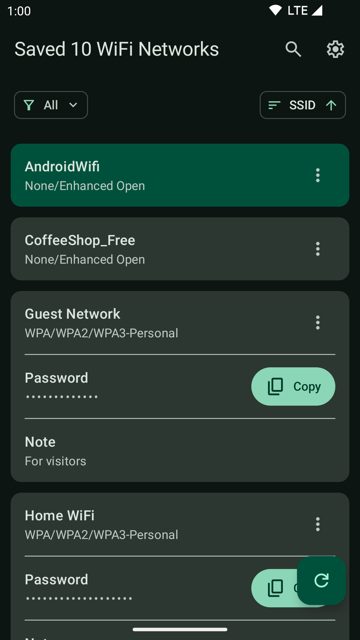
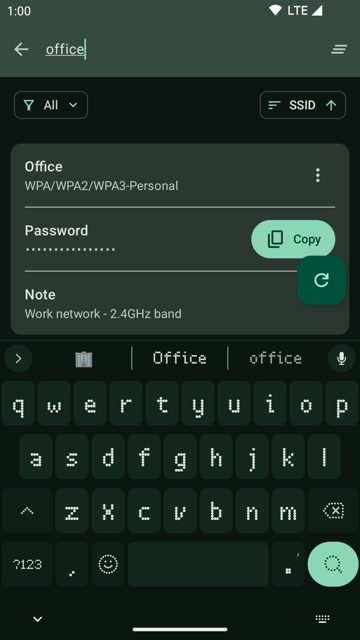
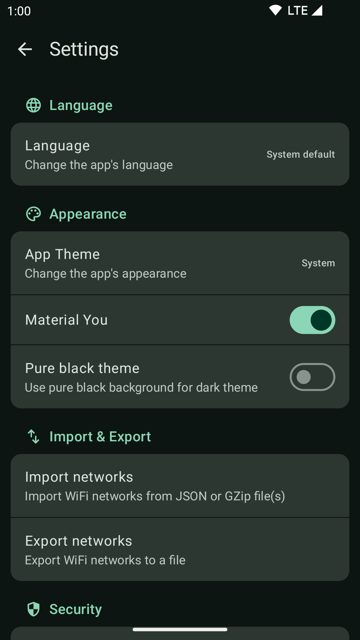
Key features
- View all saved WiFi networks along with their passwords
- See the currently connected network highlighted and pinned to the top
- Connect, disconnect, or forget networks directly from the app
- Search networks in real time and copy passwords securely
- Add custom notes to networks, export or import configurations as JSON with optional GZip compression and encryption
Why isn’t WiFi Password Manager on Google Play?
This app is published by its developer on GitHub and is also available on F-Droid.
Is WiFi Password Manager safe?
The project is open source under the MIT license, and the APK on GitHub is the official release from the developer, matching the version also on F-Droid. You can verify the APK's authenticity by checking its SHA-256 certificate fingerprint with apksigner, listed in the README. The app says it keeps all data local and does not use network access, but it does require privileged Shizuku or root access to function, which is a sensitive permission to grant. WiFi Password Manager comes straight from its developer rather than through Google Play, so it hasn’t gone through Google’s app review. As with any app, check the permissions it asks for and install it if you’re comfortable with them.
How to install
- Tap the download button above: the APK file downloads straight to your phone.
- When Android asks, allow your browser to install unknown apps.
- Open the file and tap Install.
FAQ
Is WiFi Password Manager free
Yes. It is open source under the MIT license and free to download from GitHub or F-Droid.
Do I need root to use this app
No, root is one option. You can also use Shizuku instead of root. On Android 10, Shizuku needs to run as root or system rather than shell.
Why does the app need location permission
ACCESS_FINE_LOCATION and ACCESS_COARSE_LOCATION are only needed for the Show Connected WiFi feature if you do not have Shizuku or root access. With Shizuku or root, that feature works without these permissions.
More free apps you won’t find on Google Play: Open Source Apps · Best Android apps not on the Google Play Store.






Frequently Asked Questions
Is WiFi Password Manager free
Yes. It is open source under the MIT license and free to download from GitHub or F-Droid.
Do I need root to use this app
No, root is one option. You can also use Shizuku instead of root. On Android 10, Shizuku needs to run as root or system rather than shell.
Why does the app need location permission
ACCESS_FINE_LOCATION and ACCESS_COARSE_LOCATION are only needed for the Show Connected WiFi feature if you do not have Shizuku or root access. With Shizuku or root, that feature works without these permissions.













Leave a Comment