
N-Zik is a multilingual YouTube Music frontend for Android. It is a fork of Kreate, built with a focus on performance, UI/UX refinements, feature expansion, and long-term support, letting you stream, download, and organize your music library without the official YouTube Music app.
Developer: N-Zik-Group · License: GPL-3.0 (open source) · Price: Free
Before you start: pick the right build for your device. Release64/Beta64 and Minified64 are for 64-bit devices (arm64-v8a, x86_64); Release32/Beta32 and Minified32 are for 32-bit devices (armeabi-v7a, x86); the FOSS build is a universal APK without the auto-updater, useful if you want to install from alternative stores or sideload manually. If you want automatic update checks from GitHub, you can also set it up through Obtainium using the app's package ID com.nevar.nzik.foss.
Official file from the developer's release · Nov 3, 2026 · SHA-256 13b17308561755d6…
Screenshots
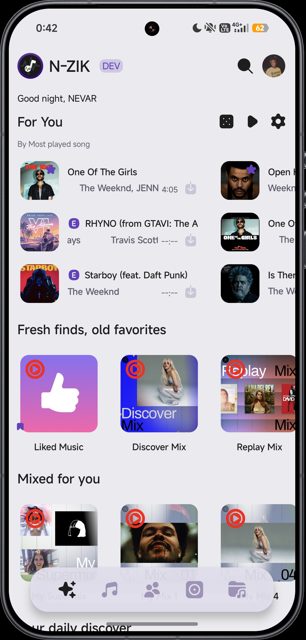
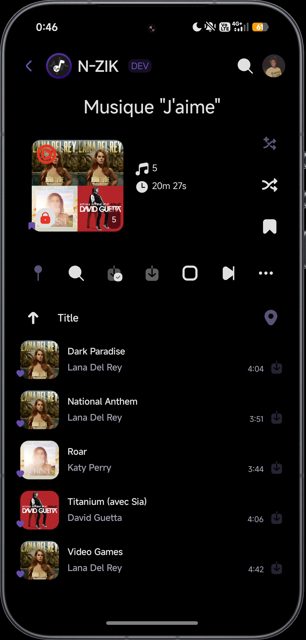
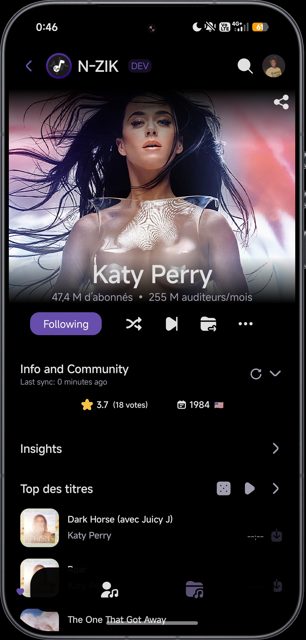
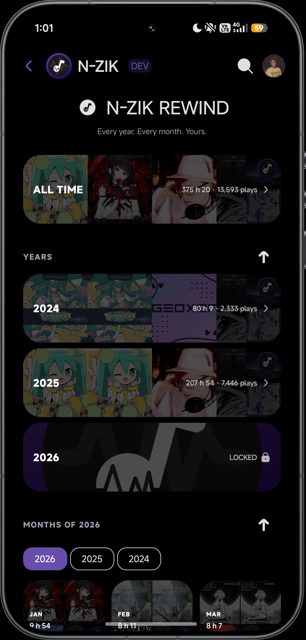
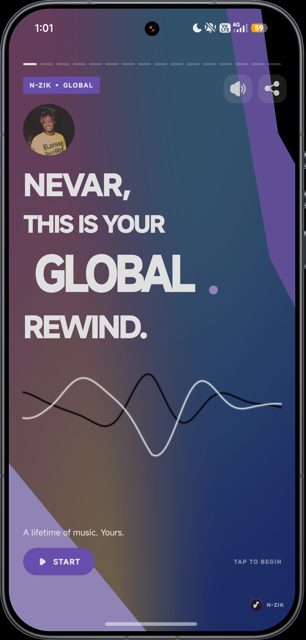
Key features
- Smart offline caching plus downloads for individual tracks or whole playlists, with selectable download quality and batch updates
- Advanced lyrics support with sync, translation via Google Translate, and editing
- Discord Rich Presence, NZik Radio, listening statistics, and an audio visualizer
- Playlist import and export (Riplay, Spotify via Exportify, YouTube Music, N-Zik) plus on-device music playback
- Wide platform support including Android Auto, Android Automotive, and Android TV, with widgets and custom themes
Why isn’t N-Zik on Google Play?
N-Zik is published by its developers on GitHub and is also available on F-Droid; it is not distributed on Google Play.
Is N-Zik safe?
N-Zik is open source under the GPL-3.0 license, and this page links to the official releases from the N-Zik-Group GitHub repository (also on F-Droid). The developer notes that N-Zik may not yet be as stable as the original Kreate project it's forked from, and some features like the audio visualizer require microphone permission; the FFmpeg extension used for Media Export and the Metadata Editor downloads an additional module (about 25 MB) on first use and is not available on x86 32-bit devices. N-Zik comes straight from its developer rather than through Google Play, so it hasn’t gone through Google’s app review. As with any app, check the permissions it asks for and install it if you’re comfortable with them.
How to install
- Tap the download button above: the APK file downloads straight to your phone.
- When Android asks, allow your browser to install unknown apps.
- Open the file and tap Install.
FAQ
Is N-Zik free to use
Yes. N-Zik is free and open source software released under the GPL-3.0 license.
Do I need a YouTube Music Premium account
No, but if you connect one, high quality audio streaming unlocks automatically.
What is the difference between the 64-bit, 32-bit, and FOSS builds
The 64-bit and 32-bit builds target specific device architectures and include the auto-updater. The FOSS build is a universal APK without the auto-updater, intended for alternative app stores or manual sideloading.
Can I use N-Zik on Android TV or Android Auto
Yes, the README lists support for Android Auto, Android Automotive, and Android TV, alongside regular phone and tablet use.
More free apps you won’t find on Google Play: Open Source Apps · Best Android apps not on the Google Play Store.


Frequently Asked Questions
Is N-Zik free to use
Yes. N-Zik is free and open source software released under the GPL-3.0 license.
Do I need a YouTube Music Premium account
No, but if you connect one, high quality audio streaming unlocks automatically.
What is the difference between the 64-bit, 32-bit, and FOSS builds
The 64-bit and 32-bit builds target specific device architectures and include the auto-updater. The FOSS build is a universal APK without the auto-updater, intended for alternative app stores or manual sideloading.
Can I use N-Zik on Android TV or Android Auto
Yes, the README lists support for Android Auto, Android Automotive, and Android TV, alongside regular phone and tablet use.












Leave a Comment