

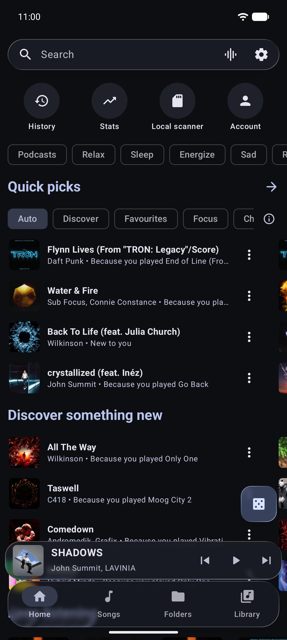
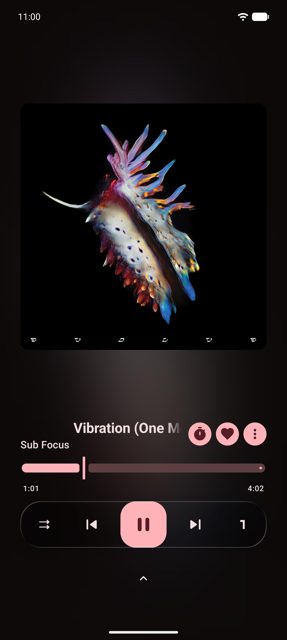
InterTune is a free, open-source YouTube Music client for Android that also plays the music files already on your phone, in the same queue. It's forked from OuterTune (itself from InnerTune), and people use it to get YouTube Music playback with on-device recommendations, lyrics and casting, without ads, tracking or needing an account.
Developer: ItzSkyeYT · License: GPL-3.0 (open source) · Price: Free
Before you start: requires Android 7.0 or later. If you're coming from OuterTune, InterTune installs alongside it as a separate app (dev.skye.intertune) – back up your data in OuterTune (Settings > Backup and restore) first, then restore that backup file in InterTune.
Official file from the developer's release · Nov 5, 2026 · SHA-256 ac8d5bb878b067ea…
Screenshots
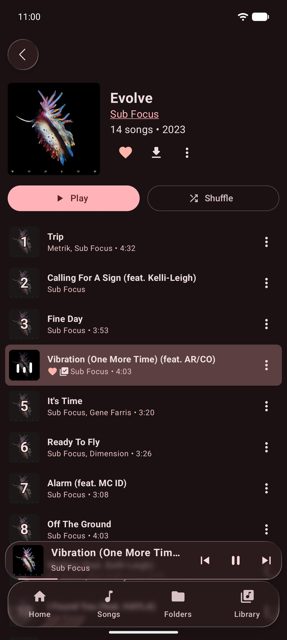
Key features
- Plays YouTube Music and your own local files in one queue, with recommendations that learn from your skips and likes on your phone
- Cast to Chromecast, FCast receivers or a DLNA TV, with the highest audio quality shown including real codec and bitrate
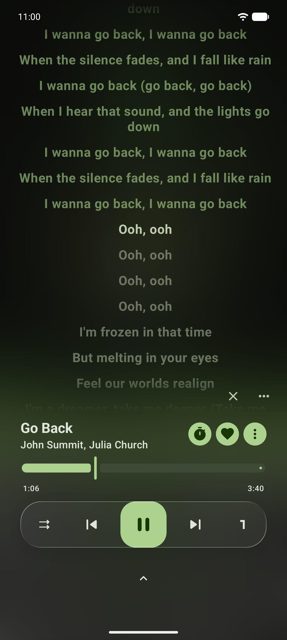
- Synced lyrics from LRCLIB and KuGou, with word-by-word highlighting and romanisation for Japanese, Korean, Chinese, Russian and more
- Song recognition (What's playing?) using Shazam, runs in the background and can fill a playlist with everything it hears
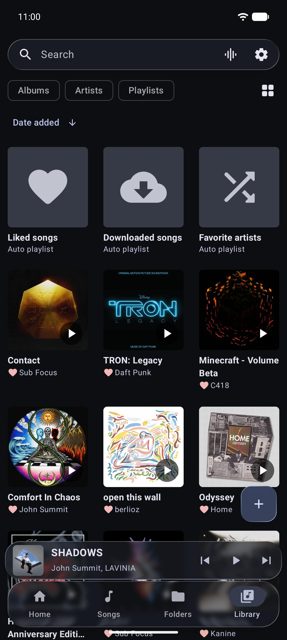
- Import playlists from Spotify, Apple Music, Deezer, Tidal, Amazon Music, SoundCloud, Qobuz or a CSV file, plus downloads for offline listening and Android Auto support
Why isn’t InterTune on Google Play?
InterTune is not on Google Play; it's published by its developer on GitHub and F-Droid (also on Obtainium, Orion Store and OpenAPK). The README warns that apps called "InterTune" on Google Play or other APK sites are different, ad-supported apps from other companies, so only get it from these official sources.
Is InterTune safe?
InterTune is open source under the GPL-3.0 licence, and you can build it yourself from the GitHub source. Download the official release from the GitHub releases page, F-Droid, Obtainium, Orion Store or OpenAPK; signing in to YouTube Music is optional, and the app only sends crash reports or install counts if you agree to it. InterTune comes straight from its developer rather than through Google Play, so it hasn’t gone through Google’s app review. As with any app, check the permissions it asks for and install it if you’re comfortable with them.
How to install
- Tap the download button above: the APK file downloads straight to your phone.
- When Android asks, allow your browser to install unknown apps.
- Open the file and tap Install.
FAQ
Is InterTune free?
Yes. It's free and open source, with no ads and no tracking.
Do I need a YouTube Music or Google account to use it?
No, signing in is optional and everything works without one. The README notes there's a small chance YouTube could restrict an account used with the app, which is one reason signing in isn't required.
Is the InterTune app on Google Play the same as this one?
No. The README warns that "InterTune" apps on Google Play and other APK sites are different apps from other companies that include ads. Only get this InterTune from GitHub, F-Droid, Obtainium, Orion Store or OpenAPK.
More free apps you won’t find on Google Play: Open Source Apps · Best Android apps not on the Google Play Store.






Frequently Asked Questions
Is InterTune free?
Yes. It's free and open source, with no ads and no tracking.
Do I need a YouTube Music or Google account to use it?
No, signing in is optional and everything works without one. The README notes there's a small chance YouTube could restrict an account used with the app, which is one reason signing in isn't required.
Is the InterTune app on Google Play the same as this one?
No. The README warns that "InterTune" apps on Google Play and other APK sites are different apps from other companies that include ads. Only get this InterTune from GitHub, F-Droid, Obtainium, Orion Store or OpenAPK.













Leave a Comment