

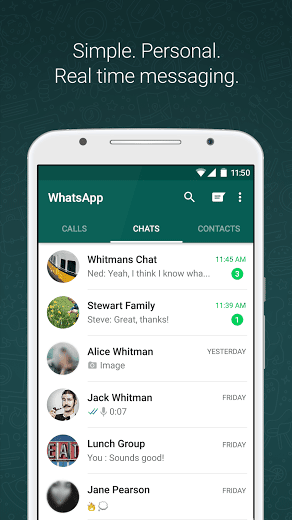

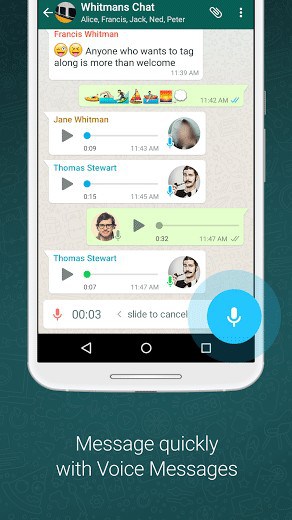
WHY USE WHATSAPP:• NO FEES: WhatsApp uses your phone’s Internet connection (4G/3G/2G/EDGE or Wi-Fi, as available) to let you message and call friends and family, so you don’t have to pay for every message or call.* There are no subscription fees to use WhatsApp.• MULTIMEDIA: Send and receive photos, videos, documents, and Voice Messages.• FREE CALLS: Call your friends and family for free with WhatsApp Calling, even if they’re in another country.* WhatsApp calls use your phone’s Internet connection rather than your cellular plan’s voice minutes. (Note: Data charges may apply. Contact your provider for details. Also, you can’t access 911 and other emergency service numbers through WhatsApp).• GROUP CHAT: Enjoy group chats with your contacts so you can easily stay in touch with your friends or family.• WHATSAPP WEB: You can also send and receive WhatsApp messages right from your computer’s browser.• NO INTERNATIONAL CHARGES: There’s no extra charge to send WhatsApp messages internationally. Chat with your friends around the world and avoid international SMS charges.*
• SAY NO TO USERNAMES AND PINS: Why bother having to remember yet another username or PIN? WhatsApp works with your phone number, just like SMS, and integrates seamlessly with your phone’s existing address book.
• ALWAYS LOGGED IN: With WhatsApp, you’re always logged in so you don’t miss messages. No more confusion about whether you’re logged in or logged out.
• QUICKLY CONNECT WITH YOUR CONTACTS: Your address book is used to quickly and easily connect you with your contacts who have WhatsApp so there’s no need to add hard-to-remember usernames.
• OFFLINE MESSAGES: Even if you miss your notifications or turn off your phone, WhatsApp messenger will save your recent messages until the next time you use the app.
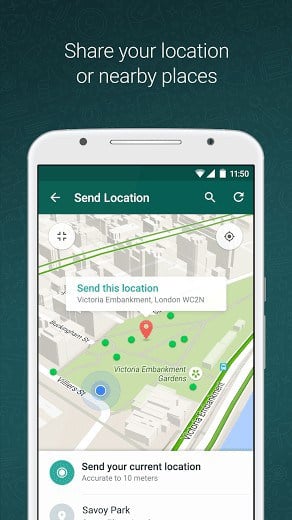
• AND MUCH MORE: Share your location, exchange contacts, set custom wallpapers and notification sounds, email chat history, broadcast messages to multiple contacts at once, and more!
*Data charges may apply. Contact your provider for details.
What’s New
• Play videos right away without waiting for them to download first. Videos will still be downloaded to your phone as the video is playing. (Android 4.1+ and only works with videos sent from the latest version of the Android app)
• Introducing WhatsApp video calling. With free video calls, you can have face-to-face chats with your friends and family around the world. Data charges may apply. (requires Android 4.1+)
• You can now send and receive animated GIFs
You may also be interested in whatscan for whatsapp
Additional information
Latest
31 MB
Android 4.0 and up
1,000,000,000 – 5,000,000,000 downloads
WhatsApp Inc.





Frequently Asked Questions
Is WhatsApp Messenger free to download and use on Android?
Yes, WhatsApp Messenger is a free messaging app available for Android. There are no subscription fees to use WhatsApp. The app uses your phone's internet connection (4G/3G/2G/EDGE or Wi-Fi) for messaging and calling, so you avoid standard SMS charges.
What features does WhatsApp Messenger offer?
WhatsApp Messenger allows you to send and receive messages, calls, photos, videos, documents, and voice messages. You can also make free calls to friends and family worldwide, create group chats, access WhatsApp Web for messaging from your computer, and use your existing phone contacts without needing usernames or PINs.
Can I make free calls with WhatsApp Messenger?
Yes, you can call your friends and family for free with WhatsApp Calling, even internationally. WhatsApp calls use your phone's internet connection rather than your cellular plan's voice minutes, though data charges may apply depending on your provider. Note that emergency service numbers (like 911) cannot be accessed through WhatsApp.
How do I install WhatsApp Messenger on my Android phone?
WhatsApp Messenger is available for Android devices. You can download it and install it on your smartphone. The app integrates seamlessly with your phone's existing address book and you stay logged in automatically so you won't miss messages.
Will I have international charges when using WhatsApp Messenger?
No, there are no extra charges to send WhatsApp messages internationally. You can chat with friends around the world and avoid international SMS charges by using WhatsApp's internet-based messaging instead of traditional cellular messaging.
What internet connection types does WhatsApp Messenger support?
WhatsApp Messenger works with 4G, 3G, 2G, EDGE, or Wi-Fi connections. The app uses whatever internet connection is available on your Android device to send messages and make calls.
I want download whatsapp ..but now not downloaded …what can I do ???
Sumsung galaxy s4
hi my phone is E5 nokia he dont want to download whatsapp plz i need help
Im having a big problem with my phone.downloading whatsapp is now a problem after i accidentaly deleted it.
so how can i restore or download it again.
I cannot download whatsapp on my phone why
Hi . … I really want to whatsapp and I got it but they only say send ur no.& I send it bt sending & veryfying no is not done so hw can I do
my andriod version iz 1.6 can i download whatsapp
No u can’t
Ahhhh whatsapp is much ayobanec bt yoooh u hv 2 b patient when comes 2 dowloadng it, my watsap expired am stl strglng wat 2 do den
Luv u
My phone is Vodafone smart 2.am struggling to download whatsup.please help
I’m happy to donwloal whatsap
i want you
plz how can i download whatsapp on my itel it6200, its really given me an headache and am so pissed off, pls i need your help urgently
I AM NOT ABLE TO DOWNLOAD WATS APP IN MY MOBILE PLEASE SAY ME .I HAVE THE APP BUT WHEN I TRY TO DOWNLOAD IT SAYS U R MOBILE DATE IS INACCURATE
the version you have is outdated you need a new version
hey, i just luv dis app bcz of its awesmeness
i really luv whatsapp, it was very insteresting………but i cant save my contact display picture…….it was really annoyed……
am using tecno android b3
i love it
Almost there lol
It’s not supporting in my galaxy s3
I love whatsApp
well i think there are some procedures in dowloading it.
thats good apps..
i want to have every apps ..
keep calm
When i want 2 install whatsapp in my fon it tell me u cannot install in this fon,my fon is LG620.PLZ HELP ME.
hay Mariya your phone need to for mate first and then install got it
I’m fail 2 download whatsapp in my LG620
i ve tried several times to download and once said, unavailable in my country . then when i finally downloaded it, it failed to send me a verification msg so it sugested a voice verification, so when i submitted the number thatbwas given to me, it took a very long time to veryfy, it later cane with a msg saying i submitted the code too long ago i have to wait to call again, so i did and the same thing happend. so i uninstalled, now im trying again to download and its always failing !! im really having second thoghts about this app !! -____- my ph is HTC Wildfire S
It’s maybe blocked by internet service provider of your country.
Kindly make sure whatsapp using is allowed in your country.
Urgent help plz ppl,
I cant seem to download whatsapp on ma tablet its jat giavung me problems p, lz hlp me, coz m evn thnkin of jst 4gettin da idea of havin watsapp pn ths phone 🙁
hey you, please come to whatsapp
bonjour
Thnx you so much
I want whatsap to move in SD card.how is it posble?? while updatin its occupin more in internal memory.I deleted nd reinstalled stil its gtn stored in SD oly.
Unfortunately WhatsApp is not a moveable app so you can’t move to SD 🙁
Hi Shwetha ….yu can not move apps to SD card in lower version of android like 2.3.6 but above than like ICS yu move easily by goning settings—>application—>manage application—> open desired app—> move to sd card.
have a nic day
🙂
is telling me download fail
and how am I going 2 download again
It’s maybe internet connectivity issue. you can retry or hit download button once again to start download.
am having problem 2 download whatsapp to my tecno b3 android phone
hope to enjoy!
Wooow thanks