

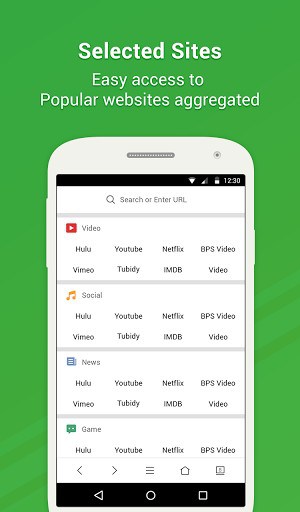
VC Browser is a nifty, simple, safe high-speed mobile browser, with simple features that are convenient to use to enable easier management of commonly used and favorite URLs. Its extremely small size allows for less memory consumption as well as a smoother Internet speed, and its powerful ad filter function can make the browsing experience more comfortable. There are also many other useful features waiting for you to explore. The purest mobile Internet experience is on VC Browser, the global mobile browser users’ brand-new choice.
VC Browser Features:
[Minimum Size] Installation package is only 3.6 MB, with smooth running for a variety of low-memory phones.
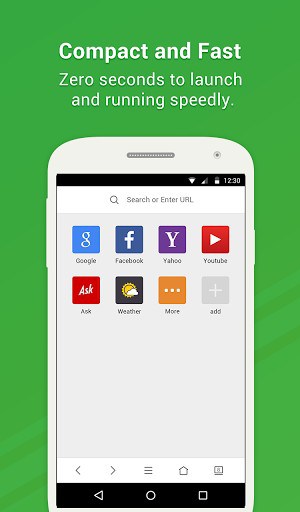
[Maximum Speed]Zero-second start, with downloading at the speed of light to give you an extremely fast Internet browsing experience.
[Least Data Used]The best data usage optimization technology, saving up to 80% of data.
[Ad Blocking]Easy access to pages – no need to worry about being interrupted while browsing websites.
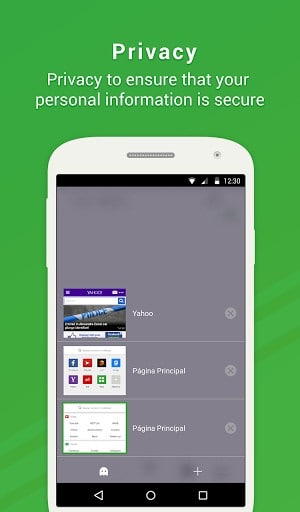
[Safe Browsing]Incognito browsing can ensure the security of your personal information on a web page.
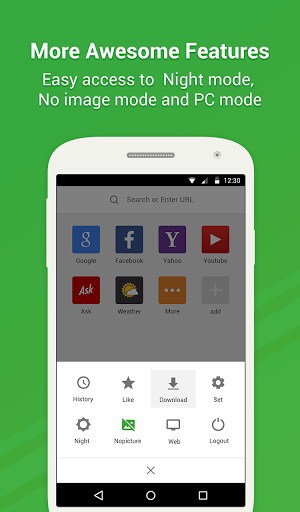
[Download Manager]Easily saves images and videos, allowing for simpler and more convenient management of downloaded files.
Contact us
Website:http://www.vcbrowser.com
Facebook:https://www.facebook.com/vcbrowser
Feedback:[email protected]
Business:[email protected]
What’s New
Performance optimized.
Some bugs fixed.
Additional information
VC Browser – Download Faster
com.vc.browser
1.2.7.3
4.43 MB
5,000,000+ downloads
VCMobile Inc.






Frequently Asked Questions
What is VC Browser and how does it differ from other mobile browsers?
VC Browser is a lightweight, high-speed mobile browser developed by VCMobile Inc. that prioritizes speed and efficiency. Unlike heavier browsers, VC Browser has an extremely small installation size of just 3.6 MB, making it ideal for phones with limited memory. It features zero-second startup, lightning-fast downloading speeds, powerful ad blocking capabilities, and advanced data optimization technology that can save up to 80% of your data usage.
Is VC Browser free to download and use?
Yes, VC Browser is completely free to download and use. There are no hidden charges or premium subscriptions required to access all of its core features, including ad blocking, incognito browsing, and the download manager.
How do I download and install the VC Browser APK?
You can download the VC Browser APK directly from AppsApk.com. Simply click the Download APK button on this page, and the installation file will begin downloading to your device. Once downloaded, navigate to your Downloads folder, tap the APK file, and follow the on-screen prompts to install it on your Android phone.
Is VC Browser safe for browsing the web?
Yes, VC Browser prioritizes your security and privacy. It includes incognito browsing mode, which ensures the security of your personal information when visiting web pages. The browser is designed with safety features to provide a secure mobile Internet experience, and you can browse with confidence knowing your data is protected.
What are the main features of VC Browser?
VC Browser offers several useful features: a minimal 3.6 MB installation size for smooth performance on low-memory phones, zero-second startup and lightning-fast downloading speeds, advanced data usage optimization (saving up to 80% of data), powerful ad blocking to prevent interruptions, incognito browsing for privacy, and a download manager that easily saves and organizes images and videos from the web.
Can VC Browser APK work on my Android device?
VC Browser is designed for Android devices and is particularly well-suited for phones with limited memory or storage space due to its small 3.6 MB package size. The lightweight nature of VC Browser means it can run smoothly on a variety of Android phones, including older or lower-end models that might struggle with heavier browsers.













Leave a Comment