
UDownloader for Fast app
UDownloader for Fast APK — Quick Video & File Downloads
UDownloader for Fast is a free Android app for downloading videos and files quickly with a multi-thread download manager, pause/resume and background downloads. Grab the latest APK below.
More downloaders: Video Downloader for Facebook, All Video Downloader, VidMate.
Clean Minimal Material UIHow To Use :
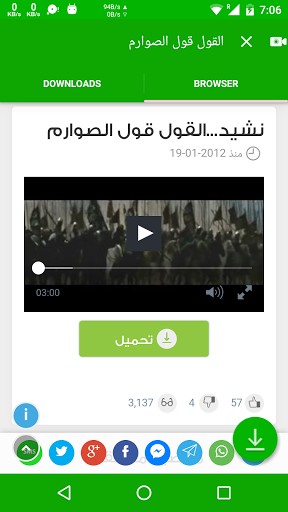
use the browser or search bar to find video .
start play the video you like .
Download button will show immediately in bottom .
press dwonload button .
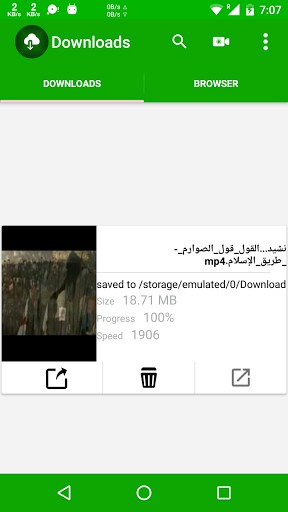
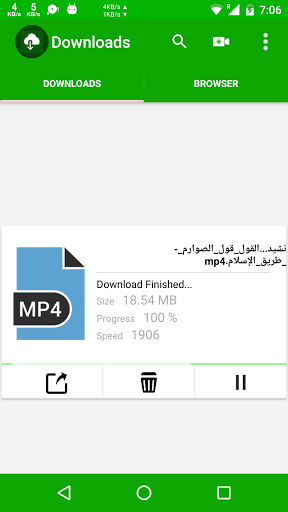
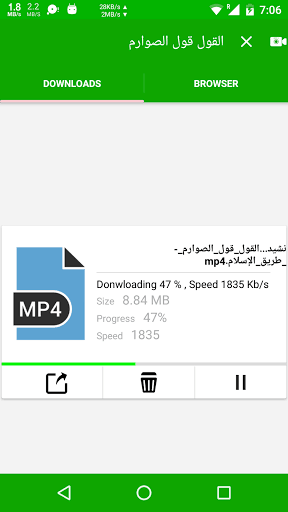
go to “Download” section and enjoy with downloading .
cancel,puase,resume download file .
after video saved share it or open in other apps .
This app is not associated with YouTube nor can you download from YouTuve due to their policy.
What’s New
remove vedio ads
new version
Additional information
UDownloader for Fast
com.rab.exdlrab
2.0
3.58 MB
500,000+ downloads
TataososInc.






Frequently Asked Questions
What is UDownloader and how does it work?
UDownloader is a free video downloader app that lets you download videos from various websites. To use it, find a video through the built-in browser or search bar, play the video you want, and a download button will appear at the bottom of the screen. Tap the download button, and your video will be saved to the Downloads section where you can manage, share, or open it in other apps.
Is UDownloader free to download and use?
Yes, UDownloader is completely free to download and use. There are no subscription fees or hidden costs required to download videos with this app.
Can I download videos from YouTube with UDownloader?
No, UDownloader is not associated with YouTube and cannot download videos from YouTube due to their terms of service policy. However, you can use it to download videos from other supported websites.
What are the key features of UDownloader?
UDownloader offers a clean, minimal material UI design and includes features such as the ability to pause, resume, and cancel downloads. Once a video is downloaded, you can share it or open it with other applications on your device.
What's new in the latest version of UDownloader?
The latest version of UDownloader includes the removal of video ads, providing a cleaner user experience when downloading your favorite videos.
How do I manage my downloads in UDownloader?
After you press the download button, go to the 'Download' section in the app where you can view all your downloaded videos. From there, you can cancel, pause, or resume any ongoing downloads, and share or open your saved videos with other apps.
Leave a Comment