

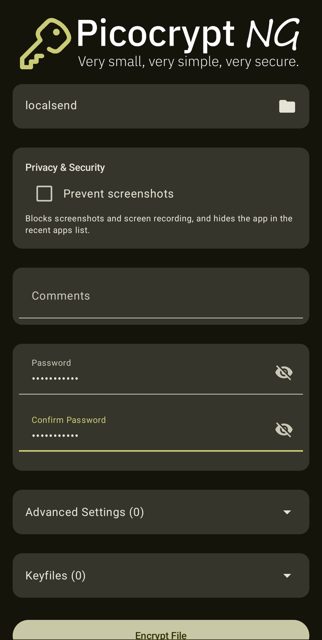
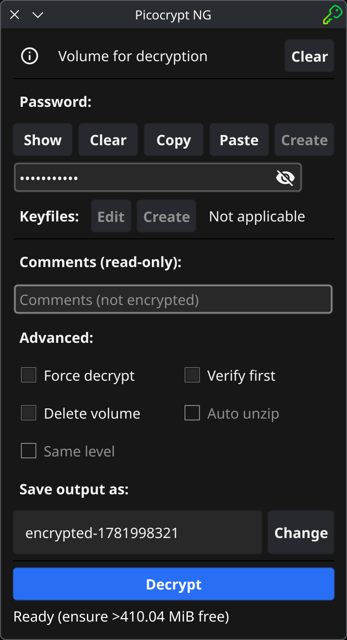
Picocrypt NG is an offline file and folder encryption tool that uses XChaCha20 and Argon2id to protect your data. It is a community-developed continuation of the original Picocrypt project, with desktop, command-line, Android and browser versions.
Developer: Picocrypt-NG · License: GPL-3.0-only (open source) · Price: Free
Before you start: the native Android app needs Android 8.0 or newer and supports armeabi-v7a, arm64-v8a, x86, and x86_64. Download the signed universal APK from the GitHub releases page, or pick the smaller per-ABI APK that matches your device. After downloading, you can verify it by running apksigner verify –print-certs on the APK and comparing the signing certificate fingerprint and sha256sum listed on the release page.
Official file from the developer's release · Nov 27, 2026 · SHA-256 b7c9b2da796597e2…
Screenshots
Key features
- Encrypt and decrypt files or folders with a password, keyfiles, or both
- Built-in password generator using cryptographically secure randomness
- Paranoid mode adds a Serpent-CTR layer plus HMAC-SHA3 authentication and a higher Argon2id work factor
- Reed-Solomon error-correction option to detect and repair limited corruption
- Reads supported legacy PCV1/PCV2 volumes as well as the new PCV3 format
Why isn’t Picocrypt-NG on Google Play?
Picocrypt NG is published by its developers on GitHub and is also available on F-Droid, not on Google Play.
Is Picocrypt-NG safe?
Picocrypt NG is open source under the GPL-3.0-only license. The README gives the Android application ID (io.github.picocrypt_ng.picocrypt_ng) and a SHA-256 signing certificate fingerprint so you can verify the APK with apksigner before installing. Note that PCV3 operations need enough available memory for a fixed 1 GiB key derivation step, even on 32-bit devices, and PR build artifacts are debug/testing-only and should not be used for real data. Picocrypt-NG comes straight from its developer rather than through Google Play, so it hasn’t gone through Google’s app review. As with any app, check the permissions it asks for and install it if you’re comfortable with them.
How to install
- Tap the download button above: the APK file downloads straight to your phone.
- When Android asks, allow your browser to install unknown apps.
- Open the file and tap Install.
FAQ
Is Picocrypt NG free
Yes. It is open source software released under the GPL-3.0-only license.
How do I open an encrypted file on Android
In the app, select the encrypted .pcv volume and provide the same password, keyfiles, or both that were used to encrypt it. If the volume uses D1, select D1 explicitly when opening it.
What is the difference between Picocrypt NG and the original Picocrypt
Picocrypt NG is a community-developed continuation of the archived Picocrypt project. The original Picocrypt author does not endorse, develop, or support Picocrypt NG, so the README asks that the NG suffix always be included when referencing it.
More free apps you won’t find on Google Play: Open Source Apps · Best Android apps not on the Google Play Store.






Frequently Asked Questions
Is Picocrypt NG free
Yes. It is open source software released under the GPL-3.0-only license.
How do I open an encrypted file on Android
In the app, select the encrypted .pcv volume and provide the same password, keyfiles, or both that were used to encrypt it. If the volume uses D1, select D1 explicitly when opening it.
What is the difference between Picocrypt NG and the original Picocrypt
Picocrypt NG is a community-developed continuation of the archived Picocrypt project. The original Picocrypt author does not endorse, develop, or support Picocrypt NG, so the README asks that the NG suffix always be included when referencing it.













Leave a Comment