
PdfCraft is an Android app for reading, commenting, filling, signing and editing PDF files, with everything done on your phone rather than uploaded to a server. It is built in Rust, using the same engine as the desktop PdfCraft app, with a Kotlin and Jetpack Compose interface on Android.
Developer: artcraft-android (based on the engine from storytold's PdfCraft) · License: MIT (open source) · Price: Free
Before you start: check whether your phone is 32-bit or 64-bit ARM. Most modern phones should use the plain APK; older or 32-bit ARM devices need the -armeabi-v7a APK. Your phone also needs to be running Android 10 (API 29) or newer.
Official file from the developer's release · Nov 3, 2026 · SHA-256 ba9c3486b5359829…
Screenshots
Key features
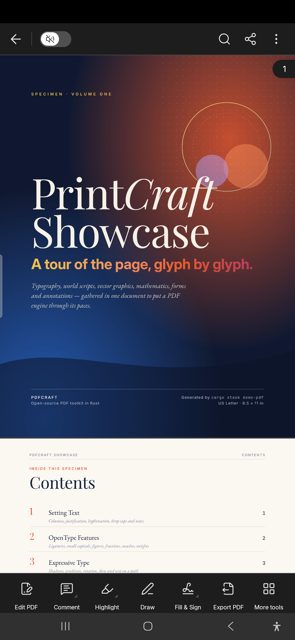
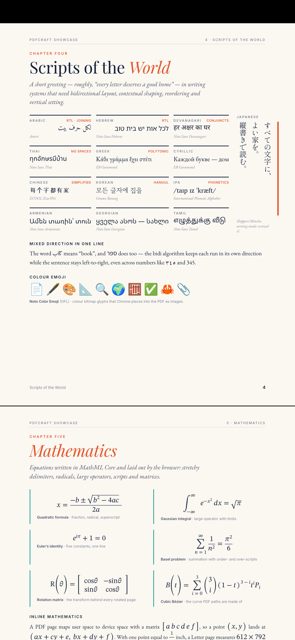
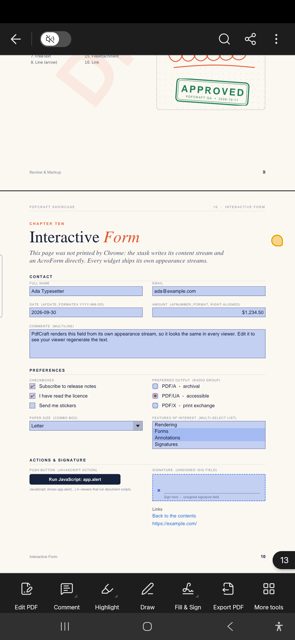
- Read PDFs with continuous or single page view, two-page mode, Reading Mode (reflowed text), Night Mode and find
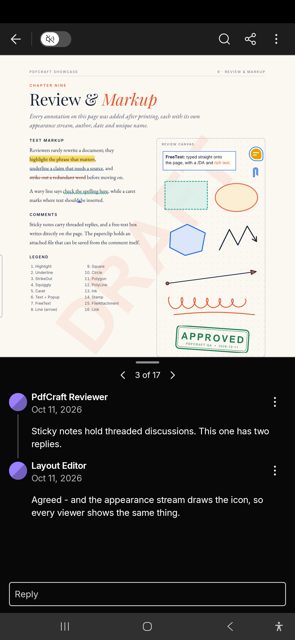
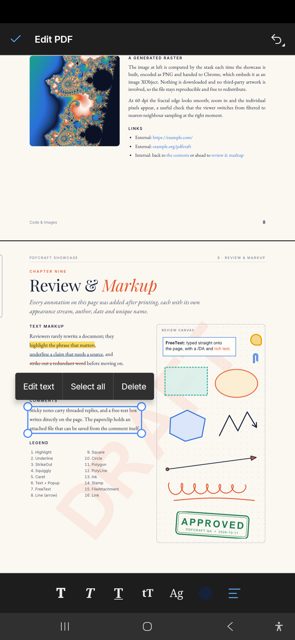
- Comment with notes, voice comments, highlight, underline, strikethrough, drawing and an eraser, plus a comment list with threads
- Fill forms and sign with a drawn or imported signature, including form JavaScript and digital ID signatures (.p12/.pfx)
- Edit PDF text, add text and images, move and resize pictures, organize and crop pages
- Compress, combine, set password, create PDF from images or text, scan documents, and export to Word, RTF, Excel, PowerPoint, JPEG and PNG
Why isn’t PdfCraft for Android on Google Play?
PdfCraft for Android is published by its developers on GitHub and is also available on F-Droid, rather than on Google Play.
Is PdfCraft for Android safe?
PdfCraft is open source under the MIT license (dual-licensed MIT OR Apache-2.0), and the APK on this page comes from the developer's own GitHub releases. The app is currently in beta, so expect some rough edges and ongoing changes; each release offers a plain APK for most phones and a separate -armeabi-v7a build for 32-bit ARM devices. PdfCraft for Android comes straight from its developer rather than through Google Play, so it hasn’t gone through Google’s app review. As with any app, check the permissions it asks for and install it if you’re comfortable with them.
How to install
- Tap the download button above: the APK file downloads straight to your phone.
- When Android asks, allow your browser to install unknown apps.
- Open the file and tap Install.
FAQ
Is PdfCraft free
The README does not list a price, and the app is open source under the MIT license (dual MIT OR Apache-2.0), downloadable from GitHub releases or F-Droid.
Does PdfCraft work without an internet connection
Yes, the app reads, edits, fills, signs and exports PDFs on the device itself using its Rust-based engine, rather than sending files to a server.
Which APK should I download, the plain one or the armeabi-v7a one
Use the plain APK for most phones. Use the -armeabi-v7a APK only if your phone has a 32-bit ARM processor.
More free apps you won’t find on Google Play: Open Source Apps · Best Android apps not on the Google Play Store.






Frequently Asked Questions
Is PdfCraft free
The README does not list a price, and the app is open source under the MIT license (dual MIT OR Apache-2.0), downloadable from GitHub releases or F-Droid.
Does PdfCraft work without an internet connection
Yes, the app reads, edits, fills, signs and exports PDFs on the device itself using its Rust-based engine, rather than sending files to a server.
Which APK should I download, the plain one or the armeabi-v7a one
Use the plain APK for most phones. Use the -armeabi-v7a APK only if your phone has a 32-bit ARM processor.













Leave a Comment