
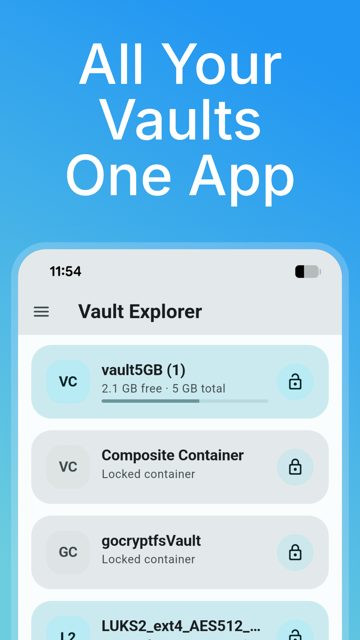
VaultExplorer is a file manager for Android that mounts and browses encrypted containers like VeraCrypt, LUKS, BitLocker, Cryptomator, and gocryptfs volumes, all without needing a PC. People use it to carry an encrypted vault on their phone and still get a full file manager, media viewers, and password manager built in, instead of juggling separate apps for each container format.
Developer: R0b0To · License: GPL-3.0-or-later (open source) · Price: Free
Before you start: no special setup is required to install the app itself. Depending on what you want to do, you may need to grant All Files Access (for local SD cards or USB drives) or set up a bridge app such as RSAF or Round-Sync if you want to connect WebDAV, S3, or Dropbox storage, since VaultExplorer itself never connects to the network.
Official file from the developer's release · Nov 24, 2026 · SHA-256 8c0019f06ce39637…
Screenshots
Key features
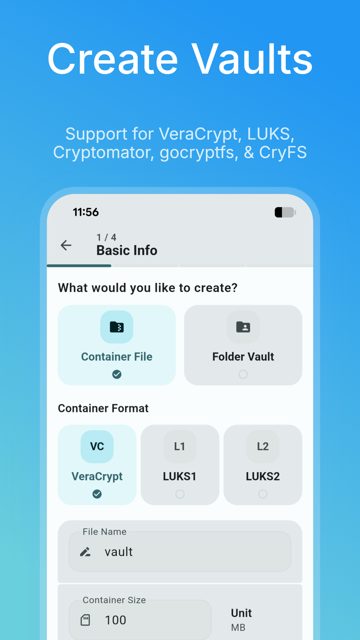
- Opens VeraCrypt, LUKS1/2, BitLocker, VHD/VHDX, Cryptomator, gocryptfs, and CryFS containers, plus FAT, exFAT, NTFS, and ext2/3/4 filesystems inside them
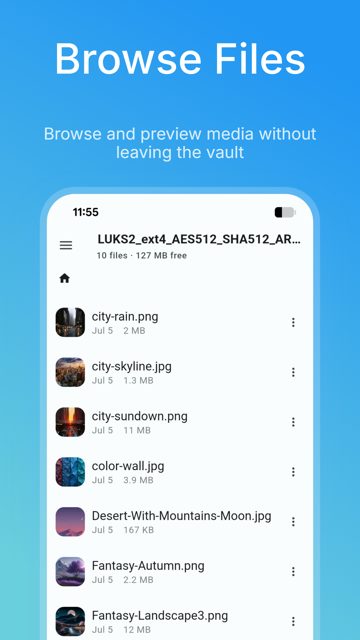
- Full file explorer with list, grid, and masonry views, batch rename, folder sizes, bookmarks, and cross-volume transfers
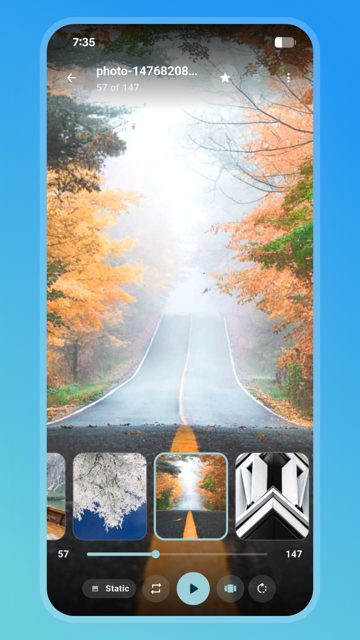
- Built-in viewers for photos, video/audio, PDF, EPUB, comics, HEIF/HEIC, 360° panoramas, plus image/video/audio editors and an archive browser (ZIP, 7-Zip, RAR, TAR and more)
- Gallery mode and a music library that merge media across multiple unlocked vaults and device storage
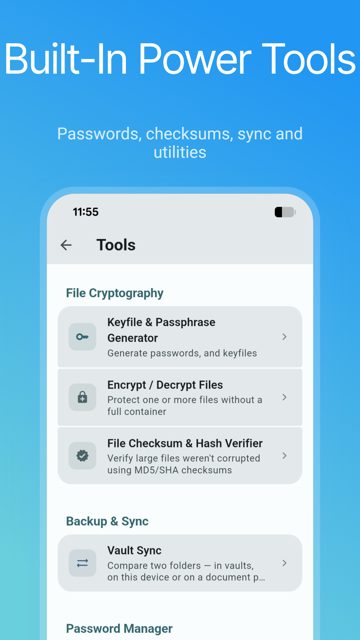
- Item vault for passwords, cards, notes, and TOTP/HOTP codes, with import/export for KeePass, Bitwarden, Proton, and common authenticator apps
Why isn’t VaultExplorer on Google Play?
VaultExplorer is published by its developer on GitHub and is also available on F-Droid; it is not distributed on Google Play.
Is VaultExplorer safe?
VaultExplorer is open source under the GPL-3.0-or-later license, and this page links to the official release from the developer's GitHub repository. The README states the app has no internet permission and that scratch files used for exports or video work are zero-wiped from the app's private cache afterwards. VaultExplorer comes straight from its developer rather than through Google Play, so it hasn’t gone through Google’s app review. As with any app, check the permissions it asks for and install it if you’re comfortable with them.
How to install
- Tap the download button above: the APK file downloads straight to your phone.
- When Android asks, allow your browser to install unknown apps.
- Open the file and tap Install.
FAQ
Is VaultExplorer free?
The README does not list a price, and the app is distributed on GitHub and F-Droid as open-source software under the GPL-3.0-or-later license. The developer accepts donations through Ko-fi.
How do I open a container from cloud storage like Google Drive or Dropbox?
VaultExplorer can open containers directly from Google Drive or other Android document providers such as pCloud. For services like WebDAV, S3, or Dropbox, you connect a bridge app such as RSAF or Round-Sync, since VaultExplorer itself has no internet permission.
Does VaultExplorer require root?
The README does not mention root access as a requirement. It works through Android's storage access framework and document providers, and automatically detects mounted SD cards and USB drives.
More free apps you won’t find on Google Play: Open Source Apps · Best Android apps not on the Google Play Store.





Frequently Asked Questions
Is VaultExplorer free?
The README does not list a price, and the app is distributed on GitHub and F-Droid as open-source software under the GPL-3.0-or-later license. The developer accepts donations through Ko-fi.
How do I open a container from cloud storage like Google Drive or Dropbox?
VaultExplorer can open containers directly from Google Drive or other Android document providers such as pCloud. For services like WebDAV, S3, or Dropbox, you connect a bridge app such as RSAF or Round-Sync, since VaultExplorer itself has no internet permission.
Does VaultExplorer require root?
The README does not mention root access as a requirement. It works through Android's storage access framework and document providers, and automatically detects mounted SD cards and USB drives.













Leave a Comment