

Clint Gecko is an open-source Android browser built on Mozilla's GeckoView (the Firefox engine), with its own advanced download manager and media capture tools built in. It is made for people who want a heavily customizable browser with extension support, strong privacy options, and no ads or locked features.
Developer: jhaiian · License: GPL-3.0 (open source) · Price: Free
Before you start: Clint Gecko requires Android 8.0 (API 26) or higher. You can install the APK directly from the GitHub releases page, or add the app to Obtainium using its GitHub repo link to get automatic updates.
Official file from the developer's release · Nov 24, 2026 · SHA-256 46b7bc0747a76b6f…
Screenshots
Key features
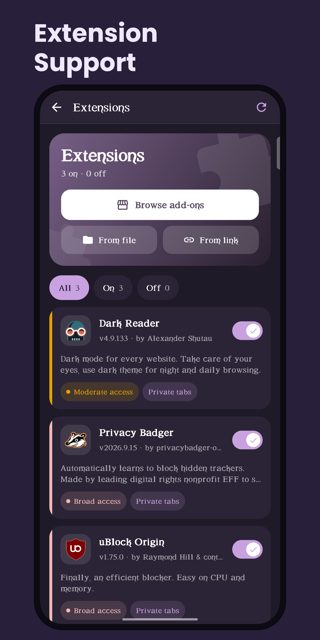
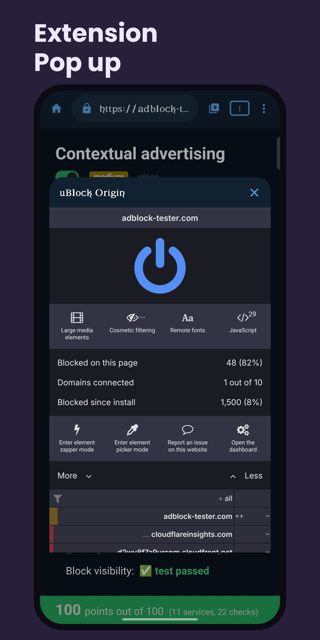
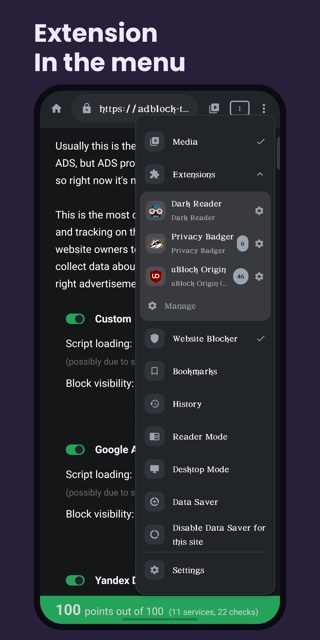
- Firefox extensions, install from the add-on store or an .xpi file, with incognito controls
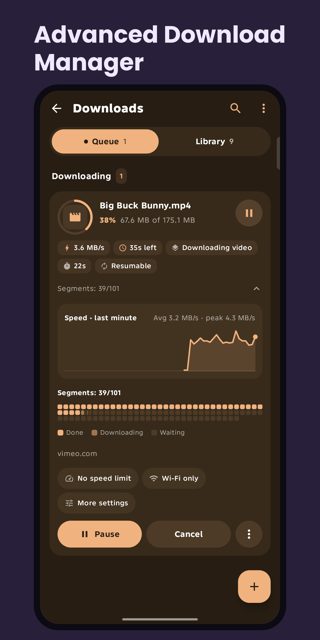
- ADM (Advanced Download Manager): multi-threaded downloads, pause/resume, scheduler, speed limiter, custom download locations
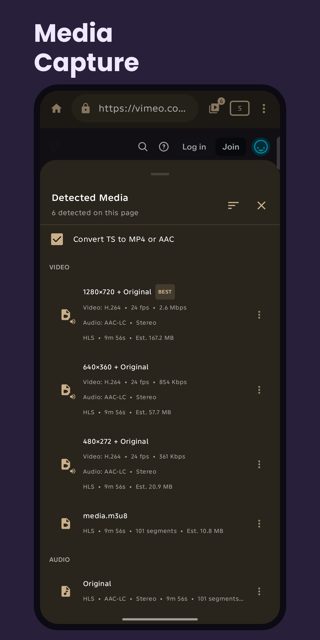
- Media Capture detects video, audio, and subtitle streams including HLS/M3U8 and DASH, downloadable straight from the browser
- Background playback with media notification controls, plus profiles that keep separate cookies and logins per account
- Privacy tools: tracking protection, fingerprinting protection, secure DNS over HTTPS, app lock, screenshot blocking, and a website blocker for unwanted categories
Why isn’t Clint Gecko on Google Play?
Clint Gecko is published by its developer on GitHub rather than on Google Play, and is not listed on F-Droid either.
Is Clint Gecko safe?
Clint Gecko is open source under the GPL-3.0 license, and this page links to the official APK from the developer's GitHub releases. The app has no backend, analytics, or data collection servers, and it opts out of GeckoView and Mozilla telemetry, according to the README and its privacy policy. Clint Gecko comes straight from its developer rather than through Google Play, so it hasn’t gone through Google’s app review. As with any app, check the permissions it asks for and install it if you’re comfortable with them.
How to install
- Tap the download button above: the APK file downloads straight to your phone.
- When Android asks, allow your browser to install unknown apps.
- Open the file and tap Install.
FAQ
Is Clint Gecko free
Yes. The developer states Clint will always remain free, with no ads, paywalls, or locked features. The project accepts optional donations through Patreon, Ko-fi, and PayPal.
How do I install Firefox extensions in Clint Gecko
Open the extension manager in the browser, then browse the Firefox add-on store or open an .xpi file directly. You can also choose whether each extension is allowed to run in incognito tabs.
How is Clint Gecko different from the original Clint Browser
Clint Gecko is a fork of Clint Browser that uses Mozilla's GeckoView engine instead of Android WebView, which adds Firefox extension support. If you want a lighter browser, the original Clint Browser built on WebView is the alternative.
More free apps you won’t find on Google Play: Open Source Apps · Best Android apps not on the Google Play Store.






Frequently Asked Questions
Is Clint Gecko free
Yes. The developer states Clint will always remain free, with no ads, paywalls, or locked features. The project accepts optional donations through Patreon, Ko-fi, and PayPal.
How do I install Firefox extensions in Clint Gecko
Open the extension manager in the browser, then browse the Firefox add-on store or open an .xpi file directly. You can also choose whether each extension is allowed to run in incognito tabs.
How is Clint Gecko different from the original Clint Browser
Clint Gecko is a fork of Clint Browser that uses Mozilla's GeckoView engine instead of Android WebView, which adds Firefox extension support. If you want a lighter browser, the original Clint Browser built on WebView is the alternative.













Leave a Comment