

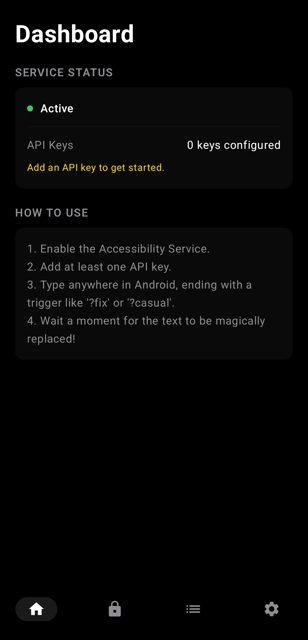
SwiftSlate is an Android accessibility service that rewrites text right where you're typing. Type a trigger like "?fix" at the end of a sentence in WhatsApp, Gmail, Messages or almost any app, and SwiftSlate sends it to an AI provider and swaps in the corrected or rewritten version instantly, with no copying or switching apps.
Developer: Musheer360 · License: MIT (open source) · Price: Free
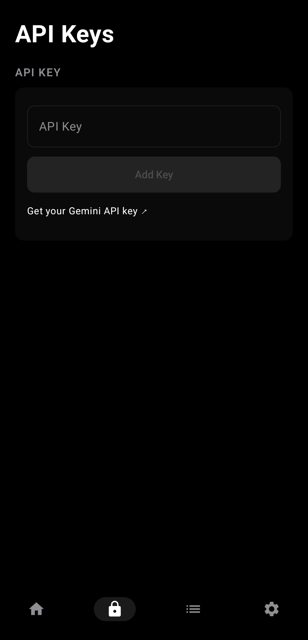
Before you start: you will need an API key from an AI provider such as Google Gemini or Groq (or the address of your own OpenAI-compatible endpoint, such as a local Ollama or LM Studio server) to use the AI-powered commands. Offline text replacer and clipboard commands work without any key. After installing, enable SwiftSlate's Accessibility Service permission in Android Settings so it can detect your text triggers.
Official file from the developer's release · Nov 5, 2026 · SHA-256 5303b2ac80c3861b…
Screenshots
Key features
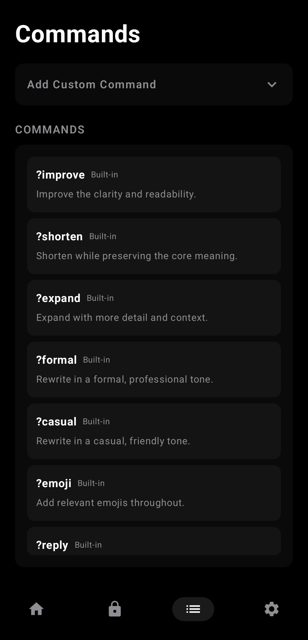
- 9 built-in AI commands (?fix, ?improve, ?shorten, ?expand, ?formal, ?casual, ?emoji, ?human, ?reply) plus ?translate:XX for any language and ?undo
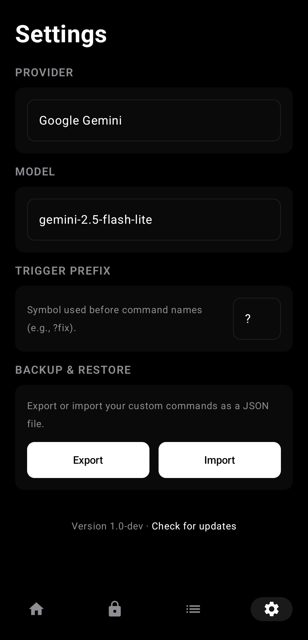
- Works with Google Gemini, Groq, or any OpenAI-compatible endpoint, including local LLMs like Ollama or LM Studio
- Offline text replacer commands for signatures, canned replies and snippets that run instantly with no API call
- Offline clipboard commands (?copy, ?cut, ?paste, ?replace) using the real Android system clipboard
- Text-selection menu support in apps the accessibility service can't reach, no permission needed for that mode
- Multi-key rotation across several API keys to avoid rate limits
Why isn’t SwiftSlate on Google Play?
SwiftSlate is published by its developer on GitHub and is also available on F-Droid, rather than on the Google Play Store.
Is SwiftSlate safe?
SwiftSlate is open source under the MIT license, and the APK on the GitHub releases page comes directly from the developer, with the same app also distributed on F-Droid. It needs Android's Accessibility Service permission to detect your triggers and replace text, and the README states it sends text only to the AI provider you configure, with no telemetry or tracking. SwiftSlate comes straight from its developer rather than through Google Play, so it hasn’t gone through Google’s app review. As with any app, check the permissions it asks for and install it if you’re comfortable with them.
How to install
- Tap the download button above: the APK file downloads straight to your phone.
- When Android asks, allow your browser to install unknown apps.
- Open the file and tap Install.
FAQ
Is SwiftSlate free?
Yes, it's free and open source under the MIT license. You will still need your own API key for the AI commands, since SwiftSlate connects to providers like Gemini or Groq, or your own OpenAI-compatible endpoint.
How do I use SwiftSlate's AI commands?
Type your text in any supported app, add a trigger like ?fix or ?formal at the end, and SwiftSlate sends it to your configured AI provider and replaces it in the same field once the response comes back.
Does SwiftSlate work without an internet connection or API key?
The AI commands need a configured provider and network access, but text replacer commands (like signatures or canned replies) and clipboard commands (?copy, ?cut, ?paste, ?replace) run entirely offline.
More free apps you won’t find on Google Play: Open Source Apps · Best Android apps not on the Google Play Store.






Frequently Asked Questions
Is SwiftSlate free?
Yes, it's free and open source under the MIT license. You will still need your own API key for the AI commands, since SwiftSlate connects to providers like Gemini or Groq, or your own OpenAI-compatible endpoint.
How do I use SwiftSlate's AI commands?
Type your text in any supported app, add a trigger like ?fix or ?formal at the end, and SwiftSlate sends it to your configured AI provider and replaces it in the same field once the response comes back.
Does SwiftSlate work without an internet connection or API key?
The AI commands need a configured provider and network access, but text replacer commands (like signatures or canned replies) and clipboard commands (?copy, ?cut, ?paste, ?replace) run entirely offline.













Leave a Comment