
XGesture is an open-source gesture and one-handed navigation suite for Android, built as an alternative to Samsung One Hand Operation+, Quick Cursor, and FooView. It adds edge-swipe gestures, a floating ball with offline OCR, back-tap and shake actions, notification tools, and an app freezer, all without ads or cloud trackers.
Developer: qpst4 · License: AGPL-3.0 (open source) · Price: Free
Before you start: decide which package to grab. The Full APK includes built-in offline OCR and translation engines and is recommended for new users. The Lite APK is smaller and downloads extension engines on demand. Both use the same applicationId (com.slideindex.app), so you can overwrite one with the other without losing your settings. For features like Shell Commands, App Freezer, or background clipboard listening, install Shizuku first (or have Root/Magisk/KernelSU), and optionally LSPosed for system-level SMS OTP injection.
Official file from the developer's release · Nov 6, 2026 · SHA-256 6ba9bbc8f6302681…
Screenshots
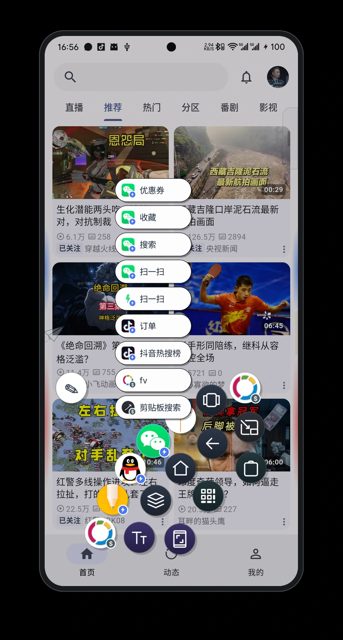
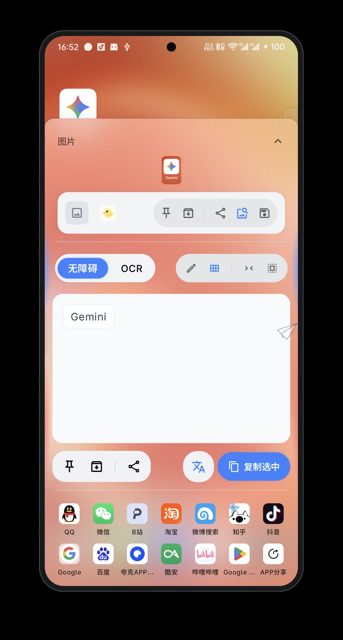
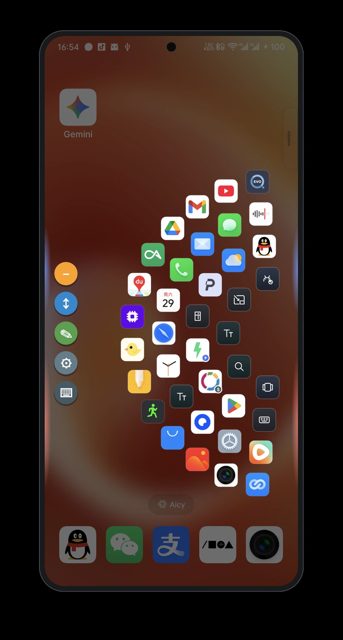
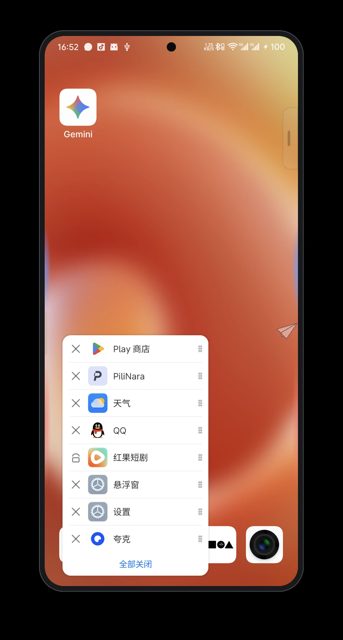
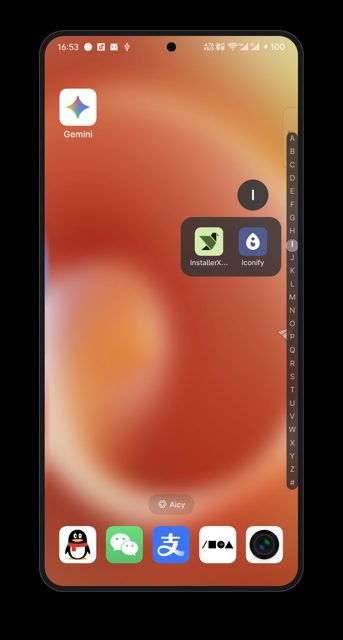
Key features
- 50+ configurable gesture actions triggered by screen-edge swipes, floating cursor, shake, desk-flip, or back-tap
- Floating ball with offline OCR (ML Kit/Tesseract/PaddleOCR), reverse image search, and text selection tools
- Notification manager with Dynamic Island style reminders, history filtering, and an OTP code extractor
- App Freezer, Quick Launcher, Ring Launcher, Honeycomb Launcher, and Task Switcher via Extensions
- Settings backup/restore as an encrypted ZIP, plus Shizuku, Root, or LSPosed integration for advanced actions
Why isn’t XGesture on Google Play?
It's published by its developer on GitHub rather than the Play Store; no reason beyond that is given in the README.
Is XGesture safe?
XGesture is open source under the AGPL-3.0 license, and the APKs are built and published directly by the developer on the GitHub releases page. It relies on Accessibility Service permissions to work, and some advanced actions (shell commands, app freezing) need Shizuku or Root access, which you should only grant if you understand what they do. XGesture comes straight from its developer rather than through Google Play, so it hasn’t gone through Google’s app review. As with any app, check the permissions it asks for and install it if you’re comfortable with them.
How to install
- Tap the download button above: the APK file downloads straight to your phone.
- When Android asks, allow your browser to install unknown apps.
- Open the file and tap Install.
FAQ
Is XGesture free?
Yes. It's open source under the AGPL-3.0 license and the README describes it as free from ads and cloud trackers.
What's the difference between the Full and Lite APK?
The Full APK comes with the offline OCR and translation engines built in and is recommended for new users. The Lite APK is smaller and lets you download those extension engines later as needed.
Do I need Root or Shizuku to use XGesture?
No, core gestures and navigation work without them. Root, KernelSU, Magisk, or Shizuku are only needed for advanced features like running shell commands, freezing apps, or background clipboard listening, and LSPosed is optional for system-level SMS OTP capture.
Does XGesture work offline?
Yes, the OCR, word segmentation, and translation features run on-device using engines like ML Kit, Tesseract, and PaddleOCR ONNX, with no cloud processing mentioned.
More free apps you won’t find on Google Play: Open Source Apps · Best Android apps not on the Google Play Store.





Frequently Asked Questions
Is XGesture free?
Yes. It's open source under the AGPL-3.0 license and the README describes it as free from ads and cloud trackers.
What's the difference between the Full and Lite APK?
The Full APK comes with the offline OCR and translation engines built in and is recommended for new users. The Lite APK is smaller and lets you download those extension engines later as needed.
Do I need Root or Shizuku to use XGesture?
No, core gestures and navigation work without them. Root, KernelSU, Magisk, or Shizuku are only needed for advanced features like running shell commands, freezing apps, or background clipboard listening, and LSPosed is optional for system-level SMS OTP capture.
Does XGesture work offline?
Yes, the OCR, word segmentation, and translation features run on-device using engines like ML Kit, Tesseract, and PaddleOCR ONNX, with no cloud processing mentioned.













Leave a Comment