
LeanType is an open-source Android keyboard built as a fork of HeliBoard, adding features like AI proofreading, translation, voice typing, OCR and custom sound packs. It is aimed at people who want a lightweight, privacy-respecting keyboard with deep customization options, without depending on a closed-source keyboard app.
Developer: LeanBitLab · License: GPL-3.0 (open source) · Price: Free
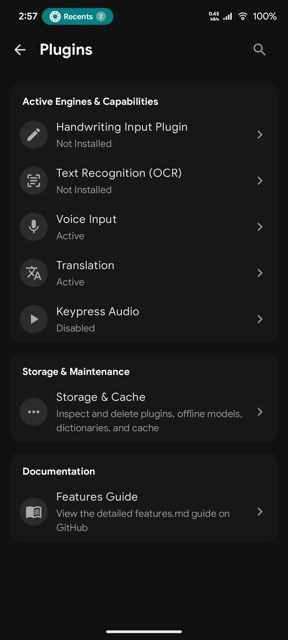
Before you start: decide which flavor you need. Choose the Standard flavor (-standard-release.apk, package com.leanbitlab.leantype, Android 6.0+) if you want optional cloud AI and in-app update checks. Choose the Offline flavor (-offline-release.apk, package com.leanbitlab.leantype.offline, Android 5.0+) if you want no internet permission at all. After installing, enable LeanType as your keyboard in Android Settings and switch to it from your keyboard switcher. Extra features such as CJK typing, voice typing (Whisper), handwriting recognition, and OCR are added through separate companion plugins that you download and import in-app or via browser.
Official file from the developer's release · Nov 4, 2026 · SHA-256 16ae09da0e076331…
Screenshots
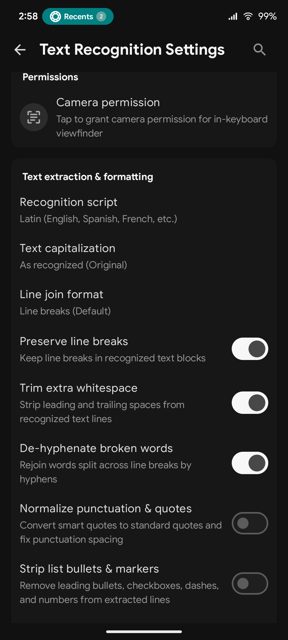
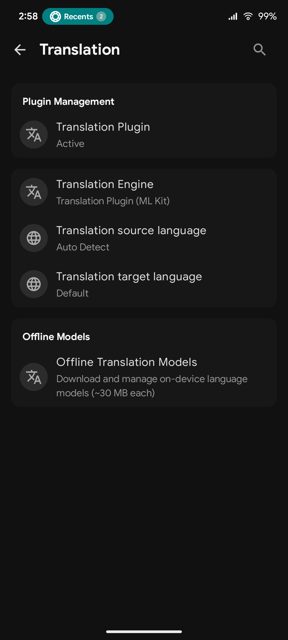
Key features
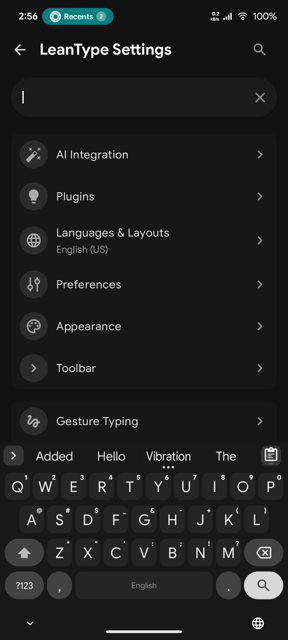
- Multi-provider cloud AI (Gemini, Groq, OpenAI) or self-hosted/offline GGUF models for proofreading, grammar correction and rewriting
- CJK plugin engine for Chinese Pinyin, Japanese Kana/Romaji and Korean Hangul typing
- In-keyboard camera and screenshot OCR with text cleanup and formatting options
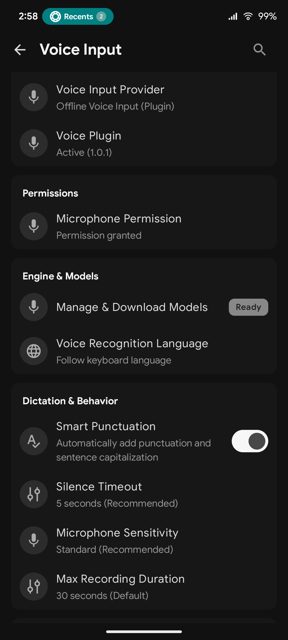
- On-device Whisper voice typing and handwriting recognition via companion plugins
- Hexagonal honeycomb layouts, custom sound packs, gesture/glide typing, floating keyboard mode and live wallpaper blur
Why isn’t LeanType on Google Play?
LeanType is published by its developer, LeanBitLab, directly on GitHub, and is also available on F-Droid, rather than on Google Play.
Is LeanType safe?
LeanType is open source under the GPL-3.0 license, and the APK is the official file released by LeanBitLab on GitHub (also published on F-Droid). It comes in two flavors: Standard, which can use optional internet access for cloud AI and update checks, and Offline, which blocks internet access at the OS level for full privacy; the README also notes that some browsers or Play Protect may flag direct APK installs, and installing via Obtainium or a package manager like App Manager is suggested if that happens. LeanType comes straight from its developer rather than through Google Play, so it hasn’t gone through Google’s app review. As with any app, check the permissions it asks for and install it if you’re comfortable with them.
How to install
- Tap the download button above: the APK file downloads straight to your phone.
- When Android asks, allow your browser to install unknown apps.
- Open the file and tap Install.
FAQ
Is LeanType free?
Yes. It is free and open source under the GPL-3.0 license, released by LeanBitLab on GitHub and F-Droid.
What is the difference between the Standard and Offline flavors?
Standard supports cloud AI providers (Gemini, Groq, OpenAI) and has an in-app update checker, with optional internet access. Offline has no internet permission at the OS level and instead relies on local GGUF models via llama.cpp for AI features. Both flavors support translation, voice typing, handwriting, and OCR through plugins.
Why can't I install the APK directly?
The README notes that Google Play Protect or some browsers may block direct APK installs downloaded from the web. If that happens, it suggests installing via Obtainium or a package manager such as App Manager.
More free apps you won’t find on Google Play: Open Source Apps · Best Android apps not on the Google Play Store.





Frequently Asked Questions
Is LeanType free?
Yes. It is free and open source under the GPL-3.0 license, released by LeanBitLab on GitHub and F-Droid.
What is the difference between the Standard and Offline flavors?
Standard supports cloud AI providers (Gemini, Groq, OpenAI) and has an in-app update checker, with optional internet access. Offline has no internet permission at the OS level and instead relies on local GGUF models via llama.cpp for AI features. Both flavors support translation, voice typing, handwriting, and OCR through plugins.
Why can't I install the APK directly?
The README notes that Google Play Protect or some browsers may block direct APK installs downloaded from the web. If that happens, it suggests installing via Obtainium or a package manager such as App Manager.













Leave a Comment