

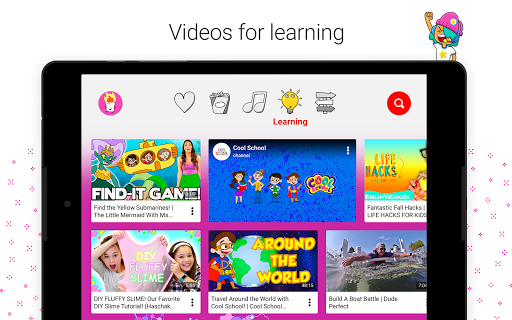
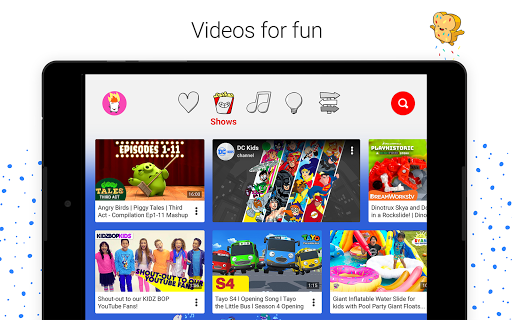

We created YouTube Kids to make it safer and simpler for kids to explore the world through online video – from their favorite shows and music to learning how to build a model volcano. There’s also a whole suite of parental controls, so you can tailor the experience to your family’s needs.
A safer online experience for kids
We use a mix of filters, user feedback and human reviewers to keep the videos in YouTube Kids family friendly. But no system is perfect and inappropriate videos can slip through, so we’re constantly working to improve our safeguards and offer more features to help parents create the right experience for their families.
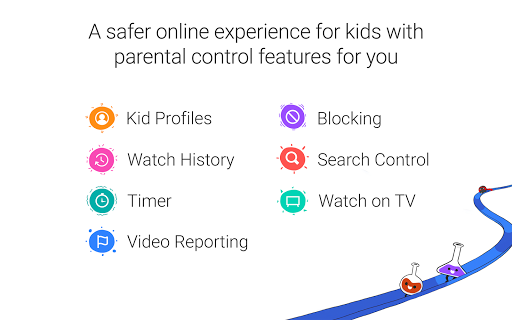
KID PROFILES: Create up to eight kid profiles, each with their own viewing preferences, video recommendations, and settings.
PARENT APPROVED CONTENT: Choose this setting if you want to make sure you’re in control of what your kids watch and handpick the videos, channels, and collections of channels they can see. Search is disabled in this setting.
OLDER EXPERIENCE: As your little ones grow and develop you have the option to open up new content appropriate for 8-12 year olds. Simply enable this option when creating a new profile or update an already existing one. This setting allows kids to watch and search popular music and gaming videos from creators like Justin Bieber, Rosanna Pansino, Dan TDM, and many more.
We work hard to make videos in the app family friendly, but no system is perfect. It’s always possible that you may find something you don’t want your child to watch. Videos may contain some explicit language and imagery, violence and suggestive content.
YOUNGER EXPERIENCE: The “Younger” version includes videos from The Little Bus Tayo, Monster High, and more. With a range of sing-alongs and learning videos, this experience is perfect for preschool to school aged kids to search and find videos they love.
We work hard to make videos in the app family friendly, but no system is perfect. It’s always possible that you may find something you don’t want your child to watch.
BLOCKING: Find a video or channel you don’t want your kid to watch? Block it to automatically remove it from all of your kids’ profiles.
VIDEO REPORTING: Alert us immediately by reporting videos that shouldn’t be in the app. The video will be sent for fast review.
TIMER: Set up a timer to put limits on how long your kids can watch.
WATCH HISTORY: Keep tabs on what your kids are watching.
Other important information:
Parental setup is needed to ensure the best experience possible for your kid.
YouTube Kids contains paid ads in order to offer the app for free. Your kid may also see videos with commercial content from YouTube creators that are not paid ads.
Important information for parents with Family Link Google accounts. You can create Google Accounts for kids under the age of 13 in Family Link. Your kids can sign into YouTube Kids with their Google Account. You can access parental settings in the Family Link app and enable an additional content level setting in our app. Opt into an “older” setting [applies only in the regions where it is launched, currently launched in the United States], if you feel your kid is ready for less restricted videos. These videos may contain some explicit language and imagery, violence and suggestive content. In addition, this setting tries to exclude mature content, but no automated system is perfect and your kid may find content with nudity, highly offensive language, and extreme violence. Please note that parent approved content is not available if you sign into YouTube Kids with kids’ Google accounts created in Family Link.
The Privacy Notice for Google Accounts managed with Family Link describes our privacy practices when your kid uses YouTube Kids with their Google Account. When your kid uses YouTube Kids without signing into their Google Account, the YouTube Kids Privacy Notice applies.
What’s New
By popular request, we're giving parents more power than ever before. You now have even more control and can hand-pick every channel and video that your child sees.
Additional information
YouTube Kids
com.google.android.apps.youtube.kids
10.11.0
54.04 MB
Google LLC





Frequently Asked Questions
Is YouTube Kids APK safe for children to use?
Yes, YouTube Kids is designed with safety as a priority. The app uses a combination of filters, user feedback, and human reviewers to keep videos family-friendly. However, no system is perfect, so Google continuously works to improve safeguards. Parents also have access to comprehensive parental controls to create the right experience for their family, including the ability to handpick content through Parent Approved Content settings.
Can I download YouTube Kids APK for free?
Yes, YouTube Kids is completely free to download and use on Android devices. There are no paid subscriptions or hidden fees required to access the app's features.
How do I install YouTube Kids APK on my Android device?
You can download YouTube Kids APK from AppsApk.com and install it on your Android device. After downloading, open the APK file and follow the on-screen installation prompts. Alternatively, you can download the app directly from the Google Play Store.
What parental control features does YouTube Kids offer?
YouTube Kids provides multiple parental controls including the ability to create up to eight separate kid profiles with individual viewing preferences and settings. Parents can enable Parent Approved Content mode to handpick videos and channels their children can watch, or choose age-appropriate experiences (Younger for preschool to school-aged kids, or Older for 8-12 year olds). Search can also be disabled in certain settings for added control.
What content is available in YouTube Kids APK?
YouTube Kids features a range of family-friendly content including favorite shows, music, educational videos, and learning content. The app offers different experience levels: the Younger experience includes shows like The Little Bus Tayo and Monster High with sing-alongs and learning videos, while the Older experience (8-12 years) includes popular music and gaming videos from creators like Justin Bieber, Rosanna Pansino, and Dan TDM.
Is YouTube Kids available on Google Play or only as an APK download?
YouTube Kids is available both as an APK download and on the Google Play Store. You can download it directly from Google Play or obtain the APK from third-party sources like AppsApk.com. The free app works on Android devices and provides the same family-safe features regardless of installation method.
Leave a Comment