

GO Launcher -Themes&Wallpapers APK — Latest version: v7.31 · Aug 27, 2025
GO Launcher
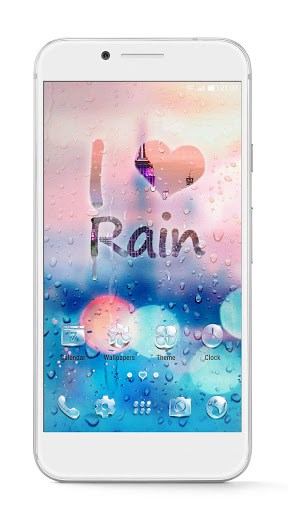
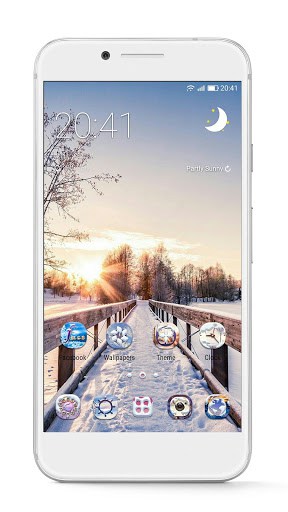
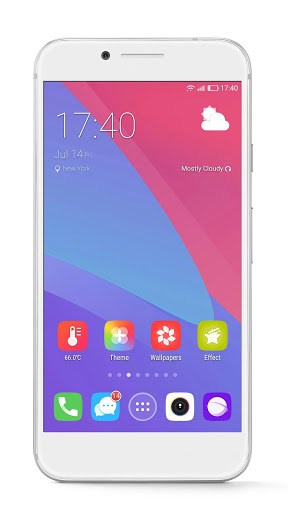
GO Theme: Provide 10000+ free mobile themes for android
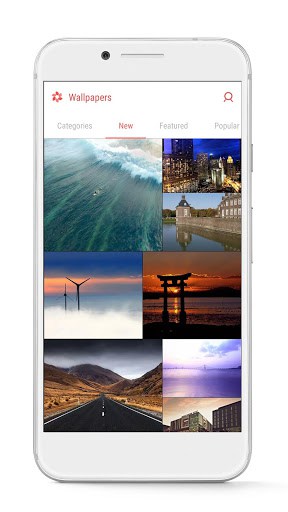
Go Wallpaper: Update various sorts of HD wallpapers, including beauty, pet and the great landscape from all over the world
√ Transition Effect: 20+ screen and drawer animation effects
√ Widget: Weather forecast widget, search widget, switches widget and 2018 calendar widget
√ APPs management: Hide & Lock APPs to protect phone security
√ Dr. Clean: Boost your phone speed
You can find launcher themes, icons, HD wallpapers & widget in GO Launcher, and customize your home screen, menu and even lock screen interface with 3D effects.
2018 Personalized App with 10000 mobile themes
GO Launcher Z is a stylish & personalized application for Android phone, which provides more than 10000 beautiful mobile themes for you. We have professional designers who create abundant stylish launcher themes with a variety of styles every week, including stars, anime, game, cartoon and so on. Screen 3D effects, App Widgets & over 100000 free HD wallpapers are ready for you to customize your home screen, menu and lock screen.
Cool launcher App of your mobile phone
With an independent developed 3D Engine, GO Launcher provides you with extremely fast and secure operating experience with simple, smooth and awesome 3D effects, dedicated to become the world’s best partner of users who use Android mobiles in their life and work.
DIY Themer is a useful tool, which will help you design your own themes with your own photo and icon. GO Launcher will makes your android phone more stylish and more personalized.
It’s time to download GO Launcher Z and experience the best design of the android themes from Go Launcher! We trust that you will find your favorite launcher themes for android in GO Theme Store.
GO Launcher is deeply convinced that your support has driven development.
You say awesome, we say thank you.
There will be ad content shown in certain scenes in our app. For more details, visit m.facebook.com/ads/ad_choices.
Contact us: [email protected]
Visit our website: gomo.com
Follow us
Facebook: facebook.com/golauncher
Additional information
GO Launcher – 3D parallax Themes & HD Wallpapers
com.gau.go.launcherex
2.51
26.85 MB
100,000,000+ downloads
GOMO Limited
App details
| Developer | go live llc |
|---|---|
| Version | 7.31 |
| Size | 8 MB |
| Content Rating | Everyone |
| Installs | 100M+ |
| Rating | 4.4 / 5 (7,137,867 reviews) |
| Updated | Aug 27, 2025 |
Screenshots


What makes GO Launcher -Themes&Wallpapers stand out
GO Launcher -Themes&Wallpapers has 100M+ installs to date. That puts it among the more widely adopted apps in its category. Scale at that level usually signals stable performance and a responsive development team. The 4.4-star aggregate is built on 7,137,867 real user reviews. That sits well above the average for the personalization app genre. Scores like this appear when a product hits its core promise consistently.
GO Launcher -Themes&Wallpapers specifications and compatibility
The current build is version 7.31. The developer last updated it on Aug 27, 2025. The download size is 8 MB. That installs quickly even on a moderate mobile connection. Google Play classifies the content as Everyone.
Frequently asked questions
Is GO Launcher -Themes&Wallpapers free to download?
Yes, GO Launcher -Themes&Wallpapers is available as a free download on Google Play and as a free APK on this page. The APK is the official, unmodified build pulled directly from the developer.
How many people have downloaded GO Launcher -Themes&Wallpapers?
GO Launcher -Themes&Wallpapers has been downloaded 100M+ times from Google Play, putting it among the more widely adopted personalization apps in its category.
Is the GO Launcher -Themes&Wallpapers APK safe to install?
Yes. The APK on this page is the original, unmodified build from go live llc, pulled directly from the Google Play Store with no third-party modifications. It carries the Everyone content rating Google assigns on Play.
How big is the GO Launcher -Themes&Wallpapers APK?
The GO Launcher -Themes&Wallpapers APK is 8 MB in size, which downloads quickly on most mobile and Wi-Fi connections.
What is the latest version of GO Launcher -Themes&Wallpapers?
The current build of GO Launcher -Themes&Wallpapers is version 7.31, last updated by the developer on Aug 27, 2025. This page automatically tracks new releases as the developer ships them.





I like this apk … Pls download and enjoy ????????????????????????