

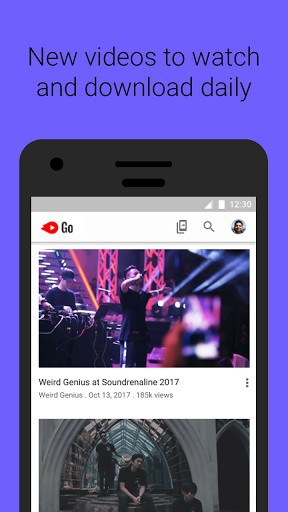
✔️️ Discover popular videos: cooking, how-to’s and many, many more!
✔️️ Download and watch your favorite videos
✔️️ Control your data and storage
✔️️ Instantly share videos – no data used to transfer
✔️️ Only 9.4MB app size
Control Your Data! $
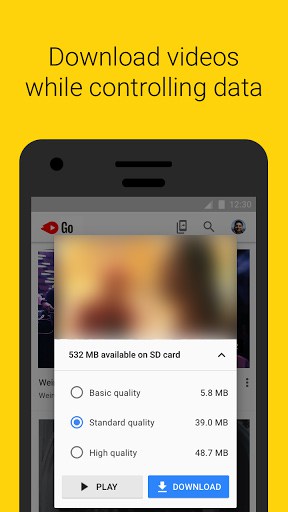
– Choose to download or watch
– Preview videos before you download or watch
– Choose how many MBs you use on videos
Download Videos!
– Download videos to your phone or SD card
– Play them without buffering
– Watch them anytime, anywhere – even with slow or no internet connection
– Watch downloaded videos many times with no extra data cost
Share Videos Instantly!
– Share with friends and family nearby
– Video transfer uses no data
– Super fast speed: send and receive videos in seconds
Super Fast! Less Phone Hang!
– No more worrying about phone hanging
– Made to work with less storage and slow speeds
– Works on older Android versions back to Jellybean (Android 4.1)
YouTube Go – Maximize your fun without eating up your data!
What’s New
Introducing the new YouTube Go app – try it now!
Additional information
YouTube Go
com.google.android.apps.youtube.mango
5,000,000+ downloads
Google LLC






Frequently Asked Questions
What is YouTube Go APK?
YouTube Go is a lightweight app from Google LLC designed for users with limited data or slow internet connections. It allows you to discover popular videos in categories like cooking and how-to's, download them for offline viewing, and share videos instantly with nearby friends without using any data. The app is only 9.4MB in size, making it ideal for devices with limited storage.
Is YouTube Go free to download?
Yes, YouTube Go is completely free to download and use. There are no subscription fees or in-app purchases required to access its core features like downloading videos, controlling your data usage, and sharing videos with others.
How do I download YouTube Go APK?
You can download the YouTube Go APK directly from AppsApk.com. The app is also available on Google Play Store. Once downloaded, install the APK file on your Android device to start using the app. YouTube Go works on older Android versions back to Jellybean (Android 4.1).
What Android version does YouTube Go require?
YouTube Go is designed to work on older Android devices and is compatible with Android versions back to Jellybean (Android 4.1). This makes it accessible to a wide range of Android users, even those with older or budget devices.
Can I watch YouTube Go videos offline?
Yes, one of the main features of YouTube Go is the ability to download videos directly to your phone or SD card and watch them offline without buffering. You can preview videos before downloading them and watch downloaded videos multiple times with no additional data cost.
How does YouTube Go help control data usage?
YouTube Go lets you preview videos before downloading or streaming them, so you can decide which content to view. You can choose to download or watch videos, set limits on how many MBs you use on videos, and share videos with nearby friends using a data-free transfer method that works in seconds.
Leave a Comment