


Beta version: https://play.google.com/apps/testing/com.kimcy929.screenrecorder
FA&Q
Q: Why the app doesn't support record internal sound?
A: Android doesn't public API to support 3rd party app so the MIC is the only way.
Q: Why the app can't record a call, Whatapps, PUGB or other apps that use the MIC?
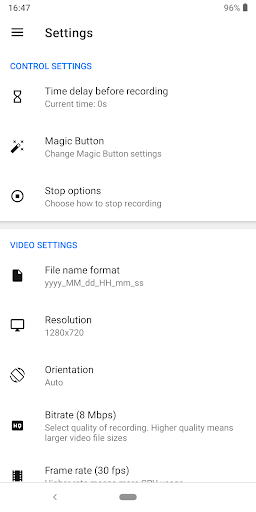
A: Two apps can't use the MIC at the same time. It will conflict hardware so you need to turn off the feature "Record sound" in the settings this app.
NOTE: If you are using XIAOMI device, please do the following:
You must go to security ->choose permission -> permission -> Screen Recorder and turn on pop up window. Follow up, you go to security -> Permission -> AutoStart -> turn on Screen Recorder.
Press recently app button and look at Screen Recorder, if Recorder hasn't locked (lock icon over Screen Recorder), please pull down it -> OK
+ Support save a video in SD Card or anything location which you want.
+ Record screen
+ Take screenshot
+ Support facecam (both front and back) while recording. You can double tap the preview to change.
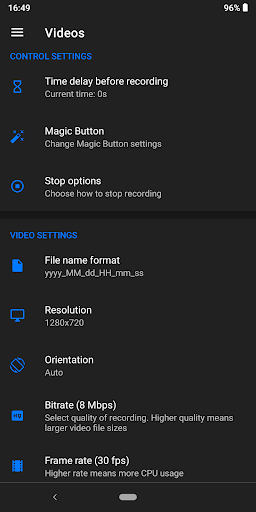
+ Support Magic Button help stop, pause and show recording time (for Simple Magic button)
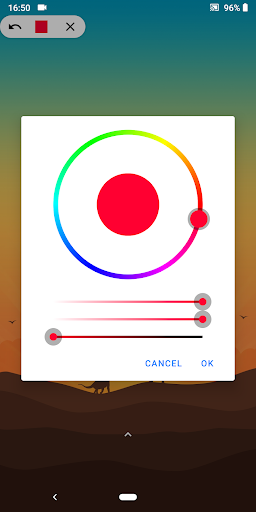
+ Edit overlay feature – you can draw notes onto the screen while recording.
+ Trim video after finish recording or any video has format MP4 available on devices
+ Record sound of MIC when record screen video
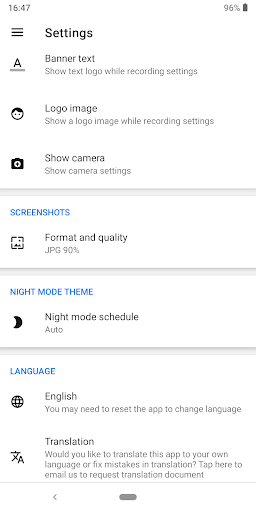
+ Insert logo text, logo image
+ Support Day/Night theme
+ Support quick tiles (shortcuts for the notification panel) for Android 7.0 and greater
+ Internal sound for games from Android Q – Android 10. [User Guide]1. Click the blue button
2. Allow all permissions
3. Click the blue button again to start using
You can use quick tiles (screen recorder, capture screenshot)on the notification panel (From Android 7.0 and higher)
[Note]+ For device running Android 6.0. You need must allow OVERLAY_PERMISSION and other permissionIf you like, Screen Recorder app don't forget rate five stars ★★★★★ or review. They are appreciated for me. Thank you so much
Help me translate into your language. Thanks
https://oskytui.oneskyapp.com/collaboration/project?id=165619
Thank for translators:
oliviermario13 – French
mobile46 – Turkish
jcdelacruz15 – Spanish
Alison Souza – Portuguese(Brazil)
zanni lorenzo – Italian
iPlayRadio Networks – Greek
English
French
Turkish
Spanish
Portuguese (Brazil)
Italian
Chinese Traditional
Bengali
Polish
Indonesian
Simplified Chinese
(Kurdish) کوردی
Croatian
Arabic
Swedish
Dutch (Netherlands)
Persian
Russian
Korean
German
Uyghur
Hindi (India)
Norwegian
Greek
Hungarian
Romanian
Portuguese (Portugal)
Ukrainian
Czech
Albanian
Japanese
Thai
Urdu
Bulgarian (Bulgaria)
P/s: Communicate with me https://twitter.com/kimcy929
What’s New
App's performance improvement
Additional information
Screen Recorder – No Ads
com.kimcy929.screenrecorder
1.2.1.0
4.05 MB
Kimcy929






Frequently Asked Questions
Is Screen Recorder - No Ads truly free with no ads?
Yes, Screen Recorder - No Ads is a free application with no advertisements. You can download it and use all its features without paying or encountering ad interruptions while recording your screen.
How do I install Screen Recorder - No Ads APK on my Android device?
To install the Screen Recorder - No Ads APK, first enable installation from unknown sources in your device settings. Then download the APK file from AppsApk.com and tap it to install. After installation, grant all necessary permissions when prompted, then tap the blue button to start using the app.
Why doesn't Screen Recorder - No Ads record internal sound from apps?
Android doesn't provide a public API for third-party apps to record internal audio, so the microphone is the only way to capture sound. However, for Android Q (Android 10) and above, the app supports internal sound recording specifically for games.
Can I record phone calls or WhatsApp with Screen Recorder - No Ads?
You cannot record calls, WhatsApp, PUBG, or other apps that use the microphone simultaneously because two apps cannot use the MIC at the same time without hardware conflict. To avoid this, turn off the 'Record sound' feature in the app settings before recording these applications.
What are the main features of Screen Recorder - No Ads?
Key features include screen recording, screenshot capture, facecam support (front and back), video trimming, screen annotation/drawing tools, logo and text insertion, magic button controls, quick notification panel tiles (Android 7.0+), multiple language support, and the ability to save videos to SD card or any location you prefer.
Does Screen Recorder - No Ads work on Xiaomi devices?
Yes, but Xiaomi users need to enable additional permissions. Go to Security > Permission > Permission > Screen Recorder and turn on 'Pop up window,' then go to Security > Permission > AutoStart and enable Screen Recorder. Ensure the app is not locked in the recent apps view for proper functionality.
Leave a Comment