


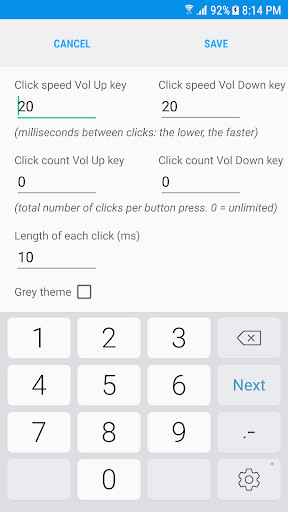
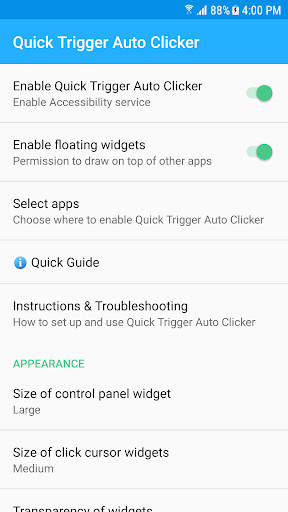
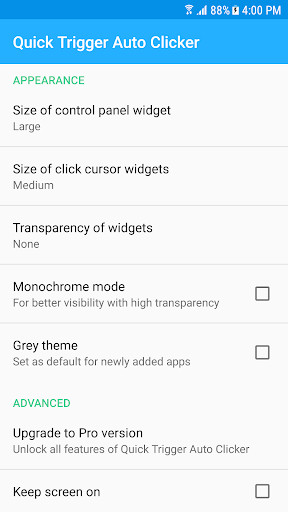
NOTE: Due to limitiations in Android's accessibility framework, a click triggered by the volume buttons will interrupt any ongoing manual touch gesture. This app is not for games where you have to keep the other finger on the screen for movement while triggering an action (as e.g. in a typical shooter).
Quick Trigger Auto Clicker offers a floating control panel to conveniently configure volume button triggering for your game. Simply place click cursor widgets on your game's on-screen controls: holding down a volume button will then trigger that game button, at a frequency that you select.
NOTE TO XIAOMI USERS: If you cannot open the settings window after the latest MIUI update, go to Settings > Manage Apps > Quick Trigger Auto Clicker > App Permissions, and enable "Display pop-up windows while running in the background"
Problems/suggestions? Please email me at [email protected]
This app uses Accessibility services. Accessibility is used to detect when the volume buttons are pressed on your device, and to perform touch gestures on behalf of the user. It is not used to see what you type. Quick Trigger Auto Clicker does not collect or share any of your personal information with third parties.
Additional information
com.phonephreak.volumekeyclicker
1.0.7
0.57 MB
Phone Phreak Software






Frequently Asked Questions
What is Quick Trigger Auto Clicker and how does it work?
Quick Trigger Auto Clicker is a tool app that lets you trigger rapid clicking in games using your device's volume keys. Instead of tapping an overlay button, you hold down the Volume Up or Volume Down key to automatically perform clicks at your chosen frequency—up to 1000 clicks per second.
Is Quick Trigger Auto Clicker free to download?
Yes, Quick Trigger Auto Clicker is completely free to download and use. There are no hidden costs or premium versions required to access its core functionality.
Does Quick Trigger Auto Clicker require root access?
No, Quick Trigger Auto Clicker does not require root access to function. It also does not need activation via a PC, making it straightforward to set up on any Android device.
Is Quick Trigger Auto Clicker safe to use, and does it collect personal data?
Yes, the app is safe to use. It uses Android's Accessibility services only to detect volume button presses and perform touch gestures—not to monitor what you type. The developer explicitly states that Quick Trigger Auto Clicker does not collect or share any personal information with third parties.
What Android devices are compatible with Quick Trigger Auto Clicker?
Quick Trigger Auto Clicker works on Android devices. However, note that due to limitations in Android's accessibility framework, the app is not suitable for games where you must keep one finger on the screen for movement while triggering actions (such as typical shooters).
I'm a Xiaomi user and can't open the settings window—what should I do?
If you cannot open the settings window after a MIUI update, go to Settings > Manage Apps > Quick Trigger Auto Clicker > App Permissions, and enable 'Display pop-up windows while running in the background.' For other problems or suggestions, you can email [email protected].
Leave a Comment