

org.js.oledsaver
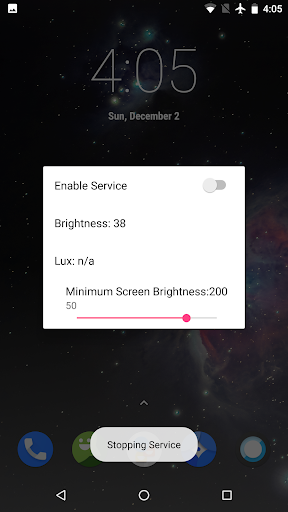
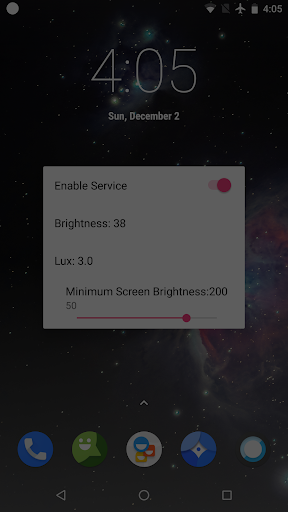
With a traditional LCD screen, a light is projected through the array of pixels to increase or decrease their luminosity, and brightness adjustments are made by simply dimming this light. But with AMOLED displays, each pixel emits its own light—so in order to decrease your screen's brightness, the electrical current flowing through these pixels has to be reduced in some way. It's this reduced current that can make your screen seem to pulse or flicker.
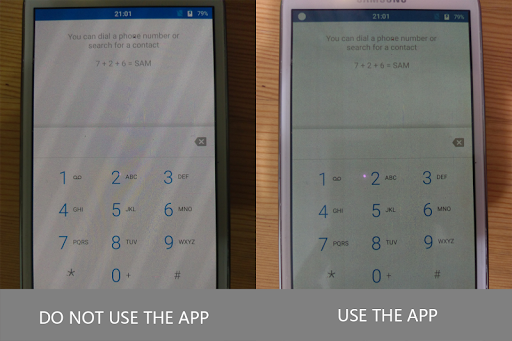
This application solves these AMOLED problems by replacing the system functions for automatic brightness adjustment, which dims the pixels displayed on the screen without having to reduce the current flowing through them. This means it can keep the physical brightness of the screen at a high enough level to avoid screen flicker problems, while automatically reducing the actual display brightness according to ambient light, protecting your eyes. It reduces screen brightness by turning off some pixels and adding a transparent black mask layer, and then provides you with an easy-to-access control bar to further adjust the brightness. Another benefit is allowing you to darken your screen further than the minimum stock brightness level.
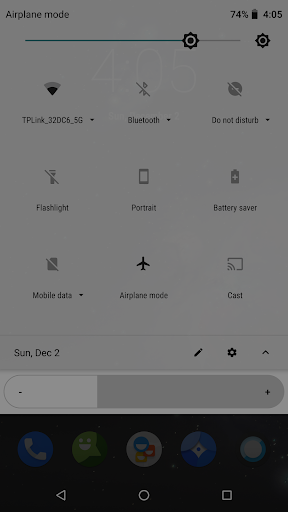
After the android o version, this app still effective in the status bar, notification drop-down menu or lock screen.
What’s New
1. Add system brightness adjustment control.
2. Fixed the problem that the brightness automatically became lower under some conditions.
3. Add Traditional Chinese support.
4. Add a pause function (temporarily disable the mask).
If the upgrade user encounters an abnormal situation when the screen is rotated, please uninstall and reinstall the app.
Additional information
OLED Saver
org.js.oledsaver
1.39
1.10 MB
MrJS






Frequently Asked Questions
What does OLED Saver APK do?
OLED Saver APK solves AMOLED screen flickering problems by replacing the system's automatic brightness adjustment. Instead of reducing electrical current (which causes flicker), it dims the display by turning off pixels and applying a transparent black mask layer, while keeping the screen's physical brightness high enough to prevent flickering.
Is OLED Saver APK free to download?
Yes, OLED Saver is a free application available for download on AppsApk.com with no cost to install or use.
How do I install OLED Saver APK?
Download the OLED Saver APK file from AppsApk.com, enable installation from unknown sources in your Android device settings, then open the APK file and follow the on-screen installation prompts. The app provides an easy-to-access control bar for brightness adjustment after installation.
Will OLED Saver APK work on Android O and newer versions?
Yes, OLED Saver remains effective on Android O and newer versions, including functionality in the status bar, notification drop-down menu, and lock screen.
Can I darken my screen more than the stock minimum with OLED Saver?
Yes, one of the key benefits of OLED Saver is that it allows you to darken your screen further than the minimum stock brightness level, giving you more control over display brightness for different lighting conditions.
What recent improvements were made to OLED Saver APK?
Recent updates include system brightness adjustment control, fixes for automatic brightness issues under certain conditions, Traditional Chinese language support, and a pause function that temporarily disables the mask when needed.
Leave a Comment