

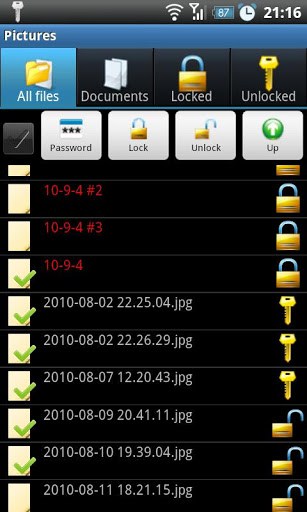
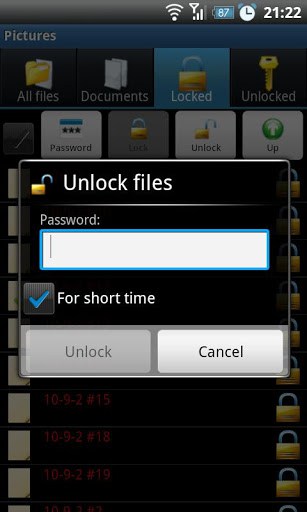
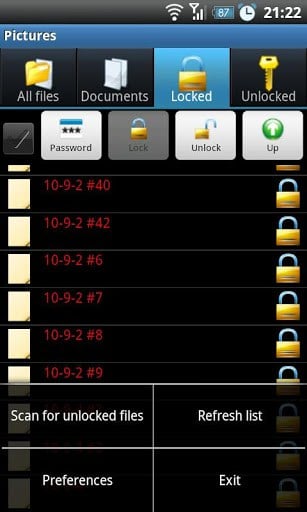
– Fast way to lock huge files (like movies) by hashing just both beginning and ending of file (optional).
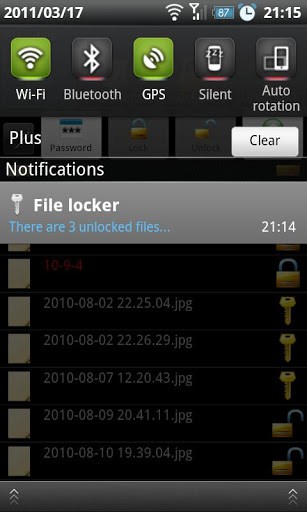
– Tracks temporary unlocked files by notification, to keep in mind you left unprotected docs.
– Encodes the content and file names as well.
– Involves the Android Media Scanner automatically after change to make file visible by other applications.
– Smart looking through directories for documents, locked and unlocked files.
– Opens documents directly from app.
– Notifies about forgotten unlocked files, which were left by user.
NOTICE: There is no password recovery procedure, because the password is not stored anywhere. Program checks just kind of password sum control (one way encryption).
Keep in mind that encrypted file name cannot be changed by other programs, because file locker will not able to restore original name and file remains corrupted.
Do you want to report problem, propose a new feature? Send me email, please. thx
What’s New
– Android KitKat 4.4 support added
– New hashing algorithm that resolves corrupt files problem
– Others minor bugs resolved
Additional information
File Locker
com.mwgo.filelocker
1.1.0
205.33 KB
1,000,000+ downloads
Marcin Wojas




Frequently Asked Questions
Is File Locker APK free to download?
Yes, File Locker is a free utility application available for download. There are no purchase costs associated with using this file protection app on your Android device.
What Android version does File Locker require?
File Locker has been updated to support Android KitKat 4.4 and later versions. The application includes optimizations and bug fixes to ensure compatibility across modern Android devices.
How does File Locker protect my files?
File Locker encodes both the file content and file names to make them unreadable without the correct password. It uses a one-way encryption system for password verification. Note that there is no password recovery option, so keep your password safe.
Can File Locker lock large files like movies efficiently?
Yes, File Locker features a fast hashing algorithm that can lock large files by only processing the beginning and ending portions of the file, making it quick to protect movies and other large media without processing the entire file.
What happens to files I temporarily unlock in File Locker?
File Locker sends you notifications to remind you about temporarily unlocked files. This helps you keep track of which documents remain unprotected and ensures you don't accidentally leave sensitive content exposed.
Can I open files directly from the File Locker app?
Yes, File Locker allows you to open documents directly from the application. It also integrates with the Android Media Scanner automatically, making locked and unlocked files visible to other applications on your device.
i lock my some audio but now uninstall this apps now I again download and installed but that file can’t be unlock how i unlock my audio its very important audio pleas tell me solution
download computer file explorer and rename d file ending to .mp4 or .3gp
It’s very very helpfull.
Very best app i am using….safty lock & Unlock…
TnQ.
i had locked som files.now i hav changed my
mob. in new mob i hav installed file locker but i
m unable to open d files again.plz help
i lock my some video.but unfortunately uninstall this apps. now again i installed it but that file can’t be unlock. now how can i unlock my video.
I and u have same problem are you get solution plz tell me
Hi! I used your file locker. But I forgot my password. Please help me to recover it.
i am using file locker but i dont open my file due password error show which process the recover this file
I am glad to get it.
when i open my files,the file was a video.but the video not playing now….”unable to video play” why……
help me…..
how to i open my video……
Remind when you save any file in this locker it became a file with ? this mark at its current place so don’t del this marked file otherwise u will never find ur file again..
Hi, plz i forgot my password and i need to get my file back its important to me now and its urgent, plz help me out now
How do I change a compromised password to a new one?
My son wants to play the music but used to delete the files. I want an app that will allow accessing the file but will prevent deleting the files. Could you help?
Hello,
I used your Filelocker. But By chance I forgot My Password. Please Help Me to recover it. Its Very Important for me.
Thnx.
android 4.2.2 problenmm
no its not working
it is a waste , no use
me how can ı get my files without password
It’s my choose software. I like it.
i want to lock my folder….
best file locker.
ı lost my password.please help me how can ı get my files without password?
just change the format .filelocked to your desired file format ex: .3gp, .txt .mp4 etc
it works for me
It’s very helpfull. I wish to get new inform of this site.
File locker download
Helpfull
Good
haw to unlock my files its bert important. pls tell me a answer
I loss to password and file is not deleted. plz help me data is most important.
try recovering your files by uninstalling filelocker, after uninstalling filelocker, install it again, this may delete your old password, try this, i hope it will help:)
Uninstall filelocker and again install but is not working.
My Password is loss. File is Available.
Good..
It’s very helpfull. I wish to get new inform of this site.
I lost my all jpg file when i unlocking the jpg file 🙁