

DashBeam is an open-source file transfer app that sends files directly between devices using peer-to-peer connections instead of uploading them to a cloud server. It works for nearby devices over Wi-Fi or for devices far apart over the internet, with the transfer encrypted end to end.
Developer: tonyantony300 · License: AGPL-3.0 (open source) · Price: Free
Before you start: if the Nearby device list stays empty, check that mDNS isn't blocked on your network (this is common on guest Wi-Fi and VPNs) – see the app's Troubleshooting guide linked on its website for details.
Official file from the developer's release · Oct 14, 2026 · SHA-256 a5a2e2ebccd7208f…
Screenshots
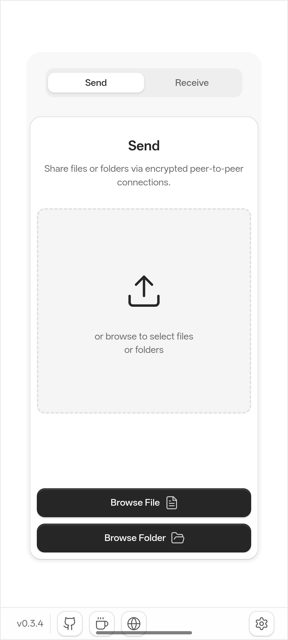
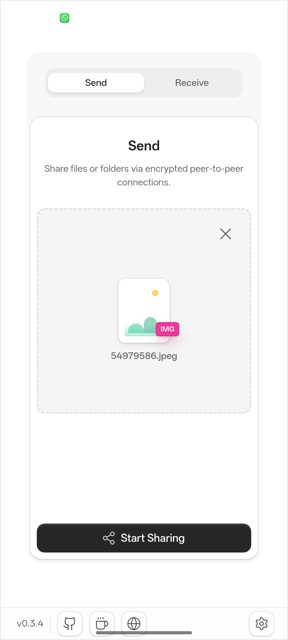
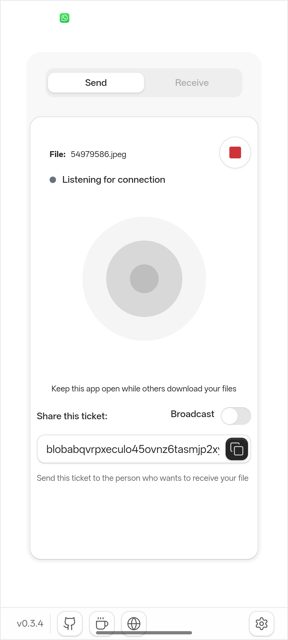
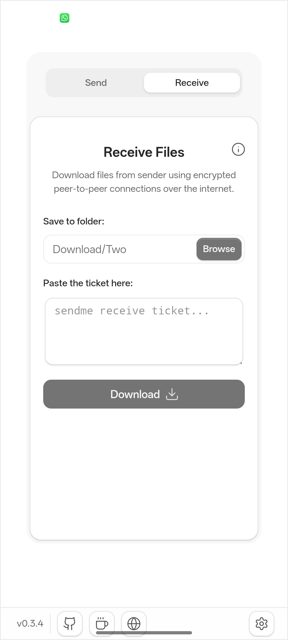
Key features
- Send to nearby devices automatically found on the same network, or pair with a device to send without a ticket each time
- Mark a paired device as trusted so its files arrive without a prompt
- Share a file with a code, link, or QR code so the receiver can grab it from a browser without installing anything
- Transfers resume if interrupted and keep going even if you switch from Wi-Fi to cellular
- End-to-end encrypted with TLS 1.3, no accounts, tracking or ads, and every file chunk is verified with BLAKE3
Why isn’t DashBeam on Google Play?
DashBeam is also listed on Google Play, but this page offers the APK directly from the developer's GitHub releases for people who prefer installing it that way or want the latest release right away. It is not on F-Droid.
Is DashBeam safe?
DashBeam is open source under the AGPL-3.0 license, and the APK on this page comes from the developer's official GitHub releases. The app does request network and file access to work, which is expected for a file-sharing tool, and as with any APK installed outside Google Play you will need to allow installs from unknown sources.
How to install
- Tap the download button above: the APK file downloads straight to your phone.
- When Android asks, allow your browser to install unknown apps.
- Open the file and tap Install.
FAQ
Is DashBeam free?
Yes. It is free and open source with no stated limits on file size or number of transfers.
How do I send a file to someone without them installing the app?
Use the Code, Link, or QR option while sharing. The receiver can open the link in a browser (it opens the app automatically on Android) and download the file without installing anything, though the native app is recommended for large files.
How is DashBeam different from apps like LocalSend or Magic Wormhole?
DashBeam works both on your local network and over the internet, supports resuming interrupted transfers, and can keep a transfer going even if you switch networks mid-way. LocalSend is limited to the same network, and Magic Wormhole is CLI-only.
More free apps you won’t find on Google Play: Open Source Apps · Best Android apps not on the Google Play Store.






Frequently Asked Questions
Is DashBeam free?
Yes. It is free and open source with no stated limits on file size or number of transfers.
How do I send a file to someone without them installing the app?
Use the Code, Link, or QR option while sharing. The receiver can open the link in a browser (it opens the app automatically on Android) and download the file without installing anything, though the native app is recommended for large files.
How is DashBeam different from apps like LocalSend or Magic Wormhole?
DashBeam works both on your local network and over the internet, supports resuming interrupted transfers, and can keep a transfer going even if you switch networks mid-way. LocalSend is limited to the same network, and Magic Wormhole is CLI-only.













Leave a Comment