
S8 Launcher (Galaxy S8 Launcher) brings the Samsung Galaxy S8 home-screen experience to any Android phone — the S8-style edge look, icons, app drawer and smooth transitions, no Galaxy device required. Explore more launchers and personalization apps.
S S8 Launcher

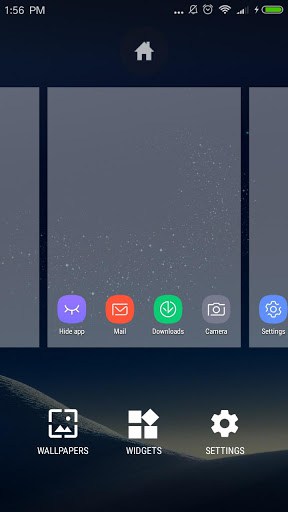
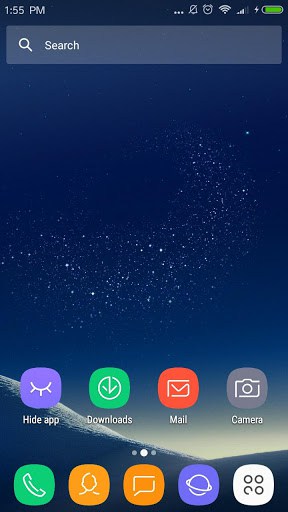
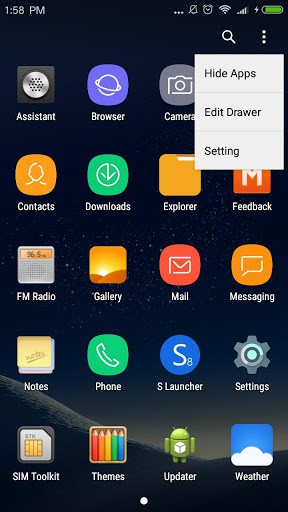
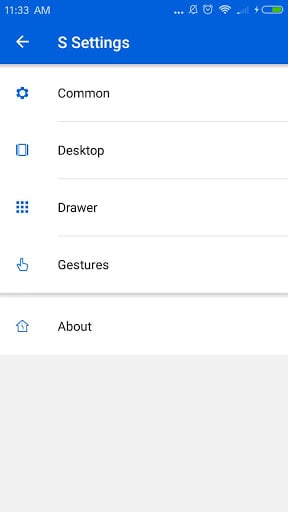
– Theme and icon pack support, many themes and icon packs
– Galaxy S8 animation effect
– Galaxy S8/S7 icon pack built-in
– Hide app feature, even lock the hidden apps
– Search bar option
– Icon labels option
– Grid size option
– Support scroll wallpaper
– Android™ 7.0 Nougat style widget drawer
– Android N Nougat style edit mode
– Quick search in all apps
– Gesture support
– Infinite scroll in drawer
– Recent apps in drawer
– Very smooth and cleanContact us: [email protected]
– Samsung, Galaxy S and TouchWiz are registered trademarks of Samsung Electronics Co., Ltd.
– Android is a trademark of Google Inc.
❤We are trying our best to build this app better and better, your rating and comments are encouraging to us, thanks a lot
What’s New
v2.5 (2017-6-23):
1. Add S7/S8 theme,wallpaper quick setting
2. Add Prime Key to remove ad
3. Fix folder rename bug
4. Fix setting default launcher will crash in Huawei devices
5. Fix app drawer may not opening in rare case
Additional information
S S8 Launcher – Galaxy S8 Launcher, theme, cool
com.galaxys.launcher
2.5
6.15 MB
1,000,000+ downloads
N Dev Team





Frequently Asked Questions
What is S8 Launcher?
S8 Launcher is a free Android launcher (home-screen replacement) that brings the Samsung Galaxy S8 home screen, icons and app drawer to any Android phone. You install it, set it as your default home app, and it changes how your home screen, app drawer and icons look and work.
Is S8 Launcher free to download?
Yes. S8 Launcher is free to download and use, and the APK on this page is the original, unmodified build.
Is the S8 Launcher APK safe to install?
Yes. The APK on this page is the original, unmodified S8 Launcher build. As with any launcher, install from a trusted source and review the permissions it requests.
How do I set S8 Launcher as my default launcher?
Install S8 Launcher, open it once, then press the home button and select S8 Launcher as your default home app. You can switch back to your previous launcher anytime in Android settings.
Does S8 Launcher work on my Android phone?
S8 Launcher works as a standard launcher on most modern Android phones and tablets. Performance may vary on older or low-memory devices.
Leave a Comment